Many iPhone users may need to remove their SIM card when switching carriers, upgrading to a new device, or troubleshooting network issues. Knowing how to remove SIM card from iPhone and how to get iPhone SIM card out without tool? ensures the process is done safely without damaging the SIM tray or the device.
With the correct steps and a simple SIM eject tool, most people can complete the process in just a few seconds. To learn the exact instructions and helpful tips, you can refer to the article from TAG Mobile for more detailed information.
1. What Is a SIM Card and Why You Might Need to Remove It
A SIM card is a small but essential component that allows your iPhone to connect to a mobile carrier’s network. In some situations, removing the SIM card may be necessary to change networks, upgrade devices, or resolve connectivity issues.
What a SIM Card Does in Your iPhone
A SIM card stores important information that allows your iPhone to communicate with a cellular network. It contains details such as your phone number, carrier identification, and authentication data used to connect to mobile services. Once inserted into the device, the SIM enables functions like making calls, sending text messages, and using mobile data through your carrier’s network.
Common Reasons to Remove a SIM Card
There are several practical situations where removing the SIM card from your iPhone may be necessary. Understanding these scenarios can help you manage your device more easily and maintain a stable connection.
- Switching to a different mobile carrier: If you decide to move to another mobile provider, you may need to remove the current SIM card and replace it with a new one from the new carrier.
- Moving your SIM card to a new or replacement iPhone: When upgrading to a new device or replacing a damaged phone, users often transfer their SIM card to keep the same phone number and active service.
- Troubleshooting network or connectivity issues: Sometimes a phone may lose signal or fail to connect to the network properly. Removing and reinserting the SIM card can help refresh the connection and resolve temporary issues.
- Replacing a damaged or outdated SIM card: Over time, SIM cards may become scratched, worn out, or stop working correctly. In this case, replacing the old SIM card with a new one from your carrier may restore normal service.
- Upgrading to a new SIM or switching to eSIM technology: Some users remove their physical SIM card when activating a new SIM type or transitioning to eSIM for more flexible digital connectivity.
>>> Read More: eSIM vs Physical SIM: The Ultimate Comparison Guide 2026
2. Things to Prepare Before Removing the SIM Card
Before removing the SIM card from your iPhone, it is helpful to prepare a few things to ensure the process goes smoothly. Taking a moment to get ready can help prevent damage to the SIM tray or accidental loss of the SIM card.
- A SIM eject tool or a small paperclip: Most iPhones require a SIM eject tool to open the SIM tray. If you do not have the original tool that came with the device, a straightened paperclip can work as an alternative.
- A clean and well-lit workspace: Working in a clear area makes it easier to handle the small SIM card and tray. Good lighting helps you see the tiny slot and avoid dropping or misplacing the card.
- Turn off the iPhone before starting: Powering off the device helps prevent potential network or hardware issues while removing the SIM. This also allows the phone to properly detect the SIM when it is reinserted.
- Know the location of the SIM tray: On most models, the tray is located on the right side of the phone. Understanding the tray’s location can make the process quicker, especially if you are learning how to remove SIM card from iPhone for the first time.
- A safe place to store the SIM card: Once the SIM card is removed, it should be placed in a small container or safe spot. This helps protect the card from dust, scratches, or accidental loss.
3. How to Remove SIM Card From iPhone (Step-by-Step)
How do I remove my SIM card from my iPhone? Removing a SIM card from an iPhone is a straightforward task that most users can complete in just a few minutes. By following the proper steps and using the correct tool, you can safely remove the SIM card without damaging the tray or the device.
Step 1: Locate the SIM Tray
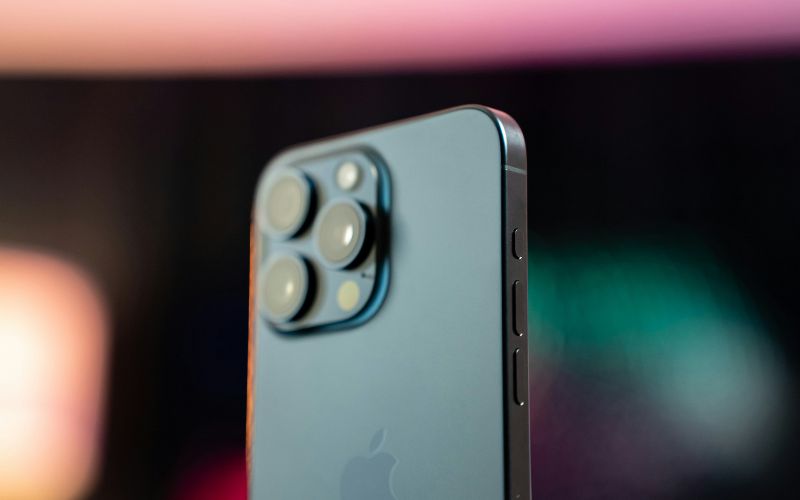
First, the user should locate the SIM tray on the iPhone. On most models, Apple places the tray on the right side of the device, where it appears as a small rectangular slot with a tiny pinhole beside it. This pinhole is designed specifically for inserting a SIM eject tool.
Step 2: Insert the SIM Eject Tool
Next, insert the SIM eject tool or a straightened paperclip into the small hole next to the tray. When gentle pressure is applied, the internal mechanism releases the tray slightly from the phone. The device is designed so that the tray pops out easily without requiring much force.
Step 3: Pull Out the SIM Tray
After the tray pops out, carefully pull it out using your fingers. At this stage, anyone learning how to remove SIM card from iPhone should handle the tray carefully, as it is a small and delicate component. Keeping the tray straight while removing it helps prevent bending or damage.
Step 4: Take Out the SIM Card
Once the tray is fully removed, the SIM card becomes visible in its slot. The user can gently lift the card out of the tray, noting the cut corner that shows the correct orientation. Handling the card carefully helps avoid scratches or accidental damage.