What Is a Charging Brick? 7 Internal Components That Power Your Phone
Your phone gets the attention, but the small block plugged into the wall rarely does. Its plain exterior gives little away about the components inside or why different chargers can...
Quincy D.-Oct 12, 2026
Image by Unsplash
Table of Contents
Your phone gets the attention, but the small block plugged into the wall rarely does. Its plain exterior gives little away about the components inside or why different chargers can deliver different results. If you have wondered what is a charging brick, this guide takes a closer look at its purpose and internal parts, helping you make sense of an accessory you use almost every day.
1. What Is a Charging Brick Called?
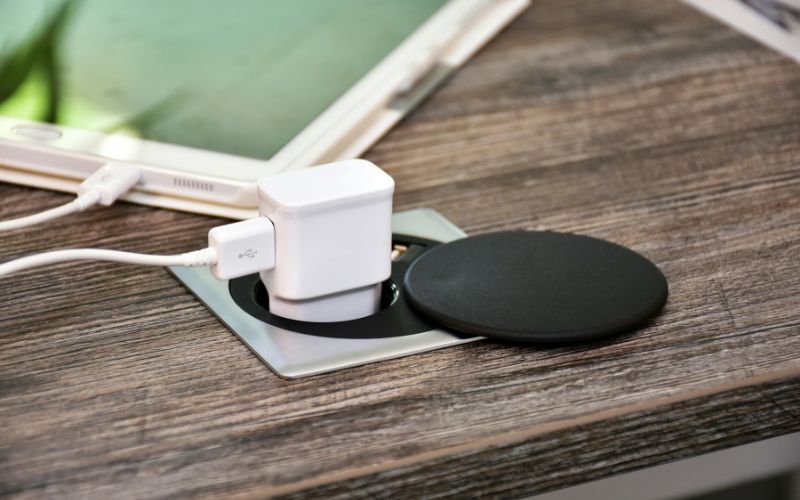
What is a phone charging brick? Power adapter, AC adapter, wall charger, and USB power adapter are all common names for this small device. It plugs into a wall outlet and converts household AC electricity into the lower-voltage DC power your phone, tablet, or other compatible device can use for charging.
The charging brick typically connects to your device through a USB-C, USB-A, or another compatible charging cable. Different adapters also support different power outputs and charging standards, so the right brick depends on your device, cable, and charging requirements.
2. What Is Inside a Charging Brick?
Inside the casing, a charging brick has circuitry that converts wall power into a controlled electrical output for your phone. Looking at these parts helps clarify what is a cell phone charging brick, though not every charger includes all seven components below.
Bridge Rectifier
Electricity enters the charger as alternating current, or AC, which periodically reverses direction.
The bridge rectifier uses an arrangement of four diodes to convert it into pulsating direct current, or DC. This gives the following stages a consistently directed supply that can be filtered and processed further.
Capacitors
Capacitors help smooth the electrical supply by storing and releasing small amounts of energy.
Those near the input filter rectified power, while output capacitors reduce voltage ripple before it reaches your device. Other capacitors suppress electrical noise, helping the charger’s circuitry operate with less interference during use.
Transformer (The Core Block)
Within a typical isolated charger, the transformer transfers energy through a magnetic field between separate wire windings.
Together with the switching circuit, it helps produce the required output voltage. It also maintains electrical separation between the high-voltage input and the lower-voltage side connected to your phone.
Transistors and IC Chips
Transistors act as fast electronic switches, controlling how energy moves through the charger. Integrated circuit chips coordinate that switching, regulate output, and manage protection functions.
In chargers supporting negotiated fast charging, additional controllers communicate with your device to establish compatible power settings rather than simply delivering maximum wattage.
Optocoupler
An optocoupler carries feedback between electrically isolated sections of a charger using light. This feedback helps the control circuit respond when the output needs adjustment. However, some chargers use other regulation methods that do not require an optocoupler, so its absence alone does not indicate an inferior design.
Fuses and Varistors
Protective components address different electrical faults. A fuse breaks the circuit when excessive current flows, while a varistor helps limit certain voltage spikes.
Depending on the charger, these may work alongside other protection measures; their inclusion and ratings vary, rather than following one universal arrangement across all models.
GaN (Gallium Nitride) Chips
Some modern chargers use gallium nitride, or GaN, in their power-switching components instead of conventional silicon.
This technology can reduce switching losses and support a smaller design. GaN replaces certain switching components rather than adding a separate charging stage, and it does not automatically make every device charge faster.
3. USB-A vs. USB-C Charging Bricks: What’s the Difference?
USB-A and USB-C charging bricks differ in port shape, cable compatibility, and the charging technologies they support. Beyond asking what is a charging brick, checking these details helps you match an adapter to your device’s power requirements.
Feature
USB-A Charging Bricks
USB-C Charging Bricks
Port shape
Larger, rectangular opening
Smaller, rounded opening
Connector orientation
Cable inserts in one direction
Reversible connector inserts either way
Cable compatibility
Requires a USB-A connector at the charger end
Requires a USB-C connector at the charger end
Charging technology
May support standard charging or compatible proprietary fast-charging protocols
May support USB Power Delivery, PPS, or other protocols, depending on the model
Power output
Varies by charger; some models support fast phone charging
Available across a broad wattage range, including models suitable for laptops
Device compatibility
Works with compatible devices through an appropriate cable
Works with compatible devices through an appropriate cable
What to check
Output ratings and your device’s supported charging protocol
Output ratings, supported protocols, and cable power rating
USB-C describes the connector, so the port alone does not guarantee USB Power Delivery or faster charging.
4. How to Spot a Fake or Unsafe Charging Brick: 4 Red Flags
An unfamiliar charger deserves a closer look before you trust it with your phone. When considering what is a charging brick worth buying, use the following warning signs to assess its seller, construction, safety credentials, and behavior during charging.
Too-Low Price
An unusually low price for a supposedly genuine branded charger should prompt you to investigate the seller.
Compare the exact model with listings from the manufacturer or authorized retailers, and check warranty and return details. Affordable third-party chargers can be legitimate, but a steep discount paired with vague product information makes the offer harder to trust.
Poor Build Quality
Loose pins, cracked plastic, uneven seams, and a poorly fitted USB port are reasons to reject a charger.
Blurred printing or spelling mistakes can also raise doubts about its origin. Inspect the exterior without opening the casing, and remember that a convincing appearance does not prove the internal components meet safety requirements.
No Safety Certifications
Look for safety credentials appropriate to your market, such as a verifiable UL Listed or ETL Listed mark on U.S. products.
Check that the model and manufacturer match the certification record rather than trusting a printed logo alone. Missing or unverifiable credentials warrant caution; a CE mark indicates declared conformity and is not equivalent to independent safety certification.
Overheating During Normal Use
Some warmth during charging is normal, particularly at higher power levels.
Heat that makes the casing too hot to touch, however, deserves attention, especially alongside a burning smell, discoloration, crackling, or repeated shutdowns. Stop using the charger and disconnect it safely. Keep adapters uncovered during use, and contact the manufacturer or retailer about a replacement.
Watch for four red flags that may indicate a fake, low-quality, or unsafe charging brick. (Image by Unsplash)
5. Free Phone and Accessories: Know What You’re Getting
Knowing what a charging brick contains is useful when choosing a replacement, but it is also worth checking whether you need to buy one at all. Some phone offers already include a compatible charging brick, which means you may have the essential hardware needed to power the device from day one.
The Lifeline Program helps eligible low-income consumers reduce the monthly cost of qualifying phone or internet service.
The federal benefit primarily supports service costs, while participating Eligible Telecommunications Carriers may provide additional offers of their own, such as free or discounted devices and other customer benefits.
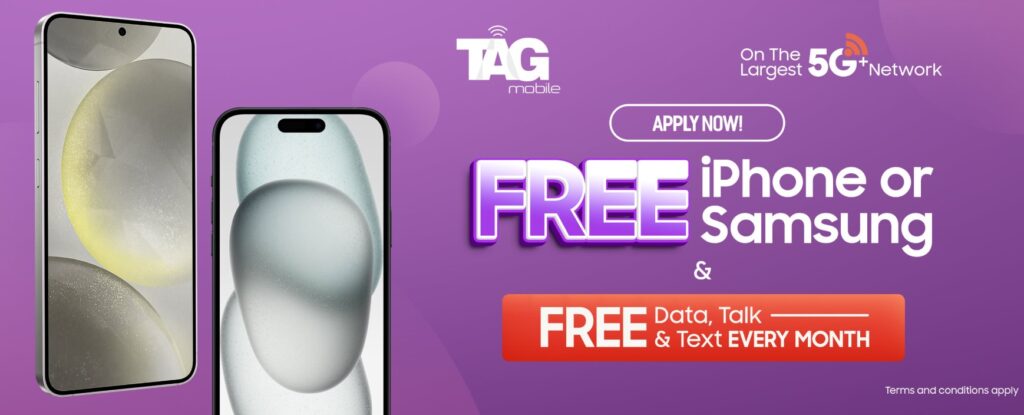
TAG Mobile is one example that goes beyond the monthly Lifeline service benefit. Qualifying customers may have access to free phone offers, depending on location, eligibility, inventory, and current promotions. The carrier also provides deeply discounted accessories, giving customers additional options for compatible charging and device essentials.
A compatible charging brick is typically included with the free phone package, so customers do not need to purchase a separate charger simply to start using their device.
Those who want an additional charger or other accessories can also explore the TAG Mobile accessories selection. These items are currently offered in connection with eligible device purchases rather than as standalone products.
This combination can help reduce both the recurring cost of wireless service and some of the upfront expenses associated with getting a connected device ready for everyday use.
Apply to receive free or heavy-discounted devices through TAG Mobile Lifeline services.
Note: Eligibility varies by state and program. Offers depend on availability and qualifications. TAG Mobile operates under the federal Lifeline Program as an Eligible Telecommunications Carrier (ETC). Service is non-transferable and limited to one service per household.
6. Final Thoughts
A charging brick may look simple, but choosing the right one can affect charging speed, compatibility, and everyday safety. Once what is a charging brick is clear, focus on output ratings, supported charging standards, and safety certifications rather than wattage or port type alone. Replace an adapter if you notice physical damage, unusual heat, or inconsistent charging.
For more straightforward advice on chargers, phones, and other mobile essentials, TAG Mobile has additional resources worth checking out.
Share
TAG Blog
Stories, guides, and helpful updates for staying connected.