What Is a Smart TV? 8 Built-In Technologies Explained & How It Works Beyond the Screen
Your television’s home screen may look more like a phone’s app menu than a traditional channel guide. Behind those familiar icons, several technologies work together to shape what...
Quincy D.-Oct 16, 2026
Image by Unsplash
Table of Contents
Your television’s home screen may look more like a phone’s app menu than a traditional channel guide. Behind those familiar icons, several technologies work together to shape what you can watch and how you control it.
This guide answers what is a smart TV, explores eight built-in technologies, and explains what happens beyond the screen so you can make sense of the features you use.
1. What Is a Smart TV?
Smart TVs, or as some may call “connected TV”, combine traditional television functions with internet connectivity and a built-in operating system that supports apps and online services. They let you access compatible streaming platforms and other features directly from the television, often without a separate streaming device.
If you have searched for what is a smart TV mean, the key distinction is this built-in software and connectivity, with capabilities varying by model.
2. What Does a Smart TV Actually Do?
Beyond displaying broadcast channels, a smart TV brings several entertainment and connected-device functions into one interface. To put what is a smart TV into everyday terms, these eight capabilities explain what supported models can do and where compatibility matters.
Stream Video
Built-in streaming apps let you watch movies, series, and other video content through an internet connection.
Available services depend on the television’s operating system, your region, and provider support. Some require subscriptions, while others offer free content with advertising; playback quality also depends on your connection and the TV’s capabilities.
Play Music
Supported music apps turn your television into another place to enjoy playlists, albums, radio, or podcasts.
You can listen through its speakers or compatible external audio equipment. Service availability and account requirements vary, and some apps display lyrics or artwork, giving the screen a useful role during listening sessions.
Run Apps
An operating system allows the TV to run applications designed for its platform, usually through a built-in app store.
Options may include entertainment, news, fitness, and games. However, television apps differ from phone apps, and limited storage or older hardware can restrict what you install and how smoothly it runs.
Mirror or Cast Content
Compatible casting and screen-mirroring features let you share content from a phone, tablet, or computer.
Mirroring reproduces the device’s screen, while casting may let the TV stream selected content directly. Support depends on the devices, apps, and wireless standards involved; connecting both devices to the same network is often necessary.
Connect to Smart-Home Devices
Some smart TVs integrate with compatible smart-home platforms, allowing you to view supported cameras, check device status, or control certain accessories.
These functions depend on the television’s software and the ecosystem you use. A smart TV does not automatically work with every connected appliance, so check compatibility before linking devices.
Accept Voice Commands
On supported models, a microphone in the remote or television lets you search for programs, adjust volume, or open apps by speaking.
Available commands depend on the voice assistant, language, and service integration. Some functions require internet access or an account, and microphone settings let you manage listening features.
Receive Software Updates
Manufacturers may release updates that fix bugs, improve compatibility, address security issues, or change the interface.
Depending on your settings, updates can install automatically or require approval. Support periods vary, and updates cannot guarantee that an older TV will retain every app or gain features requiring newer hardware components.
Work With External Devices
Smart TVs still connect to equipment such as game consoles, streaming players, soundbars, and broadcast receivers through supported ports.
HDMI commonly carries picture and sound, while other connections vary by model. Device compatibility, port specifications, and settings determine which features work, including higher refresh rates or audio return functions.
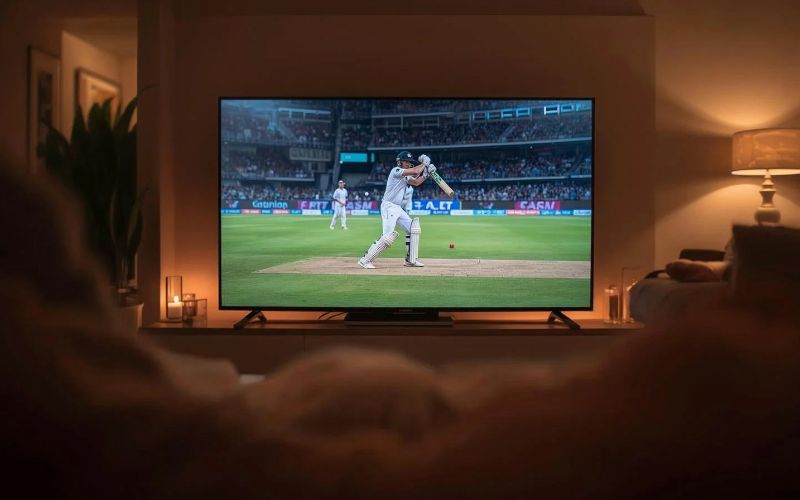
Explore how a smart TV combines streaming, apps, casting, voice controls, and connected-device features. (Image by Unsplash)
3. Smart TV vs. Regular TV: What’s the Difference?
Built-in internet features distinguish a smart TV from a regular television, rather than screen size or picture quality alone.
Both can display content from compatible external devices, but a smart TV also provides its own platform for supported apps and online services.
Feature
Smart TV
Regular TV
Internet connectivity
Usually connects through Wi-Fi, Ethernet, or both
Typically has no built-in internet connection
Software interface
Includes a platform for apps, settings, and online features
Primarily provides controls for channels, inputs, and display settings
Streaming apps
Runs compatible apps directly on the television
Requires an external streaming device or another compatible source
Casting and mirroring
May support compatible wireless sharing technologies
Usually needs an external receiver or a suitable wired connection
Voice control
Available on supported models and platforms
Generally requires compatible external equipment
Software updates
May receive security fixes, app improvements, and interface changes
Some models receive firmware updates, but not a smart-app platform
Picture quality
Depends on the panel, resolution, processing, and supported formats
Also depends on display specifications; lacking smart features does not automatically mean poorer quality
External devices
Supports compatible consoles, receivers, and streaming players
Supports compatible external devices through its available ports
Best fit
Viewers who want streaming and supported connected features built in
Viewers who prefer basic television functions or an external streaming setup
The central distinction is whether online entertainment and apps are built into the television or supplied by another device.
4. A Connected Phone Can Make Your Smart TV Feel Smarter
Your phone can help you search for something to watch, use a compatible TV remote app, or share content with the screen. Casting and remote-control features often require both devices on the same Wi-Fi network, while mobile service keeps your phone connected away from home.
For those who have not known, eligible households can receive phone service support through the Lifeline program which helps reduce the cost of qualifying phone or internet service, with a standard monthly discount of up to $9.25. Eligible residents of qualifying Tribal lands may receive an enhanced discount of up to $34.25.
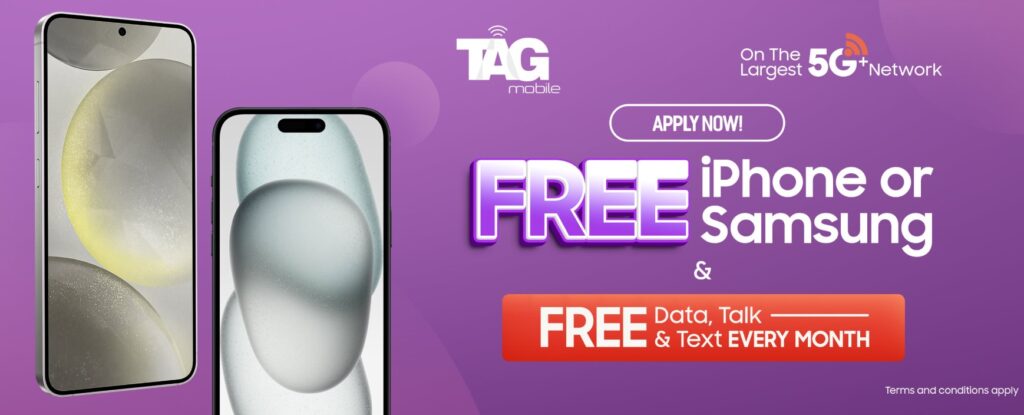
Eligible Telecommunications Carriers deliver Lifeline-supported service, and providers such as TAG Mobile may add separate promotional offers, including free or discounted smartphones. These devices offer to supplement the service benefit. Lifeline itself does not guarantee a free phone.
TAG Mobile’s available plans can help eligible customers manage everyday mobile communication alongside their connected entertainment setup. Enter your ZIP code to review the exact allowances, device prices, and offers available where you live.
$0 monthly Lifeline-supported service for eligible customers.
Unlimited talk and text.
Up to 16 GB of data, depending on location and eligibility.
No long-term service contract.
Optional paid data upgrades if you need additional data.
Separate free or discounted smartphone offers, subject to eligibility, pricing, and stock.
You may qualify for Lifeline through household income at or below 135% of the Federal Poverty Guidelines or participation in a qualifying program such as SNAP, Medicaid, or SSI. SNAP participation can establish program-based eligibility, although you still need to complete verification.
Lifeline is limited to one benefit per household. Check your eligibility, then review the local plan and device options at TAG Mobile before completing your application.
Apply to receive free or heavy-discounted devices through TAG Mobile Lifeline services.
Note: Eligibility varies by state and program. Offers depend on availability and qualifications. TAG Mobile operates under the federal Lifeline Program as an Eligible Telecommunications Carrier (ETC). Service is non-transferable and limited to one service per household.
5. FAQs about Smart TVs
TV terminology can get confusing when built-in platforms and plug-in streaming devices offer similar features. These answers explain how the equipment differs and whether you need an antenna, cable subscription, or another device to watch your preferred programs.
What is a smart TV box?
A smart TV box is an external device that connects to a compatible television, usually through HDMI, and provides access to streaming apps and online services. It can add smart features to a regular TV but requires an internet connection for most online functions.
Can you watch normal TV with a smart TV?
Yes, a smart TV with a compatible built-in tuner can receive local broadcast channels through an appropriate antenna. You can also connect a cable or satellite receiver, although available channels depend on your location, equipment, and subscription.
Do you need cable with a smart TV?
No, a cable subscription is optional if you prefer streaming services or antenna reception. Streaming generally requires internet access, and some apps charge subscription fees, while an antenna can receive available local broadcasts without a cable plan.
Is Fire TV the same as a smart TV?
Fire TV is Amazon’s streaming platform, available in both televisions with the platform built in and separate streaming devices. If you’re asking what is a smart Fire TV, it is a television running Fire TV software; a Fire TV Stick is an external device that connects to another television.
6. Final Thoughts
Your next TV should make movie nights simpler, not leave you navigating features you rarely use. Beyond asking what is a smart TV, check whether it supports your favorite apps, connects to your devices, and delivers the picture you want. Choose a setup that gets you from switching on the screen to watching something you enjoy with fewer steps.
Keep your companion phone connected by checking eligible service options with TAG Mobile.
Share
TAG Blog
Stories, guides, and helpful updates for staying connected.