How to Bring Your Phone Number to TAG Mobile
Ready to experience TAG Mobile's amazing service without the hassle of changing your phone number? We get it! Keeping your familiar digits is super convenient, and we're here to make the transfer process (often called "porting") as smooth and easy as possible.
This guide will walk you through everything you need to know, whether you're joining TAG Mobile for the first time or you're already a happy customer looking to switch your number over.
Before You Start: Here's What You'll Need for Your Number Transfer
Before we dive in, let's gather a few essential pieces of information. Having these handy will make your transfer quick and painless.
From Your Current Phone Provider |
|---|
See more information on carriers with our A-Z carrier list. |
About Your Phone |
|
How to Bring Your Phone Number to TAG Mobile
We've broken down the process into two main scenarios: new customers enrolling with TAG Mobile, and existing TAG Mobile customers who want to switch their number.
Scenario 1: New Enrollment (You're brand new to TAG Mobile!)
Welcome aboard! If you're just joining the TAG Mobile family, here's how to bring your number along:
1 | During the enrollment process, you will be asked to choose one of the following: Choose Use my own number to transfer your number to TAG Mobile. |
|---|---|
2 | You will be prompted to provide information from your current carrier – see What you'll need for your number transfer for required information. (Include: Your Phone Number, Account Number, Pin Number, ZIP Code, Billing Address) Important Note: Your current number must stay active with your previous provider until the port-in is fully completed and activated with TAG Mobile. 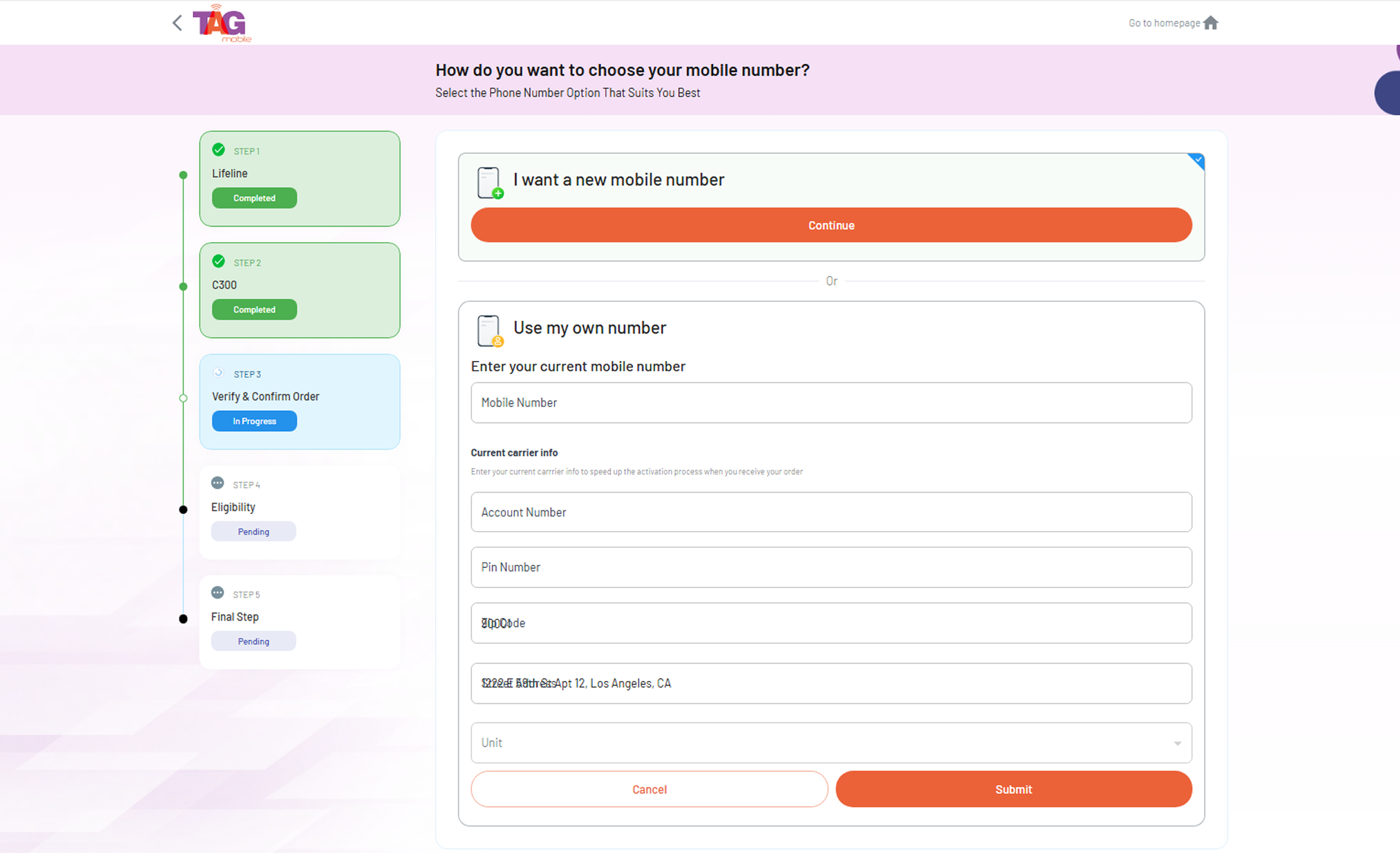 |
3 | Once your TAG Mobile application is approved, your port-in request will be processed during the fulfillment of your order. |
4 | If your Port-In request is not success before order fulfillment: |
Scenario 2: Existing TAG Mobile Customer (You already have TAG Mobile service and want to transfer your number)
Already loving TAG Mobile but want to transfer a different phone number you own to you account? No problem! Here's how:
1 | Initiate Your Number Transfer Request You have two easy ways to start your number transfer: |
|---|---|
2 | Check Your Number's Eligibility Enter the phone number you wish to bring to TAG Mobile and your current ZIP code. Our system will then instantly check if your number is eligible for transfer and confirm there are no freezes or restrictions from your current carrier that would prevent the port-in. 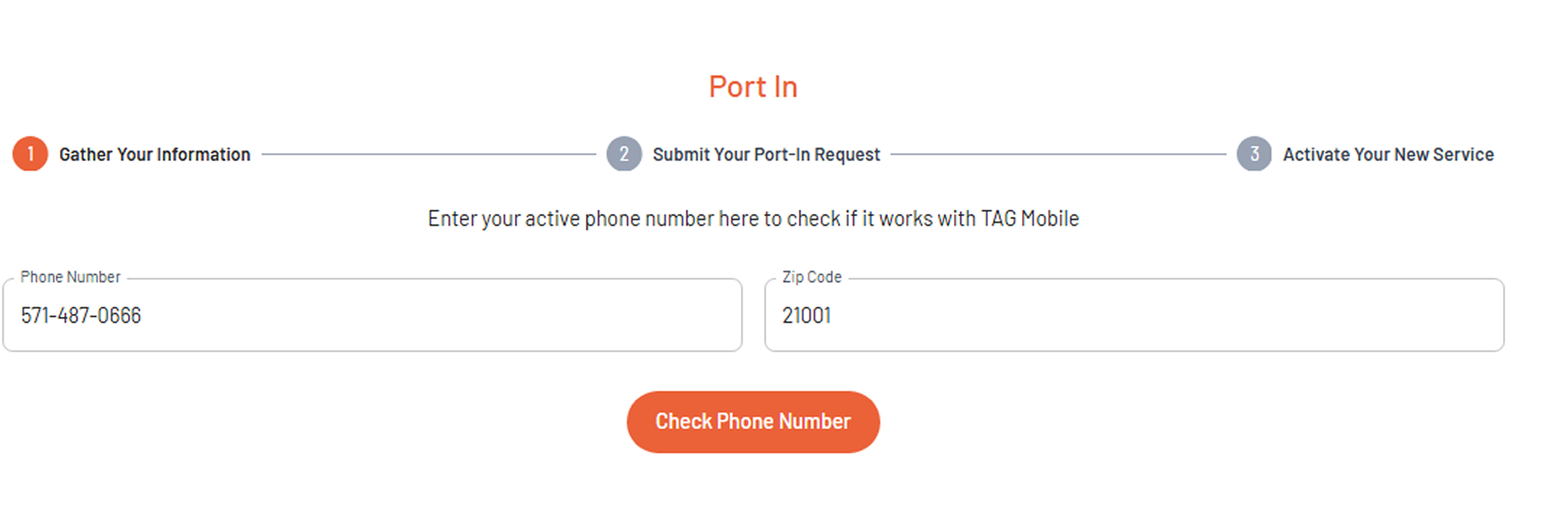 |
3 | Provide Your Previous Carrier's Information If your number is eligible, you'll proceed to enter all the required details from your previous carrier (like your account number, PIN, and billing address). You'll also have the option here to select if you prefer a physical SIM (pSIM) or an eSIM for your TAG Mobile service. 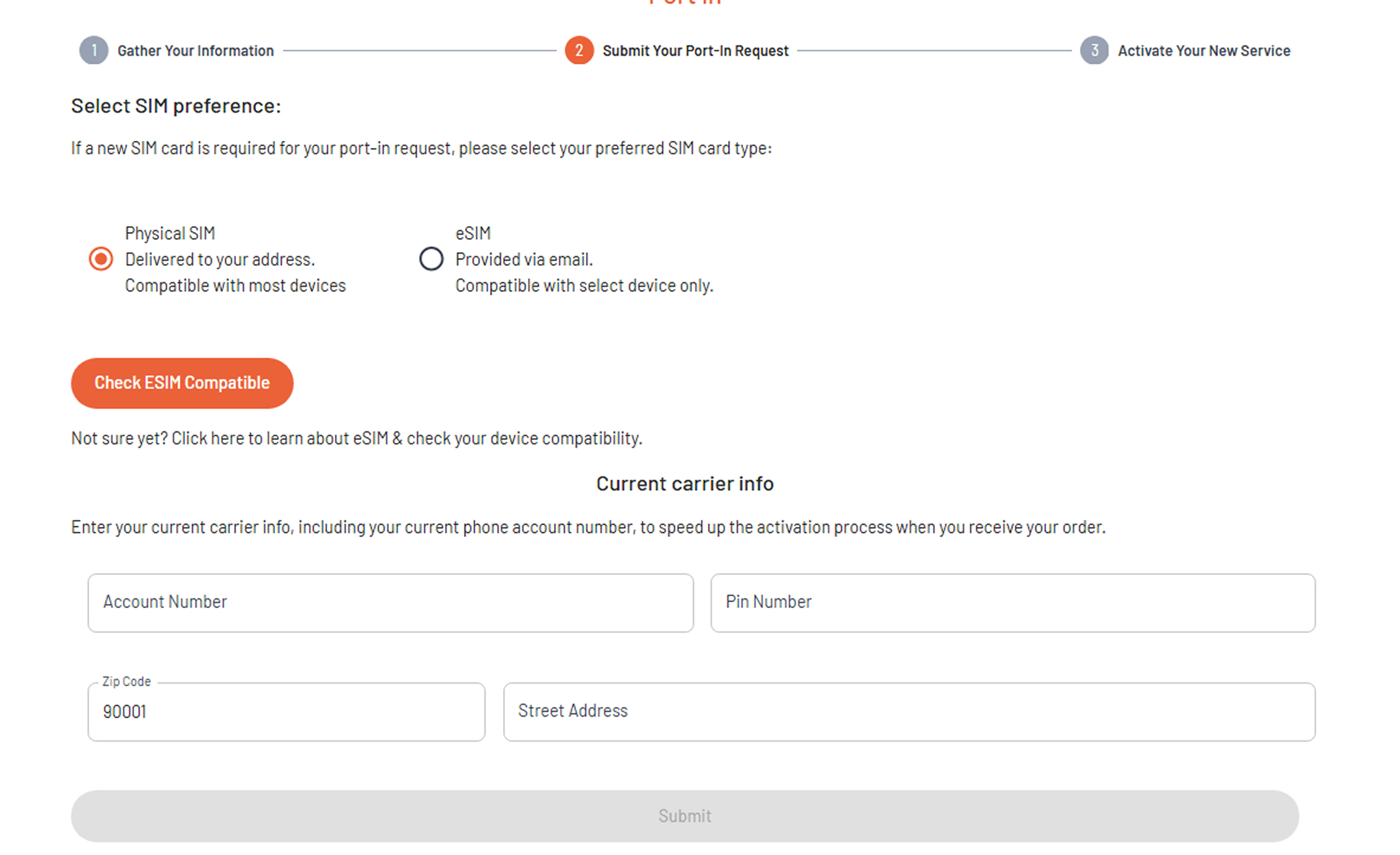 You can find the full list of what you'll need in our "What you'll need for your number transfer" section. Track Your Progress: You can check the status of your port-in right from this screen at any time! |
4 | Wait for Your Number to Transfer |
5 | Activate Your New SIM/eSIM Once your port-in request is confirmed by your previous carrier, we'll send you your new SIM: Simply follow the activation link or instructions provided through our Activate Port-in page to get your new SIM up and running and finalize your port-in. Your old phone number will still work until you activate the new SIM. 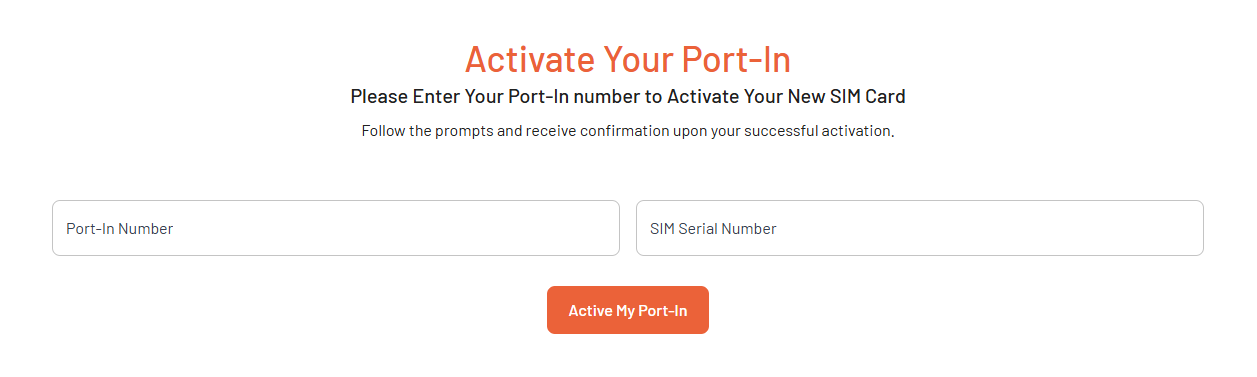 If you do not activate your SIM within 30 days from the date the port is confirmed, your port request will be automatically canceled. |
Cancel port-in request
We understand that plans can change. If you need to cancel your number transfer request at any point during the port-in process, please contact our customer support at (424) 219-5670.
