What is a SIM Card? Quick Clarity the Tech Inside Your Phone 2026
If you’ve ever switched phones or activated mobile service, you’ve likely encountered a SIM card. Understanding what is a SIM card helps you see how your device connects to your ca...
Quincy D.-Feb 23, 2026
Image by Unsplash
Table of Contents
If you’ve ever switched phones or activated mobile service, you’ve likely encountered a SIM card. Understanding what is a SIM card helps you see how your device connects to your carrier and manages calls, texts, and data. This small chip plays a big role in everyday communication. For clear explanations and helpful tips, you can follow the detailed guide and article from TAG Mobile to learn more.
1. What Is a SIM Card?
To know what is a sim card, let’s look at its definition.
A SIM card, or Subscriber Identity Module, is a small chip inserted into your phone that connects your device to a mobile network. It stores essential information such as your phone number, carrier details, and network authentication data, allowing you to make calls, send texts, and use mobile data. Many people ask, Will my phone work without a SIM card? While some features like Wi-Fi apps may still function, your phone cannot access full cellular service without an active SIM, even if the device itself is fully operational.
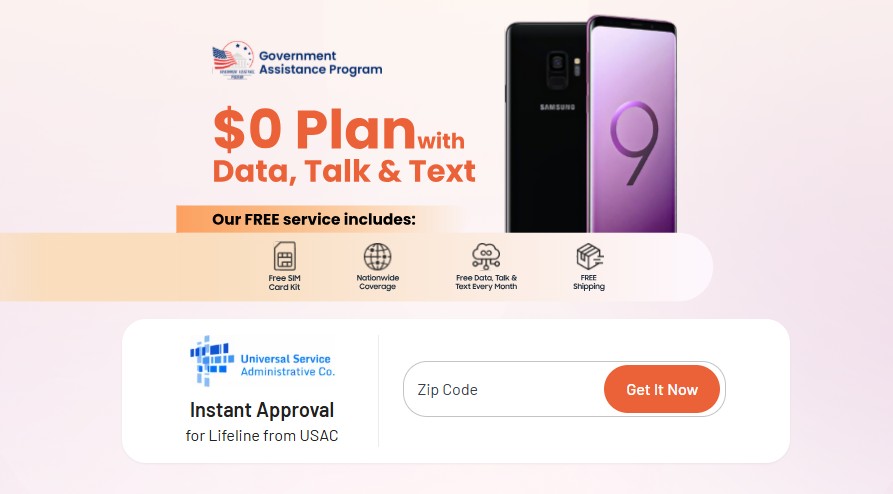
Mobile providers like TAG Mobile offer free SIM cards that are compatible with most unlocked GSM phones, making it easy for eligible users to activate service quickly. These SIM cards typically ship within 7-14 business days and include simple activation instructions, so you can start using your phone right away. In many cases, TAG Mobile also provides free smartphone packages along with the SIM card, giving users everything they need to stay connected without extra costs.
2. What Exactly Does a SIM Card Do?
Let’s dive deeper into the function of the SIM card after knowing what is a SIM card. This card may be small, but it performs several essential functions that allow your phone to connect and operate on a cellular network. Without it, your device cannot fully communicate with your carrier or access key mobile services.
Stores your subscriber identity
Your SIM card securely stores your subscriber identity, which includes a unique identification number assigned by your mobile carrier. This information tells the network who you are and which account belongs to your device. It ensures that your service is correctly linked to your personal mobile plan.
Links your phone number to the carrier
The SIM card connects your phone number directly to your carrier’s network. This allows your calls and messages to be routed to the correct device. If you move your SIM card to another compatible phone, your number and service move with it.
Enables calls, texts, and mobile data
Your SIM card allows your phone to send and receive voice calls, text messages, and mobile data. It acts as the bridge between your device and the cellular network towers. Without a SIM card, your phone can only use Wi-Fi for communication.
Helps authenticate your device on the network
The SIM card verifies that your phone is authorized to use your carrier’s network. This authentication protects your account and prevents unauthorized devices from accessing your service. It also ensures secure and reliable communication whenever you use your phone.
When searching for what is a SIM card, you should know that they come in different sizes and formats, depending on your phone model and technology generation. If you’ve ever wondered, Do all cell phones have a SIM card?, the answer is that most modern phones do, either as a physical SIM (Standard, Micro, Nano) or a digital eSIM built into the device.
Below is a comparison of the four main SIM card types to help you understand their differences and a deeper understand about what is a SIM card:
SIM Type
Size
Physical or Digital
Common Usage
Key Advantages
Standard SIM
25 × 15 mm
Physical
Older phones (pre-2012)
Larger size makes it easy to handle and insert
Micro SIM
15 × 12 mm
Physical
Smartphones from the early 2010s
Smaller than a standard SIM, supports modern features
Nano SIM
12.3 × 8.8 mm
Physical
Most modern smartphones today
Compact size allows slimmer phone designs
eSIM
No physical size
Digital (embedded)
Newer smartphones, tablets, and smartwatches
No card required, easy activation, supports multiple profiles
Each type serves the same core purpose: connecting your device to your mobile network, but newer formats like Nano SIM and eSIM offer more flexibility and compatibility with modern devices.
After knowing what is a SIM card, You can consider applying for a free phone and SIM. (Image by Unsplash)
A SIM card alone does not provide mobile service. It must be paired with an active phone plan from a carrier. Many people also ask, Does a SIM card have a phone number? The SIM card securely stores and connects your assigned phone number, but you can only make calls, send texts, and use data after activating it with a service provider like TAG Mobile.
How to Qualify for Free SIM Cards and Phone Plans
Now that you have cleared your concern about what is a SIM card. You may be glad to know that you can qualify for free or discounted phone service through the Lifeline Program provider in two main ways:
Income-based eligibility: You qualify if your household income falls at or below the Lifeline income threshold, which is typically based on 135% of the Federal Poverty Guidelines and may vary by state.
Before applying, you should prepare documents such as proof of income or official benefit letters to speed up the verification process.
How to Apply for a Free SIM Card and Phone Through TAG Mobile
Applying is simple, and you can complete the process online in just a few steps:
Step 1: Confirm your eligibility. Visit the provider’s website and review the qualification requirements based on income or program participation. Make sure you have your identification and eligibility documents ready before starting.
Step 2: Start your application on the TAG Mobile website. Enter your ZIP code and email to confirm service availability in your area. Then, choose the plan you qualify for and select a free smartphone or SIM card option if available.
Step 3: Provide your personal information and upload documents. Fill in your legal details so the system can verify your eligibility. If automatic verification is not possible, you may need to upload proof such as benefit letters or income documents.
Step 4: Submit your application and wait for delivery. Review your information carefully and submit your application for approval. Once approved, TAG Mobile will ship your SIM card and free phone (if selected), usually within 7-14 business days, along with easy activation instructions so you can start using your service right away.
Now that you know what is a SIM card, you can apply at TAG Mobile for a chance to get free device or SIM card with incredible communication benefits
5. Final Words
Understanding what is a sim card helps you see how your phone connects to your carrier and enables essential services like calls, texts, and mobile data. This small component plays a major role in keeping you connected and ensuring your device works properly on the network.
Whether you’re activating a new phone or switching carriers, having a reliable SIM card makes the process much easier. With free SIM cards, affordable plans, and free smartphones for eligible users, TAG Mobile makes it simple to get started. Explore TAG Mobile today to enjoy dependable service and seamless connectivity.
Notice: The government does not cover device costs, only basic service through Lifeline. Any free or discounted devices, upgrades, or top-ups are limited-time TAG Mobile offers and may vary by state, eligibility, and availability. Terms and conditions apply.
Share
TAG Blog
Stories, guides, and helpful updates for staying connected.