Where to Buy SIM Card for Samsung Phone: Top Reliable Spots
Many Samsung users eventually need a new SIM card when activating a phone, switching carriers, or replacing a damaged card. Because of this, many people search where to buy SIM car...
Quincy D.-Mar 18, 2026
Image by Unsplash
Table of Contents
Many Samsung users eventually need a new SIM card when activating a phone, switching carriers, or replacing a damaged card. Because of this, many people search where to buy SIM card for Samsung phone to ensure they choose a reliable provider and a compatible SIM type.
Options may include carrier stores, online retailers, or wireless providers. To learn more about available options and activation tips, you can refer to the guide/article from TAG Mobile for additional details
Samsung smartphones use specific SIM formats depending on the device model and generation. Understanding the type of SIM card supported by your phone helps ensure proper activation and smooth connection to a mobile carrier’s network.
Nano SIM Cards for Most Modern Samsung Phones
Most modern Samsung smartphones use the nano-SIM, which is the smallest physical SIM card widely used today. This compact SIM format allows manufacturers to design thinner phones while still supporting reliable cellular connectivity. When inserted into the SIM tray, the nano-SIM links the phone to the carrier’s network so the device can make calls, send text messages, and access mobile data.
eSIM Support in Newer Samsung Phones
Many newer Samsung models also support eSIM technology, which is a digital SIM built directly into the phone’s hardware. Instead of inserting a physical card, a mobile plan can be activated by scanning a carrier QR code or downloading a network profile.
With eSIM, Samsung phones can often manage multiple mobile plans more easily and switch carriers without needing to replace a physical SIM card.
Getting a SIM card is one of the first steps when activating a Samsung device with a mobile carrier. Several reliable places offer compatible SIM cards, making it easy to connect your phone to calls, texts, and mobile data.
Carrier Stores
One common option is visiting a mobile carrier store. Major carriers typically provide SIM cards that are already compatible with their networks. Staff members can also help activate the SIM card and ensure the Samsung phone connects properly to the carrier service.
Big Retail Stores
Another convenient option is purchasing a SIM card from large retail stores such as Walmart, Best Buy, or Target.
These stores often sell prepaid SIM kits from multiple carriers, allowing you to compare different plans in one place. This option can be helpful for people who want to set up service quickly without visiting a carrier location.
Directly From Wireless Providers’ Websites
Many people also choose to order a SIM card directly from a wireless provider’s website, which allows them to review available plans before activating service. If you are researching where to buy SIM card for Samsung phone, this option can be especially convenient because the SIM card or eSIM activation details can be delivered directly after approval.
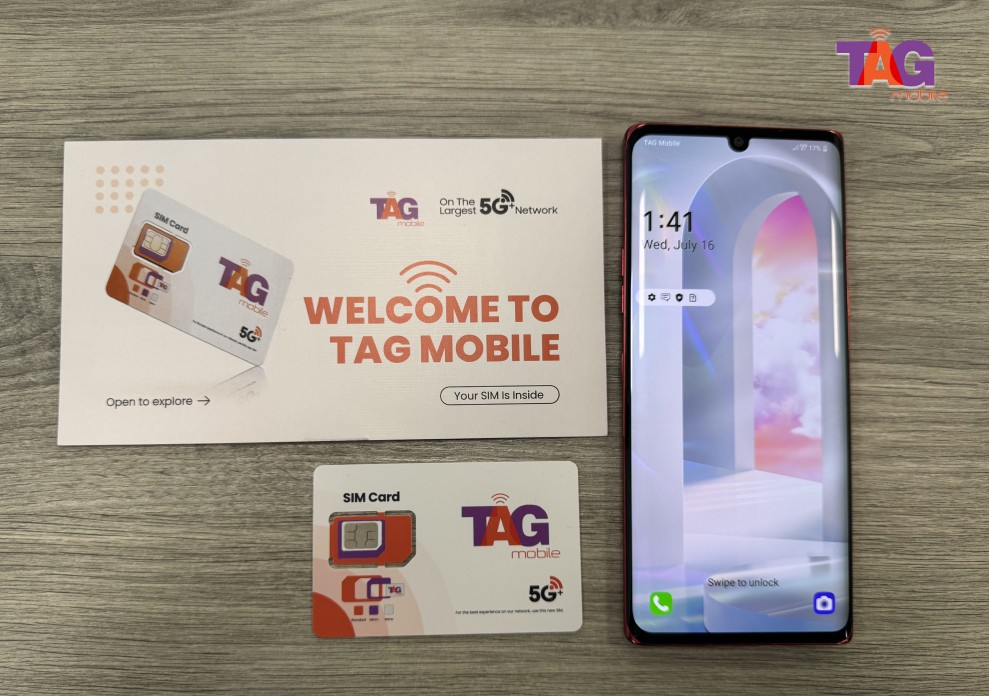
For example, Lifeline providers such as TAG Mobile allow eligible low-income customers to apply online for mobile service.
Depending on eligibility and availability, customers may receive benefits such as free or discounted smartphones, free SIM card or eSIM activation, unlimited talk and text, and mobile data plans.
Once approved, activation instructions are provided so the Samsung phone can quickly connect to the carrier network.
3. How to Choose the Right SIM Card for Your Samsung Phone
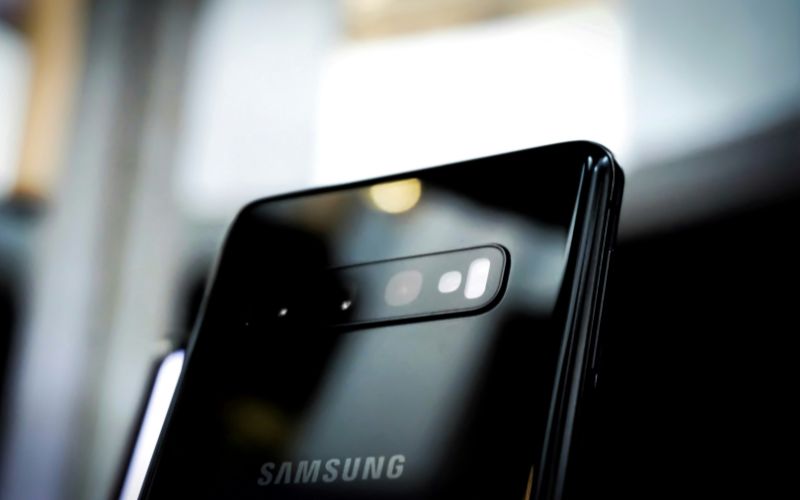
where to buy SIM card for Samsung phone? Some useful tips to choose the right SIM card for your Samsung. (Image by Unsplash)
Selecting the correct SIM card is important to ensure your Samsung phone connects properly to the carrier’s network. Before purchasing or activating a SIM, it helps to review a few key factors that affect compatibility and performance.
Check the SIM card size supported by your phone: Most modern Samsung smartphones use a nano-SIM, but some older models may use a micro-SIM. Checking the device specifications ensures the SIM card fits correctly in the tray.
Confirm that the phone is carrier unlocked: If the Samsung phone is locked to a specific carrier, it may only work with SIM cards from that network. An unlocked device allows you to use SIM cards from different carriers.
Verify network compatibility with the carrier: Different carriers operate on specific network technologies and frequency bands. Choosing a SIM card from a carrier that supports your phone’s network bands helps ensure stable calls, texts, and mobile data.
Consider whether the phone supports eSIM: Some newer Samsung models allow eSIM activation, which works alongside or instead of a physical SIM card. This option can make activation faster and allow multiple plans on the same device.
Review the carrier’s mobile plans before buying the SIM: Comparing data limits, call features, and pricing can help you choose a SIM card that matches your usage needs.
Buy from a trusted wireless provider: Purchasing a SIM card from a reliable provider ensures better compatibility and easier activation support if you need help setting up your Samsung phone.
4. Details on How To Get a Free SIM Card And a Phone
Many people searching for a SIM card also want a reliable smartphone to go with their mobile plan. In the United States, some eligible households can receive discounted or free wireless service through the Lifeline program offered by participating providers.
One Lifeline provider that offers these services is TAG Mobile, which allows qualified customers to apply online for mobile service, a SIM card, or eSIM activation, and sometimes a smartphone. Below is a clearer step-by-step overview of how the application process typically works.
Step 1: Check Your Eligibility First
The first step is confirming whether you qualify for the Lifeline program. Eligibility is usually based on participation in programs such as Medicaid, SNAP, SSI, Federal Public Housing Assistance, or if household income meets federal Lifeline guidelines.
Before starting the application, it is helpful to prepare documents such as a benefits letter or proof of income in case verification is required.
Step 2: Apply Online With a Trusted Lifeline Provider
After confirming eligibility, the next step is applying through a trusted Lifeline-supported provider, such as TAG Mobile. The process typically begins by visiting the provider’s website and entering your ZIP code to check service availability.
From there, you can review available plans and, if eligible, select a free or discounted device that works with the plan.
Step 3: Enter Personal Information and Upload Documents if Required
During the application, you will be asked to provide basic personal information such as your name, address, date of birth, and the last four digits of your Social Security number. This information helps verify identity and confirm eligibility for the program.
In many cases, the system can verify eligibility automatically. If it cannot, you may be asked to upload proof of eligibility, such as a benefits statement or income documentation.
Step 4: Complete the Application and Wait for Delivery
Once all required fields are completed, carefully review the information and submit the application for approval. If the application is approved, the provider will ship the device and provide SIM card or eSIM activation instructions.
Delivery times vary by provider; for example, with TAG Mobile, customers typically receive their phone within about 7-10 business days, and activation instructions are included so you can start using your service right away.
5. How to Insert a SIM Card Into a Samsung Phone
Installing a SIM card is one of the first steps when preparing a Samsung phone for cellular service. Once the SIM is placed correctly, the device can connect to the carrier network and enable calls, text messages, and mobile data.
Step 1: Turn Off Your Samsung Phone
Begin by turning off the Samsung phone before handling the SIM tray. Press and hold the power button, then select the option to power off the device. Shutting down the phone helps protect the SIM card and allows the system to detect it properly when the phone restarts.
Step 2: Locate the SIM Tray
Next, take a moment to locate the SIM tray on the device. On many Samsung models, the tray is positioned along the top edge, bottom edge, or side of the phone. The tray usually appears as a thin rectangular outline with a small pinhole next to it.
Step 3: Use a SIM Eject Tool
Use the SIM eject tool that came with the phone, or a small paperclip if the tool is not available. Insert the tip gently into the pinhole and apply light pressure until the tray pops out slightly. After that, pull the tray out carefully so the SIM slot becomes accessible.
Step 4: Place the SIM Card in the Tray
Once the tray is removed, place the SIM card into the slot with the angled corner aligned with the tray’s shape. The card should sit flat and secure in the tray so the phone can read the SIM information correctly. For anyone wondering where to buy SIM card for Samsung phone, wireless providers like TAG Mobile offer compatible SIM cards that work with many Samsung devices.
Step 5: Reinsert the Tray and Turn On the Phone
After positioning the SIM card, slide the tray back into the phone slowly until it fits flush with the device. Finally, turn the phone back on and wait a few seconds while the system detects the SIM card. When the signal bars appear on the screen, the phone is ready to connect to the carrier network.
Knowing where to buy SIM card for Samsung phone can help you activate your device quickly and avoid compatibility issues. The right SIM card ensures your Samsung phone connects smoothly to your carrier’s network for calls, texts, and mobile data.
Instead of searching through multiple providers, many users prefer services that offer simple activation and flexible plan options. TAG Mobile provides convenient SIM card and eSIM solutions designed for compatible smartphones. If you’re ready to get connected, explore TAG Mobile to activate your Samsung phone and enjoy reliable mobile service.
Notice: The government does not cover device costs, only basic service through Lifeline. Any free or discounted devices, upgrades, or top-ups are limited-time TAG Mobile offers and may vary by state, eligibility, and availability. Terms and conditions apply.
Share
TAG Blog
Stories, guides, and helpful updates for staying connected.