A 2026 Quick Guide to Nano SIM: Sizes, Compatibility, and More
A nano SIM is the smallest and most widely used SIM card in modern smartphones, designed to support fast and reliable mobile connectivity. It allows your phone to connect to your c...
Quincy D.-Feb 23, 2026
Image by Unsplash
Table of Contents
A nano SIM is the smallest and most widely used SIM card in modern smartphones, designed to support fast and reliable mobile connectivity. It allows your phone to connect to your carrier’s network so you can make calls, send texts, and use mobile data.
Understanding how a nano SIM works can help you activate service, switch phones, and stay connected without interruptions. For clear explanations, setup guidance, and helpful tips, you can refer to the detailed guide and article from TAG Mobile to learn more.
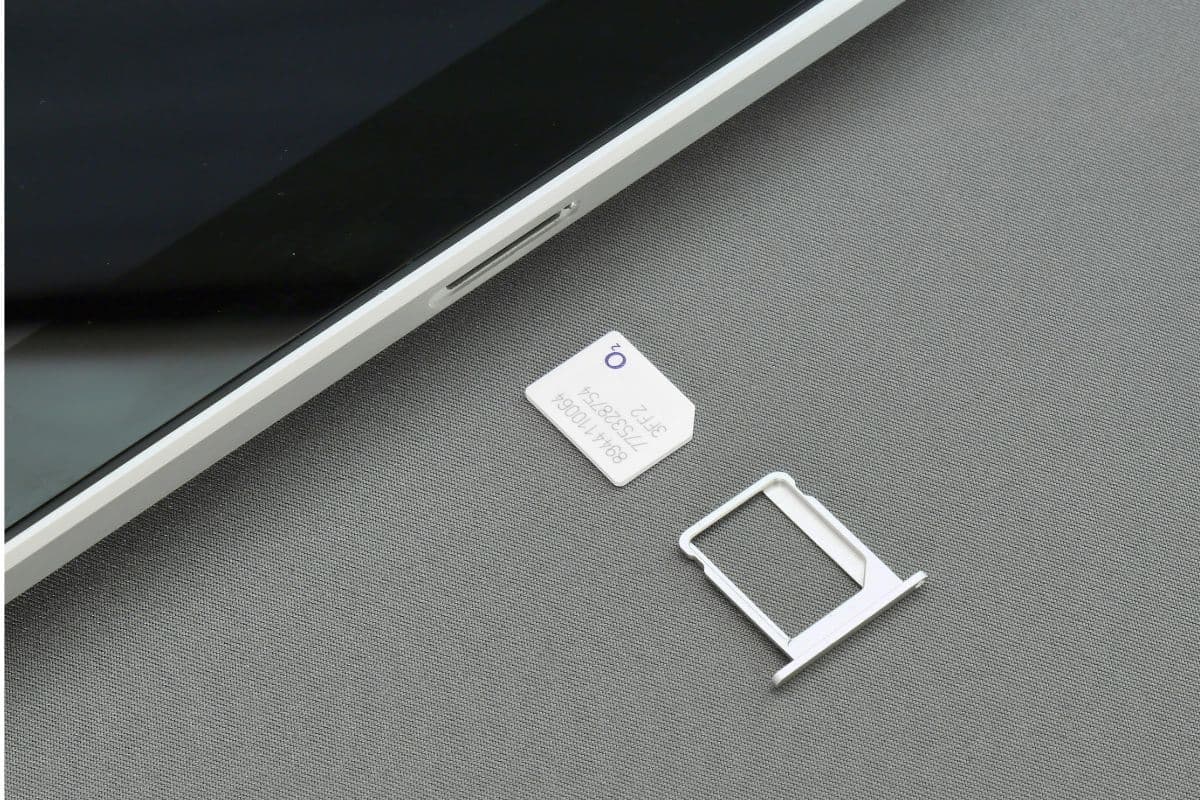
A Nano SIM phone is a smartphone designed to use a Nano SIM card, which is the smallest physical SIM format currently available. If you’re wondering What does nano SIM mean?, it refers to a compact SIM card measuring about 12.3 × 8.8 mm that connects your phone to your carrier’s network for calls, texts, and mobile data.
Nano SIM cards are widely used in modern smartphones because their smaller size saves space inside the device, allowing manufacturers to design thinner phones and include larger batteries or improved hardware.
Most current smartphones, including popular models from Apple, Samsung, and other brands, rely on Nano SIM technology to provide reliable cellular connectivity while maintaining sleek and efficient device designs.
2. What Does a Nano SIM Do?
A Nano format SIM plays a critical role in connecting your smartphone to your mobile carrier’s network. Even though it’s small, it contains essential electronic components that allow your phone to function properly and access mobile services.
Connects your phone to the cellular network
It allows your phone to connect to your carrier’s cellular network so you can make calls, send text messages, and use mobile data. Without it, your device cannot access LTE or other mobile network services. This connection ensures your phone stays reachable wherever network coverage is available.
Stores your subscriber identity and carrier information
Your compact SIM securely stores important account details, including your subscriber identity and carrier authentication data. This information tells the network who you are and links your phone to your mobile service plan. It ensures your number and account work correctly on your device.
Enables secure authentication on the network
It helps verify your device when it connects to the network, ensuring only authorized users can access carrier services. This authentication protects your account and helps maintain secure communication. It also allows your carrier to manage and deliver service reliably.
Supports mobile connectivity while saving device space
Because of its compact design, the SIM allows phone manufacturers to create thinner devices while still supporting full connectivity. The smaller size saves internal space for larger batteries or additional hardware features without reducing performance.
SIM cards have evolved to become smaller and more efficient, allowing modern smartphones to be thinner and more powerful. Understanding the differences between Nano SIM, Micro SIM, and eSIM helps you choose the right option for your device and service needs.
Nano SIM vs Micro SIM
Both Nano SIM and Micro SIM perform the same function, but the Nano SIM’s smaller size makes it the preferred standard for newer devices.
Feature
Nano SIM
Micro SIM
Size
12.3 × 8.8 mm
15 × 12 mm
Physical format
Physical card
Physical card
Common usage
Most modern smartphones
Older smartphones (early 2010s)
Device compatibility
iPhone 5 and newer, modern Android devices
Older Android phones, some early iPhones
Performance
Same network performance as Micro SIM
Same network performance as Nano SIM
Design advantage
Smaller size allows slimmer phone designs
Slightly larger, takes more internal space
eSIM vs Nano SIM
While Nano SIM cards remain widely used, eSIM technology is becoming more popular because it offers easier activation and greater flexibility without needing a physical card.
Feature
eSIM
Nano SIM
Physical format
Embedded (no physical card)
Physical removable card
Size
Built into the phone
12.3 × 8.8 mm
Installation
Activated digitally through software
Inserted manually into the SIM tray
Flexibility
Can store multiple carrier profiles
Limited to one SIM per slot
Common usage
Newer smartphones, smartwatches, tablets
Most current smartphones
Convenience
No risk of losing or damaging a card
Easy to transfer between devices
4. How Phones, SIMs, and Carriers Work Together
You can read about how phones, SIMs, and phone providers work together. (Image by Unsplash)
Your phone, SIM, and carrier each play a specific role in delivering mobile service. The phone provides the hardware, the SIM or eSIM identifies your account, and the carrier supplies the network connection. When all three work together, your device can make calls, send texts, and access mobile data reliably.
Physical SIM Cards
A physical SIM card is a removable chip that you insert into your phone to connect it to your carrier’s network. It stores your subscriber identity and phone number, allowing your device to access talk, text, and data services.
Lifeline providers like TAG Mobile offer free physical SIM cards that work with most smartphones and include simple activation instructions. This option is ideal if you want a SIM card shipped directly to your home and prefer a traditional setup that is easy to move between devices.
eSIM (Embedded SIM)
An eSIM is a digital SIM built directly into your phone, so you don’t need to insert a physical card. Instead, you activate service by downloading your carrier profile through your phone’s settings, making setup faster and more convenient.
TAG Mobile also offers eSIM options, allowing eligible users to activate service quickly without waiting for delivery. This modern solution provides flexibility, especially for newer smartphones, and makes it easier to manage multiple lines or switch carriers when needed.
Nano SIM cards are now the standard for most modern smartphones, but many users still have questions about compatibility and performance. Below are clear answers to some of the most common concerns about Nano SIM cards.
Can you put a nano SIM in any phone?
No, you cannot use a Nano SIM in every phone. The phone must have a SIM tray designed specifically for the Nano SIM size, which is common in most newer smartphones. Older phones that use Standard or Micro SIM cards may require a SIM adapter, but compatibility still depends on the device’s design.
Is Nano SIM the smallest SIM?
Yes, the Nano SIM is currently the smallest physical SIM card available. It is smaller than both Micro SIM and Standard SIM cards and is widely used in modern smartphones. However, newer devices may use eSIM technology, which does not require a physical card at all.
Does SIM size affect signal strength?
No, SIM size does not affect signal strength or call quality. Signal performance depends on factors like your carrier’s network coverage, your phone’s hardware, and your location. A Nano SIM works just as effectively as larger SIM formats when used in a compatible device.
6. Final Words
Understanding how a nano SIM works helps you activate service, switch devices, and stay connected without unnecessary delays. This small component plays a critical role in linking your phone to your carrier for calls, texts, and mobile data.
Choosing the right SIM and a reliable provider ensures a smoother and more dependable mobile experience. With free nano SIM options, affordable plans, and free smartphones for eligible users, TAG Mobile makes it easy to get started. Explore TAG Mobile today and enjoy reliable service that keeps you connected every day.
Notice: The government does not cover device costs, only basic service through Lifeline. Any free or discounted devices, upgrades, or top-ups are limited-time TAG Mobile offers and may vary by state, eligibility, and availability. Terms and conditions apply.
Share
TAG Blog
Stories, guides, and helpful updates for staying connected.