Samsung SIM Card: Choosing the Best Plan for Your Galaxy
Many smartphone users depend on a SIM card to connect their device to a mobile carrier for calls, messages, and mobile data. When switching devices, troubleshooting network issues...
Quincy D.-Mar 18, 2026
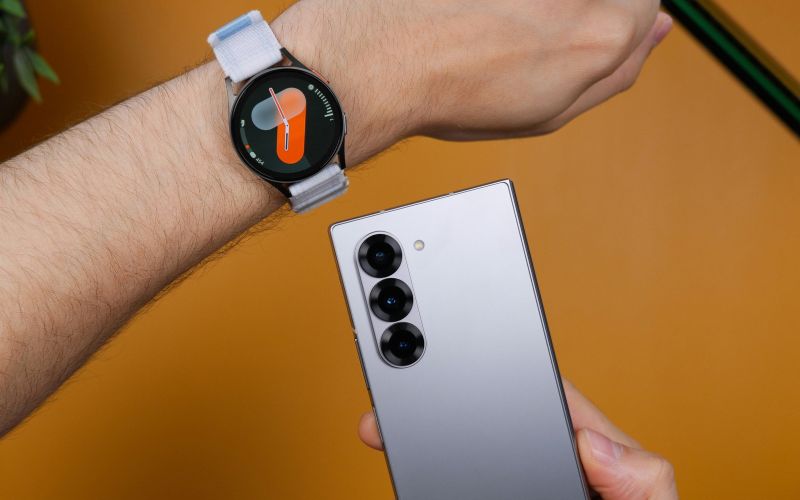
Image by Unsplash
Table of Contents
Many smartphone users depend on a SIM card to connect their device to a mobile carrier for calls, messages, and mobile data. When switching devices, troubleshooting network issues, or moving to a new phone, understanding how a Samsung SIM card works can be very helpful. Factors such as SIM size, carrier compatibility, and device unlocking may affect whether the SIM functions properly. To learn more useful tips and compatibility details, you can refer to the guide/article from TAG Mobile for additional information.
A SIM card is an essential component that allows a Samsung smartphone to connect to a mobile carrier’s network. It stores important information that helps the device identify the user’s mobile account and access communication services.
How SIM Cards Work in Samsung Phones
A SIM card connects a Samsung smartphone to a mobile carrier’s cellular network, enabling services such as voice calls, text messaging, and mobile data. The card contains a unique identification number linked to the user’s mobile plan. When inserted into the phone, the device communicates with nearby cellular towers through the carrier’s network, allowing the smartphone to send and receive calls, messages, and internet data.
Types of SIM Cards Used in Samsung Devices
Samsung smartphones have used different SIM card formats over time as device designs became thinner and more compact. Understanding these SIM types can help users choose the correct card when activating or switching devices.
Standard SIM
The standard SIM was the original SIM card format used in early mobile phones. It is larger than modern SIM cards and is rarely used in today’s Samsung smartphones. Most modern devices no longer support this format.
Micro-SIM
The micro-SIM is smaller than the standard SIM and was introduced to support slimmer smartphone designs. Some older Samsung smartphones used micro-SIM cards before the industry transitioned to even smaller SIM formats.
The nano-SIM is currently the most common physical SIM card used in modern Samsung smartphones. Its compact size allows manufacturers to design thinner phones while still supporting cellular connectivity.
The eSIM is a digital SIM built directly into the device’s hardware. Instead of inserting a physical card, users can activate a mobile plan by scanning a QR code or downloading a carrier profile. Many newer Samsung models support eSIM technology, making it easier to switch carriers or add multiple mobile plans.
The location of the SIM card slot on Samsung phones. (Image by Unsplash)
2. Where Is the SIM Card Slot on Samsung Phones?
On most Samsung Galaxy smartphones, the SIM card tray is typically located along the top edge, bottom edge, or side of the device, depending on the specific model. The tray appears as a small rectangular outline with a tiny pinhole next to it.
To access the SIM slot, insert the SIM eject tool (usually included in the phone box) into the pinhole and press gently until the tray pops out, allowing you to insert or remove the SIM card
3. How to Insert a SIM Card Into a Samsung Phone
Inserting a SIM card into a Samsung phone is a simple process, but doing it correctly helps ensure the device can connect to the carrier’s network without issues. By following the steps below, you can safely install the Samsung SIM card and prepare the phone for calls, texts, and mobile data.
Step 1: Turn Off the Phone
Start by turning off the Samsung phone before handling the SIM tray. Powering down the device helps prevent potential network errors and protects the SIM card while it is being inserted.
Step 2: Use a SIM Eject Tool
Next, locate the SIM card tray on the edge of the phone. Insert the SIM eject tool or a small paperclip into the tiny pinhole next to the tray. Press gently until the tray pops out slightly, allowing it to be pulled out carefully.
Step 3: Place the SIM Card in the Tray
After removing the tray, place the SIM card into the designated slot. The SIM card should align with the shape of the tray, usually matching the small angled corner on the card. Proper placement ensures the phone can read the SIM information correctly.
Step 4: Reinsert the Tray Into the Phone
Once the SIM card is positioned correctly, slide the tray back into the phone slowly and carefully. The tray should fit flush with the device when inserted properly, preventing dust or debris from entering the phone.
Step 5: Turn On the Device
Finally, power the Samsung phone back on. After the device starts up, it should automatically detect the SIM card and connect to the mobile carrier’s network. When the signal bars appear on the screen, the phone is ready to make calls, send messages, and use mobile data.
4. Recommended Samsung Phones That Support eSIM
Today, many smartphone users prefer eSIM technology because it allows faster activation and easier switching between mobile plans without inserting a physical SIM card. However, most modern Samsung smartphones still support both a physical nano-SIM and eSIM, giving users flexible connectivity options depending on their carrier and device.
Some Android phone options available for qualified Lifeline users through TAG Mobile may include devices such as:
Up to about 16GB* of free data, depending on plan and location
Free SIM card or digital eSIM activation for compatible devices
Discounted or free smartphone offers for eligible customers
With the combination of modern Samsung devices and flexible SIM or eSIM activation options, users can easily stay connected while enjoying the convenience of both traditional and digital SIM technology.
*Offers may vary and are subject to future updates.
Qualify and apply for your free phone with SIM card, or only the SIM card with data if you prefer to use your current device.
5. Final Words
Understanding how a Samsung SIM card works can make it much easier to activate your phone, switch devices, or troubleshoot network problems. From choosing the correct SIM size to ensuring carrier compatibility, these small details help keep your smartphone connected to calls, texts, and mobile data. If you need a new SIM card or want to switch to a digital eSIM, TAG Mobile offers convenient activation and flexible mobile plans for eligible users. With simple setup options and reliable coverage, TAG Mobile can help you stay connected wherever you go.
Notice: The government does not cover device costs, only basic service through Lifeline. Any free or discounted devices, upgrades, or top-ups are limited-time TAG Mobile offers and may vary by state, eligibility, and availability. Terms and conditions apply.
Share
TAG Blog
Stories, guides, and helpful updates for staying connected.