eSIM for iPad: Everything You Need to Know Before Buying in 2026
An eSIM for iPad allows users to connect their tablet to a cellular network without needing a physical SIM card. This built-in digital SIM makes it easy to activate a data plan, sw...
Quincy D.-Mar 13, 2026
Image by Unsplash
Table of Contents
An eSIM for iPad allows users to connect their tablet to a cellular network without needing a physical SIM card. This built-in digital SIM makes it easy to activate a data plan, switch carriers, and stay connected wherever you go. Many modern iPad models support this feature, making mobile internet access more convenient for work, travel, and everyday browsing.
If you want to learn more about how eSIM for iPad works, how to activate it, and what options are available, you can refer to the detailed article from TAG Mobile for additional information.
An eSIM (embedded SIM) is a digital SIM technology built directly into a device such as a smartphone or tablet. Instead of inserting a physical SIM card, the iPad uses an internal chip that allows users to download and activate a mobile data plan from a carrier digitally. This technology performs the same function as a traditional SIM card, connecting the device to a cellular network so it can access mobile data and stay online even when Wi-Fi is unavailable.
On an iPad, eSIM works by storing a digital carrier profile on the device. When a user selects a mobile plan, the iPad downloads the eSIM profile provided by the carrier and activates cellular data directly through the device settings.
This process eliminates the need to swap SIM cards and makes it easier to switch carriers, manage multiple plans, or connect to local data services while traveling. However, eSIM is typically available only on Wi-Fi and Cellular iPad models, since Wi-Fi-only versions do not include cellular connectivity hardware.
2. Can You Use eSIM on an iPad?
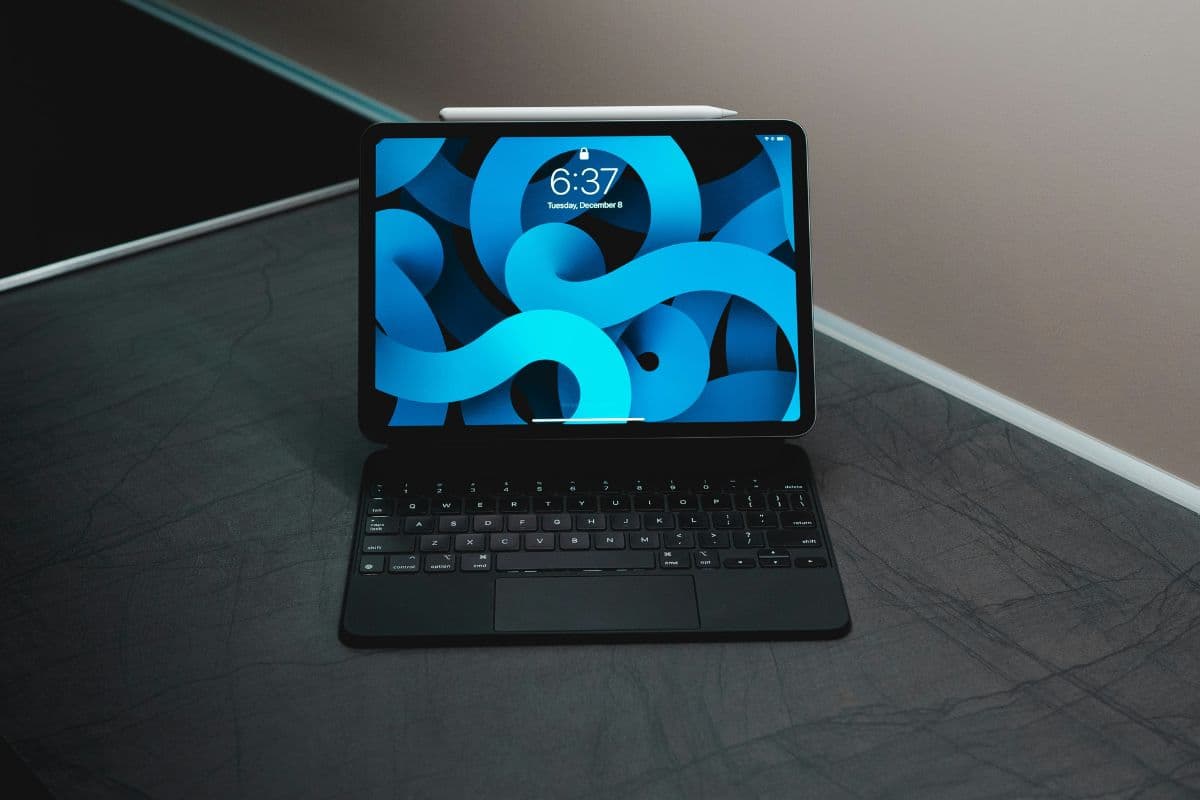
You can use an eSIM on an iPad. (Image by Unsplash)
Yes, eSIM can be used on certain iPad models that support cellular connectivity. If you are wondering, “Can eSIM be used in iPad?”, the answer is yes, but only on Wi-Fi and Cellular versions of the device. These models include built-in cellular hardware that allows users to activate a mobile data plan digitally through eSIM.
With an eSIM on iPad, users can download a carrier profile directly from the device settings instead of inserting a physical SIM card.
This makes it easier to activate a data plan, switch carriers, or add a local data plan while traveling. However, Wi-Fi-only iPad models do not support eSIM because they do not include cellular network capability.
Activating an eSIM for iPad is a straightforward process that most users can complete in just a few minutes. With the correct activation details from your carrier, the iPad’s built-in settings will guide you through each step needed to download and install the eSIM profile.
Connect the iPad to Wi-Fi
First, users should make sure the iPad is connected to a stable Wi-Fi network. A Wi-Fi connection allows the device to communicate with the carrier’s system and download the eSIM profile securely. Without internet access, the eSIM for iPad cannot be activated successfully.
Open Settings
Next, the user needs to open the Settings app on the iPad. This application serves as the main control center where Apple devices manage system features, connectivity, and device preferences. From the Settings interface, the activation process can begin.
Tap Cellular Data
Inside the Settings menu, the user should locate and tap Cellular Data (or Mobile Data in some regions). This section displays the device’s cellular settings and available network options. It also provides the tools needed to add and manage an eSIM for iPad.
Select Add eSIM or Add Data Plan
After entering the Cellular Data menu, the iPad will show an option labeled Add eSIM or Add Data Plan. When the user selects this option, the device prepares to install a new digital SIM profile. This step begins the process of linking the iPad to the selected carrier.
Scan the Carrier QR Code or Use the Carrier App
Finally, the carrier will provide activation instructions for the user to follow. In most cases, the iPad camera will scan a QR code supplied by the carrier, or the user can activate the plan through the carrier’s official mobile app. Once the installation is complete, the eSIM for iPad becomes active, and the device can start using cellular data.
4. Need a Connected Device for Everyday Internet Access?
Tablets like the iPad have become essential tools for online classes, remote work, video calls, and everyday internet access. However, purchasing a tablet and paying for a monthly mobile data plan can be expensive for many households. For users asking “Which iPad accepts eSIM?” It’s helpful to know that many modern iPad models support eSIM technology, allowing users to activate cellular service digitally without inserting a physical SIM card.
In the United States, eligible households may qualify for discounted or free mobile service through the Lifeline program. Through participating providers such as TAG Mobile, qualified applicants may be able to receive a connected device and an eSIM-ready plan designed to make internet access more affordable.
When you apply for a tablet through TAG Mobile, you may receive the following benefits from the mobile plan:
Unlimited talk and text for everyday communication
Monthly mobile data allowance for browsing, streaming, and online learning
Nationwide coverage across the United States
Free international calling to over 200 countries and territories
Support for eSIM activation on compatible devices
Affordable or free service through the Lifeline program for eligible households
For people who need reliable internet access but want to avoid high upfront costs, applying for a device and eSIM-enabled service through TAG Mobile can be a practical way to stay connected for school, work, and communication.
Apply at TAG Mobile for a chance to get an eSIM for iPad
5. Final Words
In today’s connected world, having an eSIM for iPad makes it easier to stay connected without having to worry about SIM cards. With this technology, you now have a more flexible way to activate your mobile data, change your carrier, and more, right from your device.
Whether you use your iPad for work, traveling, or simply staying connected, this technology could be a good solution for you. If you are looking to stay connected in a more affordable way, TAG Mobile could be a good solution for you. Check your eligibility and see how you could get started with an eSIM for iPad through TAG Mobile today.
Notice: The government does not cover device costs, only basic service through Lifeline. Any free or discounted devices, upgrades, or top-ups are limited-time TAG Mobile offers and may vary by state, eligibility, and availability. Terms and conditions apply.
Share
TAG Blog
Stories, guides, and helpful updates for staying connected.