Can I Put My SIM Card in Another Phone? Everything to Know
In fact, if you plan to change phones, you may be asking yourself: Can I use my SIM card on a different phone and retain my phone number, plan, and contacts? The good news is that...
Quincy D.-Mar 28, 2026
Image by Unsplash
Table of Contents
In fact, if you plan to change phones, you may be asking yourself: Can I use my SIM card on a different phone and retain my phone number, plan, and contacts?
The good news is that in most cases, it is possible to use a different phone with your SIM card. This means that changing phones will not affect your mobile plan. To learn how to do this successfully, you will find below a short guide from TAG Mobile.
Yes, you can usually put your SIM card in another phone as long as the device is unlocked, compatible with your carrier’s network, and supports the correct SIM size.
Most modern smartphones use standard, micro, or nano SIM cards, so you may need an adapter if the sizes don’t match. Transferring your SIM allows you to keep your phone number, plan, and limited SIM-stored data like contacts while using a new or backup device.
2. What Happens When You Put Your SIM Card in Another Phone?
When you transfer your SIM card to a new device, several important changes occur that affect how your phone functions. Understanding these effects can help you manage your number, service, and personal data effectively, especially if you are asking, can I put my SIM card in another phone.
Your Phone Number Moves With the SIM
One of the most immediate effects of moving a SIM card is that your phone number transfers to the new device. The SIM card contains your subscriber identity, which links your number to the carrier’s network.
This means that any calls or messages sent to your number will now ring on the new phone, maintaining continuity without requiring additional setup. As long as the phone is compatible and unlocked, your number remains active and fully functional.
Calls, Texts, and Data Transfer Automatically
Once the SIM card is inserted into a compatible device, calls, text messaging, and mobile data access are automatically enabled. Your carrier recognizes the SIM and grants network access, allowing you to continue using your plan without interruption.
This includes any carrier-specific services like voicemail or Wi-Fi calling. While this transfer ensures connectivity, it does not move apps, photos, or device settings, which remain tied to the original phone.
Your Apps and Data Stay on the Old Phone
It’s important to note that apps, photos, videos, and personal files do not transfer with the SIM card. These remain on your old device unless you back them up and restore them to the new phone via cloud services or manual transfer.
Understanding this distinction helps avoid confusion, as a SIM card primarily moves your phone number and network access, not your personal content. This ensures that while you retain connectivity, your data management remains under your control.
Before asking, ” Can I put my SIM card in another phone?”, it’s important to verify a few key factors to ensure a smooth transfer. Checking compatibility and device readiness can prevent connectivity issues and save time during the switch.
Is the New Phone Unlocked?
A locked phone is restricted to a specific carrier and may not accept SIM cards from other networks. Before inserting your SIM, confirm that the new device is either unlocked or compatible with your current carrier.
If the phone is locked, you may need to request an unlock from the previous carrier, which could take several days. Using an unlocked phone ensures your number, plan, and mobile services function properly after the SIM transfer.
Does the Phone Support Your Carrier’s Network?
Even if the phone is unlocked, it must support the network bands used by your carrier. U.S. carriers operate on specific frequencies, so a device from another region or brand may not connect fully.
Checking network compatibility guarantees that calls, texts, and mobile data work seamlessly. Ensuring this ahead of time avoids frustration and prevents potential service interruptions when moving your SIM card to a new device.
SIM Card Size Compatibility
SIM cards come in standard, micro, and nano sizes, and the new phone must accept the card you have. Adapters can sometimes help, but mismatched sizes can cause connectivity issues or even damage the SIM or device.
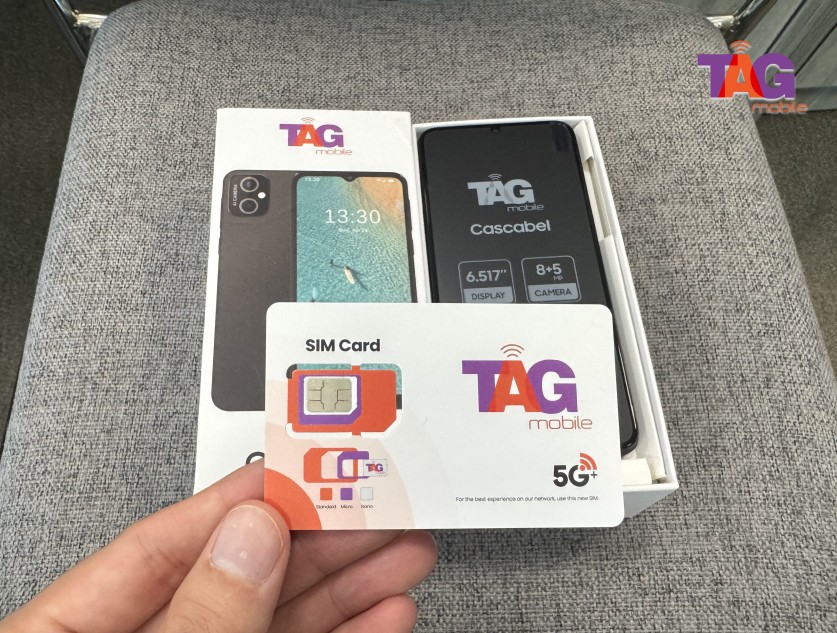
To ensure your SIM card is compatible with your new phone, it’s best to apply through TAG Mobile, which provides the correct SIM type and easy activation, so you can transfer your service without any technical problems.
Some things you should check before moving your SIM card. (Image by Unsplash)
4. How to Put Your SIM Card in Another Phone
Can I put my SIM card in another phone? Yes! Transferring a SIM card to a new device is a straightforward process, but it requires careful steps to avoid damage and ensure proper network connection. Knowing how to do this correctly is especially useful if you are asking, ” Can you switch SIM cards between phones?”
Step 1: Turn Off Both Phones
Before handling the SIM card, make sure both the old and new phones are completely powered off. This prevents electrical damage to the SIM or the devices during removal and insertion. Turning off the phones also ensures that the network connection is temporarily paused, reducing the risk of errors when the SIM is moved to the new device.
Step 2: Remove the SIM Card
Locate the SIM tray on your old phone, usually found on the side or back of the device. Use a SIM ejector tool or a small paperclip to gently open the tray and remove the SIM card. Handle the card carefully to avoid bending or scratching it, as physical damage can prevent it from working properly in the new phone.
Step 3: Insert the SIM Into the New Phone
Place the SIM card into the SIM tray of the new phone, making sure it aligns correctly with the tray and fits snugly. Once inserted, gently push the tray back into the device until it clicks into place. This step ensures that your phone can properly recognize the SIM and access the carrier network.
Step 4: Turn On the New Phone
Power on the new device and wait for it to recognize the SIM card. The phone should automatically connect to your carrier’s network, allowing calls, texts, and data usage to function normally. If any issues arise, check compatibility or network settings to confirm that the SIM has been properly activated and is fully functional.
5. Get a New SIM Card for Free
If you try to put your SIM card into another phone and it doesn’t work, the issue may be compatibility rather than the device itself. In this case, getting a new SIM card that matches your carrier’s network can be the simplest solution.
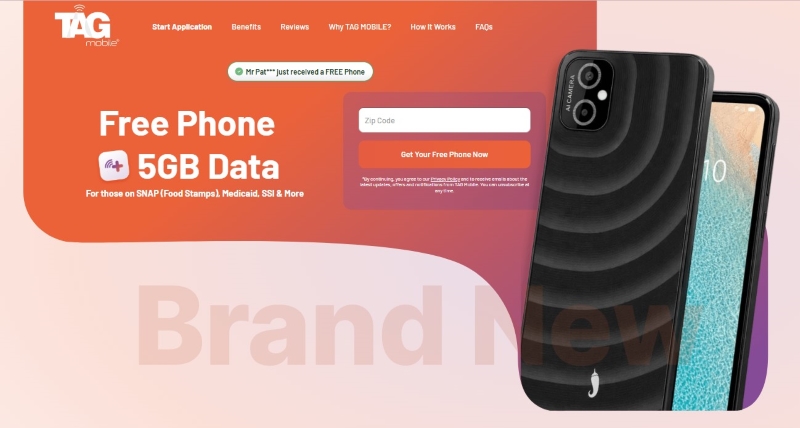
Through the Lifeline Program, eligible low-income users can receive free or discounted mobile services. Providers like TAG Mobile offer free SIM cards, and in many cases, you may also qualify for a free device that is already compatible with their network.
This can be especially helpful if your current SIM is outdated or not supported by newer phones. By switching to a new SIM through a Lifeline provider, you can avoid connection issues and enjoy reliable talk, text, and data without upfront costs.
Apply for TAG Mobile free phone and SIM card/eSIM now!
To qualify, you typically need to meet income requirements or participate in government assistance programs such as SNAP, Medicaid, or SSI. Eligibility may vary by state, so it’s important to check the latest requirements before applying.
Applying is simple and can be done online in just a few steps: enter your ZIP code to check availability, choose a plan, select your device (if available), and submit your personal and eligibility information. You may also need to upload documents to verify your qualification.
Notice: The government does not cover device costs, only basic service through Lifeline. Any free or discounted devices, upgrades, or top-ups are limited-time TAG Mobile offers and may vary by state, eligibility, and availability. Terms and conditions apply.
Final Words
The knowledge of whether or not you can use another phone with your SIM card is important, especially when you need to change phones. If you’re wondering, can I put my SIM card in another phone?
Understanding this helps ensure you keep your phone number, plan, and other information stored in your SIM card. Although it is a straightforward process, it is also important to ensure compatibility, SIM card size, and network coverage before making a switch. With TAG Mobile, you can now benefit from their free SIM cards or phones, ensuring you stay connected at all times.
Share
TAG Blog
Stories, guides, and helpful updates for staying connected.