Why Cant I Turn On My Hotspot? 8 Fixes for iPhone and Android
Hotspot controls can stop working because of carrier restrictions, disabled mobile data, software glitches, network settings, or battery-saving features. The best way to solve why...
Quincy D.-Sep 29, 2026
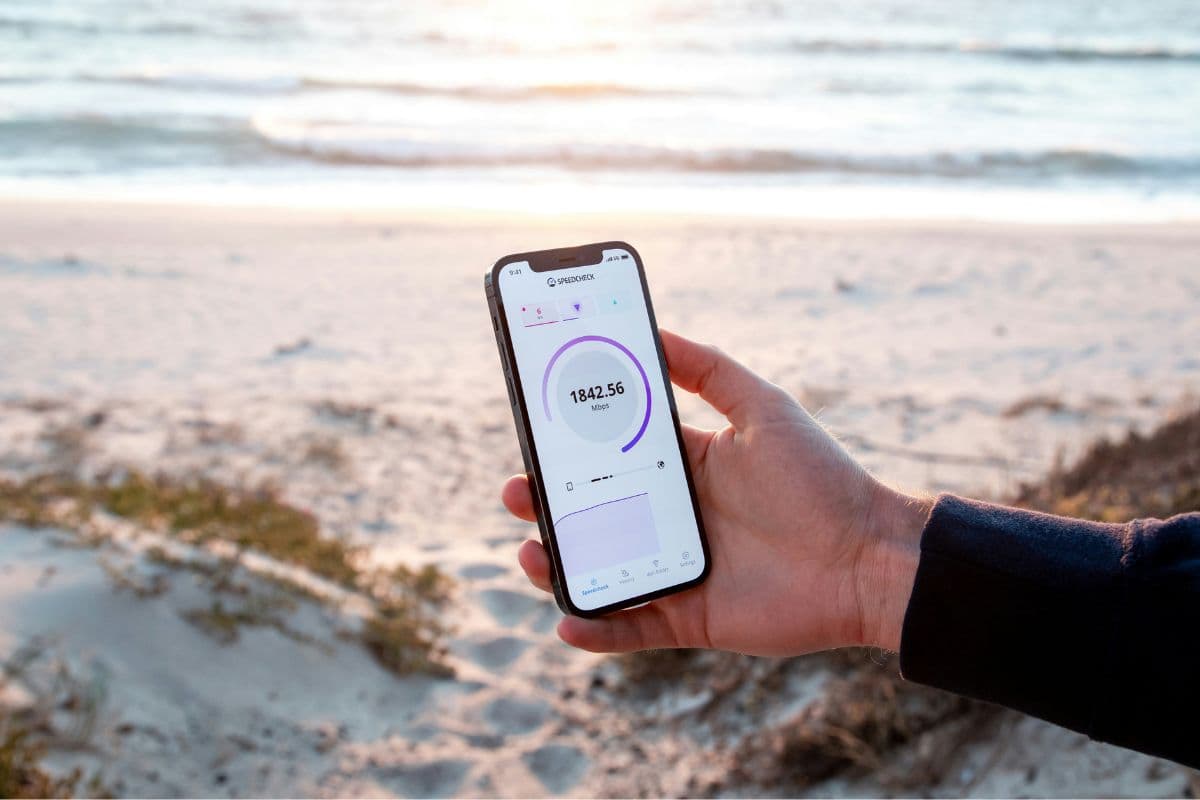
Image by Unsplash
Table of Contents
Hotspot controls can stop working because of carrier restrictions, disabled mobile data, software glitches, network settings, or battery-saving features. The best way to solve why cant I turn on my hotspot is to check the phone’s cellular connection first, then review hotspot permissions and system settings. Working through each cause separately helps narrow down whether the problem comes from the device, software, or mobile plan.
1. Why Cant I Turn On My Hotspot? Try These 8 Fixes in Order
Hotspot problems usually have a clear cause, but the right fix depends on whether the issue comes from mobile data, software, carrier settings, or power-saving features. Working through these checks in order helps isolate the problem without changing unnecessary settings.
Make Sure Cellular Data Is On
Personal Hotspot cannot share an internet connection if cellular data is disabled or unavailable. This is one of the first things to check when asking why cant I turn on my personal hotspot, because the feature relies on your mobile network rather than regular Wi-Fi.
Open cellular or mobile data settings and confirm the connection is active. Try loading a webpage with Wi-Fi turned off. If mobile data does not work on the phone itself, hotspot sharing will not work either.
Turn Hotspot Off and Back On
Temporary network glitches can prevent hotspot controls from responding properly even when cellular data is working. Toggling the feature off and back on refreshes the tethering session without changing saved passwords or deeper network settings.
Open Personal Hotspot or Mobile Hotspot settings, switch the feature off, wait a few seconds, then enable it again. Afterward, check whether the hotspot becomes visible to nearby devices and whether the toggle now stays active.
Restart Your Phone
Background network processes can occasionally freeze or stop responding, making the hotspot unavailable even though the settings look correct. A restart clears temporary system activity and reloads cellular, Wi-Fi, and Bluetooth services.
Power the phone off completely, wait briefly, then turn it back on. Once the device reconnects to cellular service, enable mobile data first and try Personal Hotspot again before changing any additional settings.
Check Whether Your Phone Plan Supports Hotspot
Some wireless plans limit tethering, require a hotspot allowance, or do not support the feature at all. In that situation, the hotspot toggle may be missing, unavailable, or unable to stay enabled.
When wondering why cant I turn my personal hotspot on, review your current plan or contact the carrier to confirm that tethering is included. Also check whether you have reached a hotspot data limit that could temporarily restrict further use.
Update iOS or Android
Outdated system software can contain bugs that affect tethering, cellular connections, or hotspot controls. Compatibility problems may also appear after carrier-side changes if the phone has not received recent software updates.
Open the software update section in Settings and install any available iOS or Android release. Restart the device after installation, then test mobile data and hotspot functionality again before moving on to more advanced fixes.
Check Data Saver and Battery-Saving Settings on Android
Android power-saving and data-saving features can limit background networking or tethering behavior on some devices. Manufacturer-specific battery tools may also shut down hotspot service automatically to conserve power.
Open Data Saver, Battery Saver, or power-management settings and temporarily disable them while testing the hotspot. Also check for automatic hotspot shutoff options that may turn tethering off when no device remains connected for a certain period.
Check Carrier Settings or APN Configuration
Incorrect carrier settings or APN information can interfere with mobile data and tethering even when calls and texts still work. This can happen after changing SIM cards, switching providers, or manually editing network settings.
On iPhone, install any available carrier settings update when prompted. On Android, compare the APN configuration with your carrier’s official settings and avoid guessing values, since incorrect APN details can disable data or hotspot access entirely.
Reset Network Settings as the Last Software Fix
If you are still wondering why cant I turn on my hotspot after trying the basic fixes, corrupted Wi-Fi, cellular, VPN, or network preferences could be interfering with hotspot service. Resetting network settings clears those stored configurations and forces the phone to rebuild them.
Use this step only after checking data, plan support, updates, and carrier settings first. The reset removes saved Wi-Fi passwords and other network preferences, so be prepared to reconnect to networks and reconfigure related settings afterward.
2. Why Cant I Turn My Hotspot On After Switching Carriers or SIMs?
Carrier changes can affect hotspot access even when calls, texts, and basic mobile data still work normally. New SIM settings, provisioning delays, plan restrictions, or outdated network configurations can all prevent tethering from turning on correctly after a switch.
Carrier provisioning is incomplete: Your new SIM may be active for calls and data before hotspot permissions finish updating. If why cant I turn on my hotspot right after switching carriers? Provisioning should be one of the first things to verify.
Hotspot is not included in the new plan: Some plans limit tethering or require a separate hotspot allowance. Check the new plan details rather than assuming the feature transferred automatically from your previous carrier.
APN settings are incorrect: Android phones may need updated APN information after a SIM change. Old or manually entered values can interfere with mobile data sharing even when other cellular features still function.
Carrier settings need refreshing: iPhones can receive carrier settings updates that adjust cellular and hotspot behavior. Open Settings > General > About and install an update if one appears.
Old network settings are still stored: Previous carrier configurations can occasionally conflict with the new SIM. Restarting the phone may help first, while resetting network settings can be considered later if simpler checks do not solve the problem.
3. 5 Mistakes to Avoid When Your Hotspot Won’t Turn On
Failed hotspot connections often become harder to diagnose when several settings are changed at once or carrier-related causes are ignored. Avoiding a few common mistakes can save time and help reveal whether the problem comes from the phone, plan, or network configuration.
Resetting Network Settings Too Early
A network reset should not be the first response because it removes saved Wi-Fi passwords, VPN settings, and other connection preferences. Check cellular data, hotspot availability, software updates, and plan support first, then use a reset only after simpler troubleshooting fails.
Ignoring Carrier or Plan Restrictions
Hotspot access can depend on carrier provisioning and the specific wireless plan. For example, when asking why cant I turn on my hotspot on iPhone, confirm that Personal Hotspot is enabled by the carrier before assuming the iPhone itself is malfunctioning.
Changing APN Settings Without Verification
Incorrect APN values can disrupt mobile data or tethering instead of fixing it. Only change APN settings when your carrier provides the correct configuration, and avoid copying random values from unofficial sources that may not match your SIM, plan, or network.
Overlooking Data and Battery-Saving Features
Data Saver, Battery Saver, or manufacturer-specific power controls can restrict tethering on some Android phones. Temporarily disable these features while testing rather than repeatedly toggling the hotspot without checking whether the operating system is limiting background network activity.
Assuming a Restart Will Fix Every Cause
Restarting can clear temporary glitches, but it cannot solve plan restrictions, exhausted hotspot allowances, unsupported tethering, or incorrect carrier settings. If the problem returns immediately after rebooting, move on to plan, SIM, APN, and software checks instead of restarting repeatedly.
Avoid common mistakes that can keep your mobile hotspot from turning on. (Image by Unsplash)
4. If You’re Ready for Another Phone, See What TAG Mobile Currently Offers
Lifeline program can reduce the monthly cost of phone service for eligible households, while participating Eligible Telecommunications Carriers may add their own device promotions on top of that federal benefit. TAG Mobile is one ETC that combines Lifeline-supported service with free or discounted phone and tablet options, depending on location and availability.
TAG Mobile Lifeline plans can include up to 16GB of data (vary by state, plan and may subject to changes), unlimited talk and text, free international calling to 200+ countries and territories, free delivery, and discounted devices for qualifying customers.
Our device selection includes iPhones, Android smartphones, and larger-screen tablets, giving customers flexibility to choose an option that fits their communication habits, preferred operating system, screen-size needs, and everyday use.
The options below provide a closer look at some of the devices available through TAG Mobile.
iPhone XS Max: A large-screen Apple smartphone with a 6.5-inch Super Retina OLED display, Face ID, and dual 12MP cameras, offering plenty of viewing space for FaceTime, photos, and media.
iPad mini 4: A compact Apple tablet with a 7.9-inch Retina display, giving users more room for reading, streaming, browsing, and apps without the size of a full-size tablet.
Clovertek G17: A 10.1-inch tablet with 4G LTE support, 32GB of storage, and a 5,000mAh battery, suited to video calls, online learning, browsing, and entertainment.
TCL 20 SE: A large Android smartphone with a 6.82-inch display and a 5,000mAh battery, providing generous viewing space for videos, browsing, messaging, and everyday apps.
Samsung Galaxy Tab A7 Lite: A portable Samsung tablet with an 8.7-inch display, offering a comfortable larger-screen experience for streaming, reading, video calls, and web browsing.
Samsung Galaxy A12: A practical Android smartphone with a 6.5-inch display, 5,000mAh battery, and multi-camera system, making it well suited to everyday communication and media use.
iPhone 13: A modern Apple smartphone featuring a 6.1-inch Super Retina XDR display, A15 Bionic chip, 5G connectivity, and dual cameras for strong everyday performance, FaceTime, and photography.
Available models and pricing vary by location and inventory. So, you should enter your ZIP code to view the plans, devices, and offers available in your area before completing your application and selecting a device.
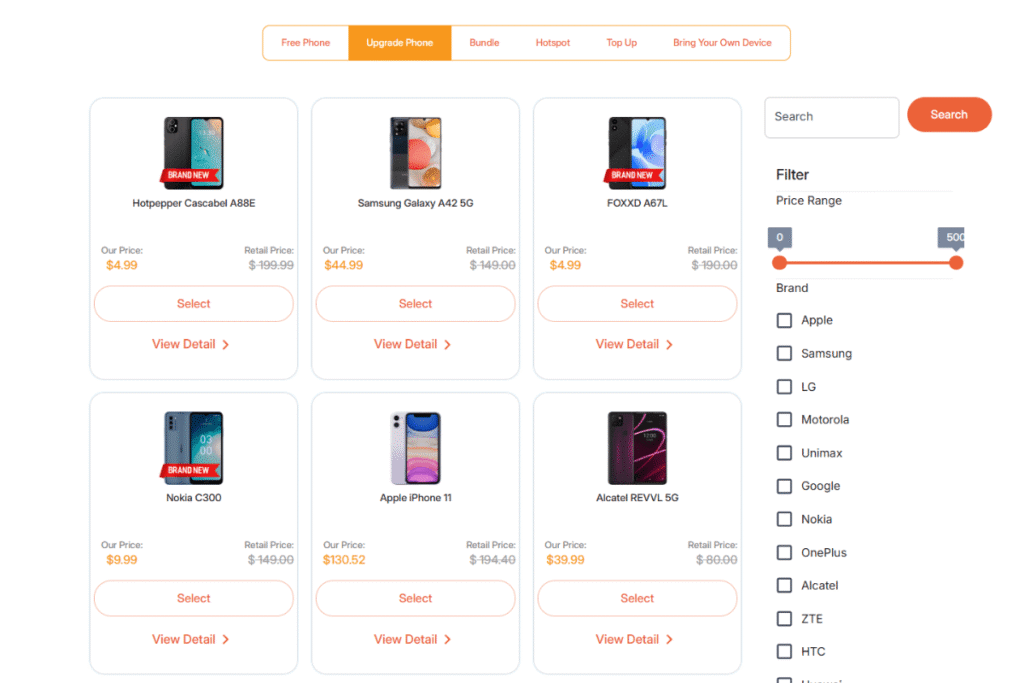
List of tablets and upgraded phones at TAG Mobile (Offers may vary by state, inventory, and time of your application).
Note: Eligibility varies by state and program. Offers depend on availability and qualifications. TAG Mobile operates under the federal Lifeline Program as an Eligible Telecommunications Carrier (ETC). Service is non-transferable and limited to one service per household.
5. FAQs about a Hotspot That Won’t Turn On
Connection failures can come from phone settings, carrier restrictions, or temporary network errors rather than one single cause. These FAQs explain when a reset makes sense, how power-saving modes can affect tethering, and why carrier support still matters.
Should I reset network settings if hotspot won’t turn on?
Only after simpler troubleshooting fails. Resetting network settings can fix corrupted Wi-Fi, cellular, VPN, or tethering preferences, but it also removes saved Wi-Fi passwords and other network configurations that you will need to set up again.
Does Low Power Mode stop Personal Hotspot?
Low Power Mode does not automatically disable Personal Hotspot on every iPhone. Still, power-saving behavior may affect background activity or connection performance, so turning it off temporarily can help determine whether it is contributing to the problem.
Can my carrier disable Personal Hotspot?
Yes. Tethering availability can depend on carrier provisioning and whether your wireless plan includes the feature. If the option is missing or cannot be enabled, contact the carrier to confirm that mobile sharing is supported and properly activated.
6. Final Thoughts
Connection problems are easier to solve when you check cellular data, carrier support, software, and network settings in the right order. For why cant I turn on my hotspot, simple fixes should come before deeper resets or advanced configuration changes. Plan limitations can also explain why tethering remains unavailable. Qualifying users can explore TAG Mobile Lifeline options for more affordable mobile service.
Share
TAG Blog
Stories, guides, and helpful updates for staying connected.