How to Silence Unknown Callers: Master Call Filtering in 2 Methods
Unexpected calls from unfamiliar numbers can be distracting, especially when they happen repeatedly throughout the day. Learning how to silence unknown callers gives you more contr...
Quincy D.-Oct 07, 2026
Image by Unsplash
Table of Contents
Unexpected calls from unfamiliar numbers can be distracting, especially when they happen repeatedly throughout the day.
Learning how to silence unknown callers gives you more control over which calls ring through without blocking every number manually. iPhone and Android handle unknown callers differently, so the exact steps depend on your device and the Phone app. Use the methods below to adjust call filtering quickly and correctly.
1. How to Turn Off Silence Unknown Callers on iPhone
The iPhone includes built-in call filtering that can reduce interruptions from unfamiliar numbers without forcing you to block each caller manually. The setting is easy to adjust and can also be reversed when you are expecting important calls from new contacts.
Step 1: Open the Phone Settings
Open the Settings app on your iPhone, scroll down, and tap Apps, then select Phone.
From here, you can manage incoming call behavior, caller identification, voicemail, spam filtering, blocked contacts, and other call-related preferences. This is also where Apple places the controls for handling numbers your iPhone does not recognize or already have saved.
Open this section to control how calls from unfamiliar numbers are handled. You can allow them to ring normally, have them screened first, or silence them automatically so they do not interrupt you.
Step 3: Select Silence
Choose Silence to stop unknown callers from ringing your iPhone while still keeping a record of their attempts.
These calls can appear in Recents and may be sent directly to voicemail, giving you the option to review unfamiliar numbers later without interrupting work, meetings, sleep, or other moments when you prefer fewer distractions.
Step 4: Turn the Feature Off When Needed
Need to know how to turn off silence on unknown callers on iPhone?
Return to Settings > Apps > Phone, open the unknown caller controls, then choose Never or disable Silence Unknown Callers. Once turned off, unfamiliar numbers can ring normally again, especially when you are expecting calls from clinics, deliveries, businesses, or new contacts.
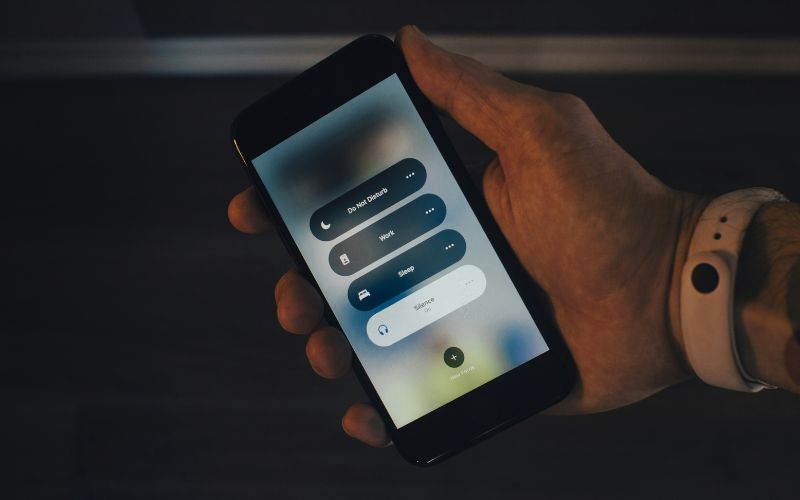
Learn how to silence unknown callers on your iPhone quickly with just four steps. (Image by Unsplash)
2. How to Silence Unknown Callers on Android
Android phones handle unknown callers differently depending on the manufacturer and phone app, but most include controls for blocking or filtering unidentified numbers. Look for options related to blocked numbers, spam protection, or private callers inside your phone settings.
Step 1: Open the Phone App
Open the Phone app you normally use to make and receive calls, then tap the three-dot menu or Settings icon.
This takes you to the call controls, where you can manage blocked numbers, caller ID, spam protection, and other options that affect how incoming calls are handled on your Android device.
Step 2: Open the Blocked Numbers Menu
Tap Settings, then find Blocked Numbers, Block Numbers, or a similar option, depending on your phone model.
This section usually lets you review manually blocked contacts and adjust how the device handles calls from private, hidden, unidentified, or otherwise restricted numbers before they reach you.
Step 3: Enable Unknown Caller Blocking
Turn on the option labeled “Unknown,” “Private numbers,” or “Block calls from unidentified callers.”
Once enabled, calls from supported hidden or unrecognized numbers will be filtered or blocked before they can ring through, helping reduce unwanted interruptions while keeping your regular contacts and recognized callers unaffected.
Step 4: Turn the Setting Off When Needed
If you need how to turn off silence unknown callers, return to the same blocked-number or call-filtering settings and disable the Unknown or private-number option.
Once switched off, those calls can ring through normally again, which is useful when you are expecting calls from unfamiliar businesses, services, or new contacts.
3. The Differences Between Silence Unknown Callers and Block Unknown Callers
Silencing and blocking may sound similar, but they handle unwanted calls in different ways. Understanding the distinction helps you choose whether you simply want fewer interruptions or prefer certain calls to be stopped completely.
Feature
Silence Unknown Callers
Block Unknown Callers
Does the phone ring?
No
No
The call reaches voicemail.
Usually yes.
Often no, depending on the device.
Appears in call history
Usually yes.
May still appear as blocked
The caller can try again
Yes.
Yes, but future calls remain blocked.
Best for
Reducing interruptions without losing call records
Preventing specific or unidentified callers from getting through
Call filtering can reduce spam, but it can also affect legitimate calls from delivery drivers, clinics, schools, or businesses. Knowing how to silence unknown callers properly helps you avoid unnecessary interruptions without missing important calls you may actually need.
Will Someone Know If I Silence Their Call?
Usually, no. The caller is not directly notified that you silenced the call. They may simply hear normal ringing before being sent to voicemail or see that you did not answer.
Does Silence Unknown Callers Block the Number?
No, silencing is different from blocking. The number can usually call again, and the call may still appear in your Recents list or voicemail even though your phone did not ring.
Can I Silence Unknown Callers Only at Night?
Yes, you can use Do Not Disturb, Focus, or similar scheduling tools to control which calls are allowed during certain hours. This gives you more flexibility than leaving unknown-caller silencing enabled all day.
Should I Keep Silence Unknown Callers Turned On All the Time?
That depends on how often you receive legitimate calls from unfamiliar numbers. Keeping it on can reduce spam interruptions, but turning it off temporarily may be better when expecting calls from doctors, deliveries, employers, schools, or service providers.
5. Final Thoughts
Unwanted calls do not have to interrupt your day every time your phone rings. The right approach to how to silence unknown callers depends on your device and how much filtering you want, while missed-call history and voicemail can help you keep track of legitimate callers. Review your settings occasionally so important calls are less likely to slip through.
TAG Mobile also provides practical guidance for managing everyday phone features, so make sure you can catch up with the latest updates!
Share
TAG Blog
Stories, guides, and helpful updates for staying connected.