Everything Inside: How to See What Is Stored on SIM Card
Checking your SIM data can be useful when managing contacts or preparing to switch devices. Learning how to see what is stored on SIM card helps you understand what information is...
Quincy D.-Mar 26, 2026
Image by Unsplash
Table of Contents
Checking your SIM data can be useful when managing contacts or preparing to switch devices. Learning how to see what is stored on SIM card helps you understand what information is saved and what may need to be backed up elsewhere.
To explore more, TAG Mobile provides helpful guidance on viewing SIM content, managing mobile data, and ensuring smooth device transitions. With reliable service and user-friendly support, TAG Mobile makes it easier to stay organized and connected.
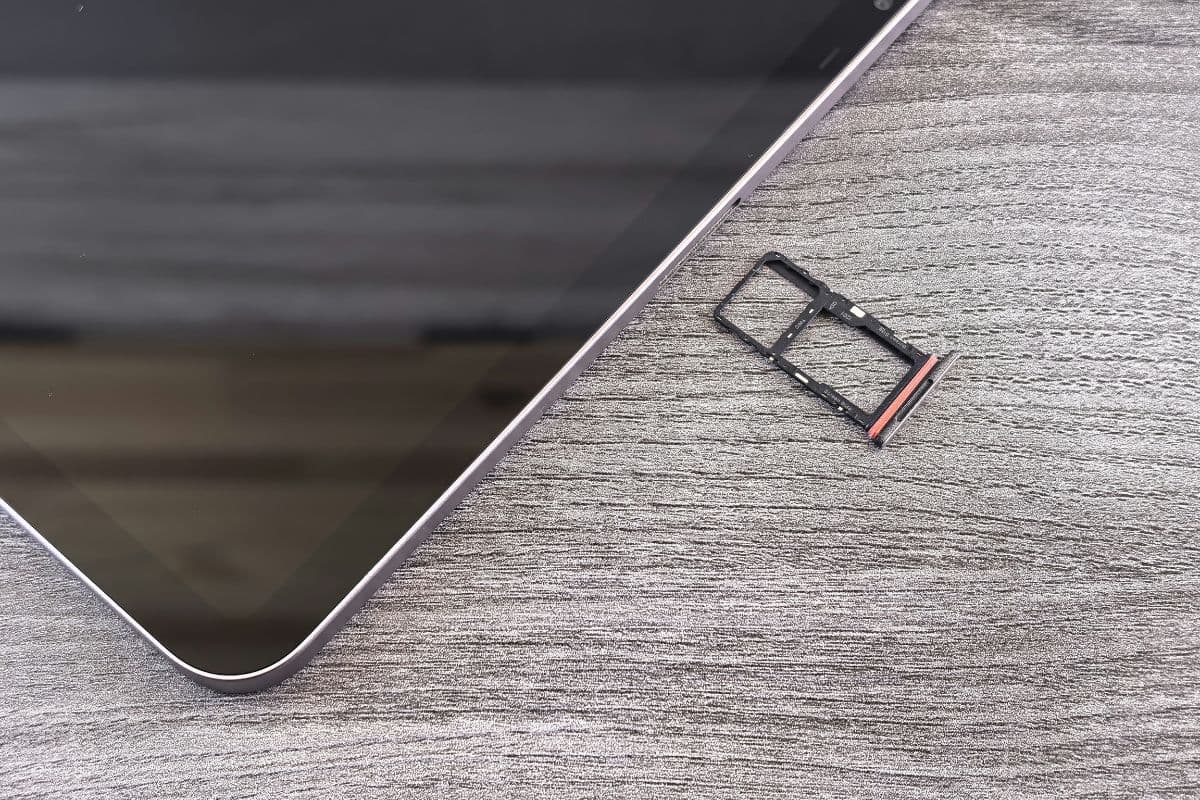
How to see what is stored on SIM card? (Image by Unsplash)
1. What Information Is Stored on a SIM Card?
A SIM card may look small, but it plays a crucial role in connecting your phone to a mobile network. Understanding what it stores can help you manage your data more effectively and avoid confusion when switching devices.
Subscriber Identity Information
One of the most important functions of a SIM card is storing subscriber identity details. And is anything stored on a SIM card? This includes a unique identifier that links your phone number and account to your mobile carrier.
This identity data is the core information that allows your device to connect to the network and access services like calls and texts.
Contact Information
SIM cards can store a limited number of contacts, typically including names and phone numbers. However, the storage capacity is quite small compared to modern smartphones. Because of this limitation, many users choose to store contacts on their devices or in cloud services instead.
Carrier and Network Settings
Your SIM card also contains basic carrier-related information that helps your phone connect to the correct network. This includes details such as network identification and configuration settings. These settings allow your device to automatically access the carrier’s services when the SIM is inserted.
SMS Messages (on Some Devices)
In some cases, SIM cards can store a small number of text messages. This feature is more common in older devices, as most modern smartphones store messages internally. Still, SIM-based SMS storage can serve as a basic backup in certain situations.
Checking what is stored on your SIM card can help you manage contacts and ensure important data is not lost. By following a few simple steps, you can quickly view SIM-stored information directly on your Android device.
Step 1: Open the Contacts App
You should start by opening the Contacts app on your Android phone. This app allows you to view and manage all saved contacts, including those stored on your device, cloud accounts, and SIM card. Make sure you are using the default contacts app or one that supports SIM management.
Step 2: Access Contacts Settings
Next, you need to access the settings within the Contacts app by tapping the menu icon (usually three dots or lines). From there, select options like “Manage Contacts” or “Import/Export” to access SIM-related features.
If you’re asking “how do I know if my contacts are saved on my SIM card?“, this section will help you locate and manage those contacts.
Step 3: Select “SIM Card Contacts”
Once inside the settings, choose the option to view or manage “SIM Card Contacts.”
This will display a list of contacts that are specifically stored on your SIM rather than on your phone or cloud account. The exact wording may vary depending on your device model and Android version.
Step 4: Review Stored Contact Information
Finally, you can review the contacts saved on your SIM card. Typically, these entries will include only basic details such as names and phone numbers.
Checking this list helps you confirm what information is stored and decide whether you need to back up or transfer contacts to another storage location.
3. How to Check SIM Card Information on iPhone
iPhones handle SIM data differently compared to many Android devices, so checking SIM information requires a slightly different approach. By following the steps below, you can view available SIM-related details and understand what data is accessible.
How do I know if my contacts are saved on my SIM card? What about other info? (Image by Unsplash)
Import Contacts From SIM
You should begin by going to Settings → Contacts → Import SIM Contacts on your iPhone.
This step allows you to transfer any contacts stored on the SIM card into your device’s memory. If you are trying to figure out how to see what is stored on SIM card, importing contacts is one of the most direct ways to access that information on an iPhone.
View Carrier Information in Settings
Next, you can navigate to Settings → General → About to view SIM-related details such as carrier name, network status, and other identifiers.
This section provides useful information about your SIM connection and current network. While it does not show stored contacts, it helps confirm that your SIM is active and functioning properly.
Understand iPhone SIM Limitations
It is important to understand that iPhones do not store contacts directly on the SIM card. Instead, they rely on iCloud or device storage for managing contact information.
Because of this limitation, SIM cards on iPhones are mainly used for network connectivity rather than data storage, which affects how you access and manage SIM-based information.
4. Tips for Managing SIM Card Data
Managing your SIM card data properly can help you avoid losing important information and ensure a smoother mobile experience. With a few simple habits, you can keep your data organized, secure, and easy to access when needed.
Back up your contacts regularly: Store your contacts on cloud services like Google or iCloud instead of relying only on your SIM card, which has limited storage.
Avoid frequent SIM removal: Constantly taking your SIM in and out can damage the contacts and lead to connectivity issues over time.
Keep your SIM card clean and dry: Dust or moisture can interfere with performance, so store and handle your SIM carefully.
Check compatibility before switching devices: Make sure your SIM works with your new phone’s network and SIM format to prevent service interruptions.
Monitor your SIM data and account activity: Regularly review your carrier account to ensure there are no unexpected changes or unauthorized usage.
Use eSIM when possible: If your device supports it, eSIM can provide more flexibility and reduce the risk of physical damage or loss.
If your SIM or phone is outdated, consider applying for a free phone and choosing a mobile plan with TAG Mobile.
The plans often include features like unlimited talk and text, nationwide coverage, free Wi-Fi calling, international calling options, a free SIM kit or eSIM, and responsive customer support.
Please note that TAG Mobile is an authorized Lifeline provider, and those who qualify for the Lifeline program and apply for the services through TAG may have the chance to claim a free device paired with free services.
Get your free or discounted phone or tablet through TAG Mobile now!
5. Final Words
Knowing how to see what is stored on SIM card gives you better control over your contacts and essential data. By checking your SIM regularly, you can avoid missing information and ensure everything is properly transferred when changing devices. It also helps you identify what should be backed up to cloud storage for added security.
Choosing a reliable provider makes this process even smoother. With TAG Mobile, you can enjoy dependable service, flexible plans, and helpful support to manage your mobile experience with confidence.
Notice: The government does not cover device costs, only basic service through Lifeline. Any free or discounted devices, upgrades, or top-ups are limited-time TAG Mobile offers and may vary by state, eligibility, and availability. Terms and conditions apply.
Share
TAG Blog
Stories, guides, and helpful updates for staying connected.