Expert Tips on How to Activate Android Phone Without SIM Card
Activating a new Android phone usually involves inserting a SIM card, but that is not always necessary during the initial setup. Many modern Android devices allow users to start th...
Quincy D.-Mar 18, 2026
Image by Unsplash
Table of Contents
Activating a new Android phone usually involves inserting a SIM card, but that is not always necessary during the initial setup. Many modern Android devices allow users to start the phone, connect to Wi-Fi, and complete the setup process before activating cellular service.
Because of this flexibility, some people look up how to activate Android phone without SIM card when preparing a new device or testing a phone before choosing a carrier. To understand the available methods and setup steps in detail, you can refer to the guide from TAG Mobile for further guidance.
1. Can You Activate an Android Phone Without a SIM Card?
Yes, an Android phone can often be activated without a SIM card. Many Android devices allow the initial setup to be completed using a Wi-Fi connection and a Google account, which lets the phone connect to activation servers and finish the basic configuration.
While this setup enables access to apps, internet services, and device features, a SIM card or eSIM is still required later if you want to use cellular functions such as calls, text messages, and mobile data.
2. How to Activate Android Phone Without SIM Card (Step-by-Step)
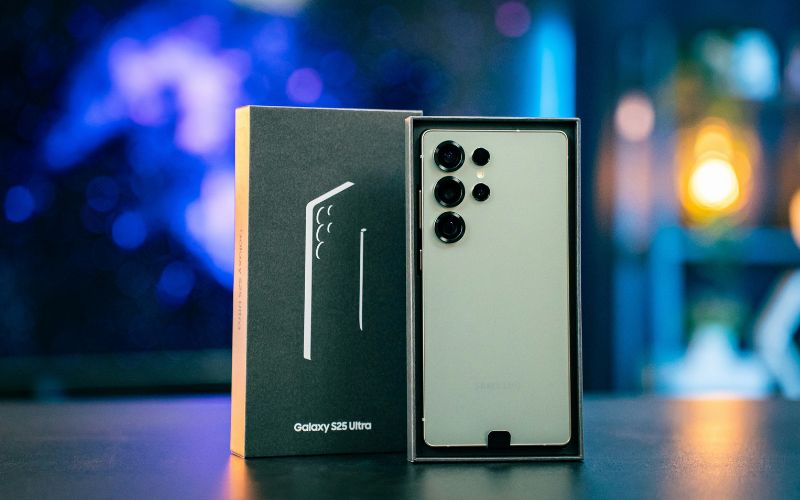
How to activate Android phone without SIM card? Full instructions are right below. (Image by Unsplash)
Setting up an Android phone without inserting a SIM card is possible on most modern devices. With a stable Wi-Fi connection, the phone can complete its basic configuration and become ready for everyday use.
Step 1: Turn On the Android Phone
Begin by pressing and holding the power button until the Android phone turns on. After a few seconds, the device will display the welcome screen and guide you through the initial setup process. At this stage, the phone prepares the system for configuration even without a SIM card installed.
Step 2: Connect to a Wi-Fi Network
Next, the setup screen will prompt you to connect to a Wi-Fi network. Select a stable network and enter the password if required. Internet access allows the device to communicate with Google services and complete the activation steps.
Step 3: Follow the Android Setup Process
Once connected to Wi-Fi, you’ll continue following the on-screen instructions. The phone will ask you to select your language, region, and basic device preferences. During this process, many users learn how to activate Android phone without SIM card because the system allows setup to continue even if no SIM card is detected.
Step 4: Sign In With a Google Account
After the initial configuration, the phone will ask you to sign in with a Google account. This step enables access to services such as the Google Play Store, Gmail, and cloud backups. If you do not have an account yet, the setup screen also allows you to create one.
Step 5: Complete the Setup
Finally, let’s review the remaining settings, such as device security, backup preferences, and app permissions.
Once these steps are completed, the Android phone will finish the setup process and display the home screen. The device can now use Wi-Fi for apps and internet access, while a SIM card or eSIM can be added later for cellular service.
3. Activating Android Phones With eSIM Instead of Physical SIM
Modern Android phones increasingly support eSIM, which allows users to activate mobile service digitally without inserting a physical SIM card. This option makes the activation process faster and provides more flexibility when switching carriers or managing multiple mobile plans.
What Is eSIM Technology?
eSIM (embedded SIM) is a digital SIM built directly into a smartphone’s hardware. Instead of inserting a removable card, users can activate a mobile plan by scanning a carrier QR code or downloading a network profile. One of the main benefits of eSIM is convenience, as it allows quick activation, easier carrier switching, and the ability to manage multiple mobile plans on a single device.
Some Android Phones That Support eSIM
Many modern Android smartphones now support eSIM technology alongside or instead of a physical SIM card. This compatibility allows users to activate mobile service digitally and start using their device more quickly.
Some compatible Android phone options available through TAG Mobile may include:
Eligible customers may also receive free eSIM activation through TAG Mobile, making it easier to connect a compatible Android phone without needing a physical SIM card. This option can simplify the activation process and help users start using their mobile service faster.
*Prices may vary depending on availability, location, and time of application.
4. FAQs About Activating Android Phones Without SIM
Many Android users have questions about whether a SIM card is required during the phone setup process. The answers below explain how activation works and what you can expect when setting up an Android device without a SIM card.
Do all Android phones require SIM cards for activation?
Not all Android phones require a SIM card during the initial setup. Many devices allow users to activate the phone using a Wi-Fi connection and a Google account. However, a SIM card or eSIM is still needed later if you want to use cellular services such as calls, SMS, and mobile data.
Can I use Wi-Fi only on an Android phone?
Yes, an Android phone can function using Wi-Fi only, even without a SIM card installed. In this mode, the phone can access apps, browse the internet, send emails, and use online services. However, traditional cellular features like voice calls and SMS messages will not work without an active SIM or eSIM.
Why does my Android phone keep asking for a SIM card?
Some Android phones display SIM prompts because the device is designed to connect to a carrier network. If no SIM card is detected, the system may repeatedly remind you to insert one to enable cellular service.
In most cases, you can continue using the phone with Wi-Fi, but inserting a SIM card or activating eSIM will remove the notification and enable full network functionality.
5. Final Words
If you are setting up a new device, you should consider learning how to activate Android phone without SIM card because it will make it much easier. There are a number of Android devices that can be activated using a Wi-Fi connection, which means that you will be able to use various apps and connect to a Google account before you decide to get a SIM card. However, once you are ready to activate a SIM card or eSIM, you will be able to connect to a full-service provider.
For eligible customers, TAG Mobile offers a great opportunity to activate a SIM and eSIM and enjoy mobile plans that will keep their Android device connected. Learn more about TAG Mobile.
Notice: The government does not cover device costs, only basic service through Lifeline. Any free or discounted devices, upgrades, or top-ups are limited-time TAG Mobile offers and may vary by state, eligibility, and availability. Terms and conditions apply.
Share
TAG Blog
Stories, guides, and helpful updates for staying connected.