Why Doesn’t My Phone Ring When I Call Someone: 2026 Easy Guide
In the highly connected world of 2026, we expect our mobile devices to provide instant feedback the moment we initiate a call. Usually, this feedback comes in the form of a “ringba...
Quincy D.-Feb 19, 2026
Image by Unsplash
Table of Contents
In the highly connected world of 2026, we expect our mobile devices to provide instant feedback the moment we initiate a call. Usually, this feedback comes in the form of a “ringback tone”, the audible ringing sound you hear while waiting for the recipient to answer.
However, it is increasingly common for users to experience a “silent dial,” where the phone remains quiet for several seconds before the person suddenly answers or the call drops. If you are asking, “Why doesn’t my phone ring when I call someone?” you aren’t alone. This glitch often stems from the complex interaction between modern 5G networks and voice-over-data protocols during the initial connection phase.
1. Does Your Phone Ring for Outgoing Calls in 2026?
Technically, the “ringing” you hear when you call someone isn’t generated by your phone itself; it is a signal sent back to you by the recipient’s network. When you dial a number, your device sends a request to the nearest cell tower, which routes it through the global network to the other party’s provider.
Once their device starts ringing, their network sends a data packet back to yours to trigger the ringback audio. When you wonder “why doesn’t my phone ring when I call someone,” it usually means this return signal has been delayed, blocked, or lost in transition.
2. Why Doesn’t My Phone Ring When I Call Someone?
Understanding the specific cause of the silence can help you determine if the problem lies with your device, your network, or the person you are trying to reach. Here are the most common reasons for this issue in 2026:
Network Latency and 5G Handover Issues
One of the most frequent reasons for silence is a “handover” delay. In 2026, phones constantly switch between different 5G bands and 4G LTE.
If a call is placed exactly when your phone is transitioning between towers, the network may struggle to route the ringback tone back to you, even though the call is technically connecting.
VoLTE and Voice-over-Data Glitches
Most modern calls are placed via Voice over LTE (VoLTE) or Voice over New Radio (VoNR). These systems treat your voice as data. If there is congestion on the data network, the specific packet may tell your phone to play the ringing sound may be dropped.
This leads to the frustrating scenario where you ask, “Why isn’t my phone ringing when I call someone,” only for the person to pick up out of nowhere.
Recipient’s “Silence Unknown Callers” Settings
If you are calling someone who has enabled “Silence Unknown Callers” or a strict “Do Not Disturb” mode, their network might not send a traditional ringback signal immediately.
Instead, the network may route you straight to voicemail or hold the line in silence while it determines if the call should be allowed through, causing you to wonder why isn’t my phone ringing when I call someone.
Software Bugs in the Dialer Application
Sometimes, the issue is as simple as a software hang-up. The “Phone” app on your Android or iOS device might fail to trigger audio output for the ringing tone due to a temporary cache issue or a conflict with another background app using the microphone or speakers.
3. 3 Simple Steps to Fix Outgoing Call Audio Issues
Three ways to fix why doesn’t my phone ring when I call someone. (Image by Unsplash)
If you find yourself constantly asking, “Why doesn’t my phone ring when I call someone?” follow these three steps to restore your audio feedback.
3.1. Verifying Network Strength and 5G Connectivity
Check your signal bars. If you are in a “dead zone” or a building with heavy interference, your phone may have enough power to send the call request but not enough to maintain the two-way data stream required for the ringback tone.
Try moving closer to a window or switching to Wi-Fi Calling to see if the ringing sound returns.
3.2. Troubleshooting Dialer App Settings and Volume
It is a common mistake to assume that your “Media” volume is the same as your “In-Call” volume. While the call is connecting, use the volume-up button on the side of your phone.
This specifically adjusts the in-call audio. If this was accidentally muted, it would explain why doesn’t my phone ring when I call someone.
3.3. Restarting Your Device and Testing the Connection
The most effective fix for most software-related dialing issues is a quick reset. Toggle “Airplane Mode” on for 10 seconds, then off again to force your phone to re-register with the nearest cell tower.
If the silence persists, a full restart of the device will clear any stuck processes in the dialer app that might be causing you to ask, “Why doesn’t my phone ring when I call someone?”
4. Secure a Reliable Connection with the TAG Mobile Plan
If you have tried all the fixes and your phone still struggles with connectivity, the issue might be aging hardware or a subpar network.
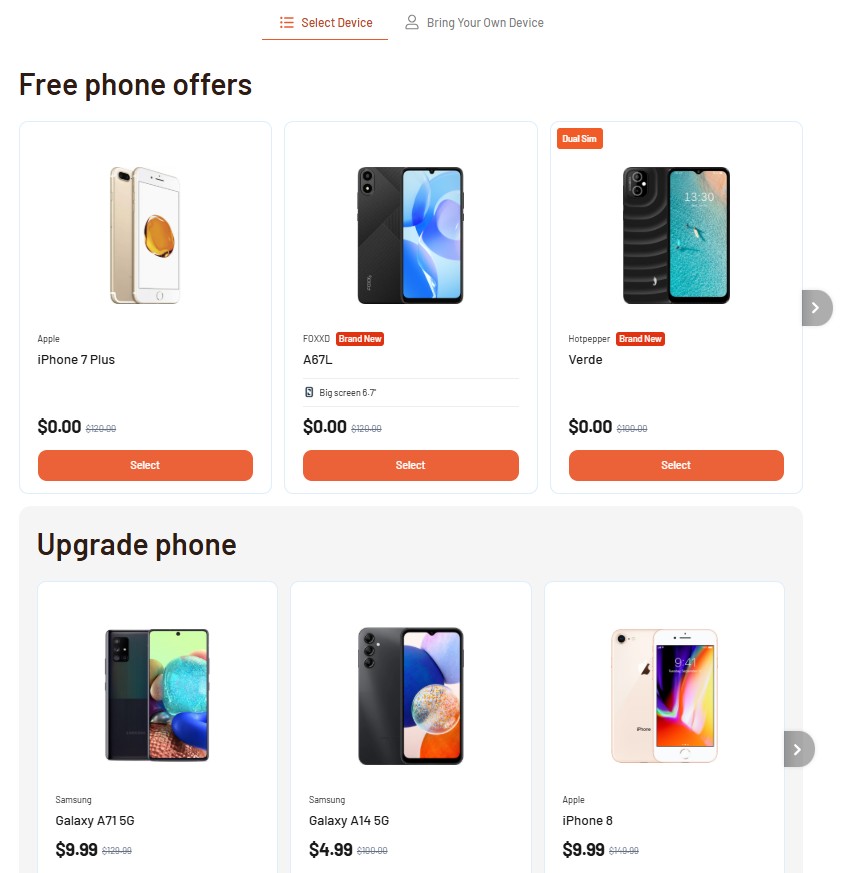
4.1. High-Quality Hardware and Free 5G Data
Lifeline is a federal assistance program that support to lower the cost of phone service or internet service. And its partners like TAG Mobile are the ones handling the processing of delivering the benefit to the eligible participants, with a complimentary free or discounted device.
TAG Mobile provides a solution for those who need a device they can rely on. As a leading Lifeline provider, TAG Mobile offers plans with unlimited nationwide talk and text, so you stay connected without limits.
More importantly, the plan provides high-speed 5G data, ensuring your voice-over-data calls are clear and the ringback tones are consistent. With a high-quality smartphone from TAG Mobile, you can stop worrying about “why doesn’t my phone ring when I call someone?“
Knowing the causes and how to fix why doesn’t my phone ring when I call someone, you can apply at TAG Mobile to secure a more reliable connectivity
4.2. How to Apply for Your New Device in 4 Simple Steps
Securing your free government-assisted service and a reliable phone is a simple process:
Step 1: Check Your Eligibility. To be able to apply a free device at TAG Mobile. You first need to check your eligibility for the Lifeline program. You may be qualified if your income is at or below 135% of federal guidelines or if you participate in programs like SNAP, Medicaid, or SSI. It is highly recommended to prepare your documents, such as a government-issued photo ID and benefit award letters, before starting.
Step 2: Apply Online with a TAG Mobile. Go to the TAG Mobile website to begin the enrollment process. Enter your ZIP code and email so the system can check coverage in your area. From there, choose a Lifeline plan you qualify for and select a smartphone offered by the provider. If a particular phone or bundle is unavailable, TAG Mobile offers several alternative models you can pick from.
Step 3: Enter Your Personal Information. Complete the application form with your legal name and personal details. Some information may be verified automatically. If the system cannot confirm your eligibility on its own, you’ll be prompted to upload your supporting documents manually.
Step 4: Complete the Application and Wait for Approval. Review everything for accuracy and submit your enrollment. Once your application is approved, TAG Mobile will mail the device to the address you provided. Delivery typically takes about 7-14 business days, and your package will include instructions on how to activate your new phone.
Experiencing silence during a call can be disorienting, but understanding the network logic behind it helps demystify the problem. Whether the issue is a temporary 5G handover lag or a simple volume setting, most causes for “why doesn’t my phone ring when I call someone” can be resolved with a few quick checks.
If your current device continues to fail, remember that the federal Lifeline program is available to help you upgrade to a more reliable connection. Apply with TAG Mobile today and ensure that every call you make is met with the clear, consistent feedback you deserve.
Notice: The government does not cover device costs, only basic service through Lifeline. Any free or discounted devices, upgrades, or top-ups are limited-time TAG Mobile offers and may vary by state, eligibility, and availability. Terms and conditions apply.
Share
TAG Blog
Stories, guides, and helpful updates for staying connected.