How to Stop Phone From Overheating and Cool It Down Safely
A phone that feels slightly warm after heavy use is usually no surprise, but excessive heat can interfere with charging, performance, and even everyday apps. If you are looking for...
Quincy D.-Oct 06, 2026
Image by Unsplash
Table of Contents
A phone that feels slightly warm after heavy use is usually no surprise, but excessive heat can interfere with charging, performance, and even everyday apps.
If you are looking for how to stop phone from overheating while charging or during regular use, the cause may be hiding in anything from your environment and settings to the charger or battery itself. The right response starts with identifying what is creating the extra heat and knowing which cooling methods are actually safe.
1. How to Stop Phone From Overheating? 15 Main Ways
Cooling your phone starts with reducing the activity or environmental heat behind the temperature rise. These fifteen common triggers explain what to adjust, when to pause use, and which problems need professional assessment.
1. Too Many Apps Are Running in the Background
Background uploads, navigation, and frequent syncing can keep your phone working even when you are not actively using those apps.
Check battery usage to identify demanding activity, then restrict unnecessary background access. Close a malfunctioning app if needed, but avoid repeatedly force-closing every app, since inactive apps are not necessarily consuming power.
2. Gaming Puts Heavy Pressure on the Processor
Graphics-heavy games make the processor and graphics hardware work continuously, which can generate noticeable warmth.
Lower graphics quality or frame rates, and take breaks between sessions. If the device becomes unusually hot or displays a temperature warning, stop playing and let it cool rather than pushing through reduced performance.
3. Streaming or Video Calls Run for Too Long
Long video sessions keep the display, network connection, and sometimes the camera active together.
Pause streaming or end the call when your phone becomes uncomfortable to hold.
For extended conversations, switch to audio when practical, lower video quality, and avoid running other demanding tasks alongside the call.
4. Your Screen Brightness Is Set Too High
Maximum brightness increases display power consumption, especially during long sessions.
How to stop your phone from overheating in this case? Reduce it to a comfortable level and enable automatic brightness if it suits your surroundings. Shorten the screen timeout so the display switches off when idle, and consider a standard refresh rate if your phone offers that option.
5. The Phone Is Exposed to Direct Sunlight or Hot Temperatures
Sunlight, parked cars, and nearby heat sources can raise the temperature even without demanding apps.
Move the phone into a shaded, cooler indoor space and stop using it until it settles. Let it cool naturally; avoid ice, refrigerators, or freezers, where moisture and sudden temperature changes can cause problems.
6. Charging Generates Too Much Heat
Some warmth during fast or wireless charging is expected, but excessive heat calls for a pause. Disconnect the charger and leave the phone uncovered on a firm surface while it cools. Resume only after the temperature normalizes, and do not repeatedly reconnect it to override a thermal charging pause.
7. You Use the Phone Heavily While It Is Charging
Charging while gaming, recording video, or navigating combines several sources of heat. If you are asking how to stop my phone from overheating, pause these activities and let the device charge with its screen off. When it is already too hot, unplug it first and allow it to cool.
8. A Faulty Charger or Cable Is Causing Problems
Damaged cables, loose connectors, and incompatible charging accessories can contribute to unusual heating. Stop using accessories with exposed wires, burn marks, or unreliable connections.
Once the phone has cooled, try a manufacturer-recommended or appropriately certified replacement; persistent heat around the charging port warrants inspection rather than repeated charging attempts.
Especially, for those who want to know how to stop phone from overheating while charging, it’s important to note that we should avoid using the device when it’s being charged. Every year, accidents linked to poor-quality mobile phone chargers can cause serious harm, including property damage and injuries.
9. Poor Cellular Signal Makes the Phone Work Harder
Weak reception can increase the effort required to maintain a cellular connection, particularly during calls or data transfers. Move somewhere with better coverage or use a trusted Wi-Fi connection when available. If you do not need cellular service temporarily, airplane mode can reduce radio activity, but it also interrupts ordinary calls.
10. Mobile Hotspot Stays On for Extended Periods
Hotspot use keeps wireless connections and mobile data active, especially when connected devices download large files.
Turn it off when finished and reduce unnecessary traffic from linked devices. For anyone considering how to stop phone from overheating, avoiding simultaneous hotspot use, charging, and demanding apps is a practical starting point.
11. An App Is Malfunctioning or Consuming Excessive Power
Unexpected heat during light use may point to an app that is repeatedly crashing, syncing, or performing excessive background work.
Review battery usage and update the suspected app. If the problem continues, restart the phone and temporarily uninstall that app, then observe whether the temperature returns to normal during comparable use.
12. Software Is Outdated or Experiencing a Temporary Bug
Software problems can sometimes cause abnormal power consumption, so install available system and app updates once the phone is cool.
Restarting may also resolve a temporary conflict. Keep in mind that setup, updates, and restoring data can themselves produce temporary warmth; assess whether heating continues after those processes have finished.
13. The Battery Is Aging or Damaged
Battery age alone does not prove it is causing overheating, but repeated heat, rapid drain, or unexpected shutdowns deserve assessment.
Check the manufacturer’s battery diagnostics if available. If the phone is swollen or its screen is lifting, stop using and charging it, avoid pressing it closed, and arrange professional service.
14. A Thick Phone Case Traps Heat
Certain cases can retain heat during charging or demanding use. Remove the case if it is safe to do so and leave the phone on an uncovered surface.
As you are deciding how to stop your phone from overheating, also avoid charging under pillows, blankets, or other materials that restrict heat dissipation.
15. Internal Hardware Has a Problem
Recurring overheating while idle, repeated thermal shutdowns, or problems following a drop or liquid exposure can indicate a hardware fault.
Stop demanding use and contact the manufacturer or an authorized repair provider. Do not open the device or attempt battery repairs yourself; software adjustments cannot reliably resolve a damaged internal component.
2. Poor Signal Can Make an Overheating Problem Worse
Weak reception can increase power use as your phone tries to maintain a cellular connection. Recognizing these patterns helps you decide whether changing location or connection type could reduce the extra workload.
Signal Bars Stay Low During Calls or Downloads
One or two signal bars alongside interrupted calls or slow downloads may suggest limited coverage, although bars are only a rough indicator.
Move closer to a window or somewhere with better reception, if safe. Pause large transfers while the phone is hot, and compare its temperature after the connection improves.
Service Repeatedly Drops and Reconnects
Frequent “No Service” messages or repeated reconnections can occur in areas with unreliable coverage.
If you are considering how to stop a phone from overheating, pause cellular activity and move to a stronger coverage area. Airplane mode can temporarily stop cellular searching when connectivity is unnecessary, but ordinary calls will be unavailable.
Heat Builds During Mobile Data Use
If the device becomes warmer while uploading files or streaming over a weak cellular connection, try a trusted Wi-Fi network instead.
This may reduce the strain associated with poor mobile reception, though demanding apps can still generate heat. Stop the activity if a temperature warning appears, regardless of connection type.
Reception Worsens Indoors or Along Your Route
Basements, thick walls, and gaps in local coverage can make connections less reliable.
Notice whether heating occurs mainly in these locations, then compare performance elsewhere. Use Wi-Fi calling if your phone and provider support it, and check local coverage before changing service; stronger reception cannot repair a faulty battery.
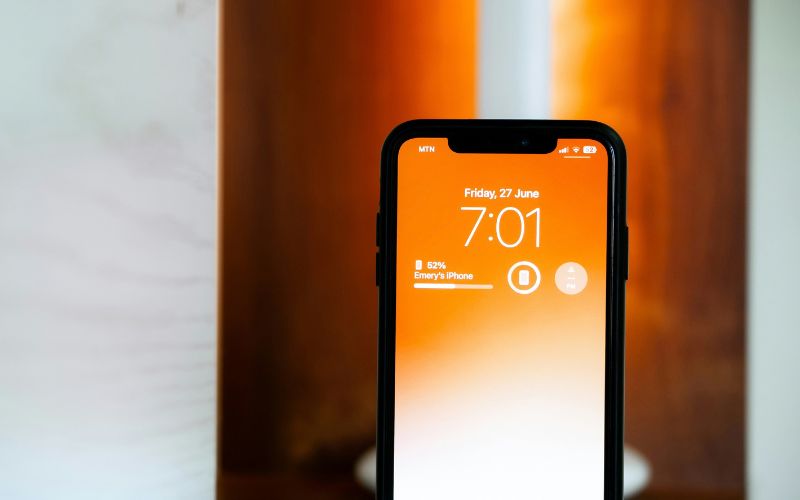
Weak cellular signal can increase power use and contribute to extra heat as your phone maintains a connection. (Image by Unsplash)
3. Is an Aging Phone Part of the Problem?
Repeated overheating, a weakening battery, and sluggish apps can turn everyday phone use into a frustrating experience. For older adults, these hardware problems may add difficulty to tasks that already require learning unfamiliar technology.
Lifeline program helps eligible households lower the cost of phone or internet service through a monthly discount of up to $9.25, with enhanced benefits available on qualifying Tribal lands. This federal benefit supports service costs rather than guaranteeing a free device.
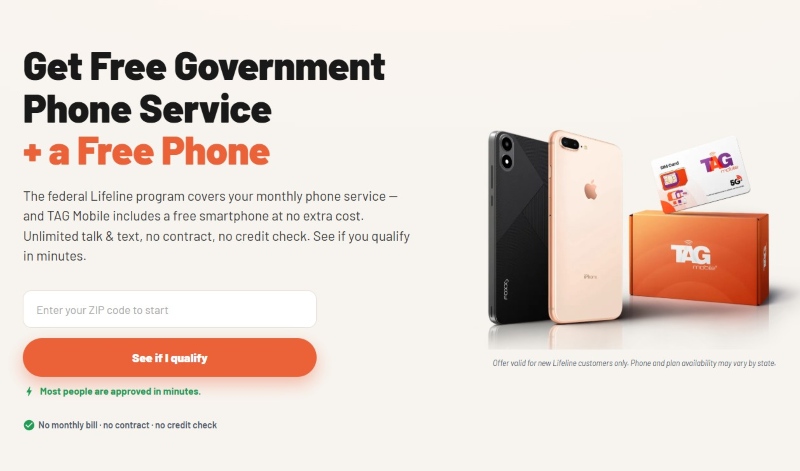
TAG Mobile combines Lifeline-supported wireless service with provider offers that may include free or discounted smartphones.
If your current device needs replacing, consider the available options at TAG Mobile, where phone models and promotions vary by location, inventory, and customer eligibility.
Check Whether You Qualify
Lifeline eligibility generally follows two paths: household income at or below 135% of the Federal Poverty Guidelines or participation in a qualifying assistance program.
These programs include SNAP, Medicaid, SSI, Federal Public Housing Assistance, and Veterans Pension or Survivors Benefit. Only one Lifeline benefit is permitted per household, and device offers have additional conditions.
How to Apply for a Free Phone at TAG Mobile
Before choosing a replacement, review the service and device offer available where you live. The following steps explain how to submit an application and prepare for activation if approved.
Step 1: Enter Your ZIP Code
Start your application through TAG Mobile and enter your ZIP code to check local availability. Review whether a free-phone promotion applies to your area and customer status before proceeding.
Step 2: Provide Your Personal Information
Complete the requested identity, residential address, and contact details accurately. If you already have Lifeline service, follow the instructions for transferring your existing benefit instead of requesting an additional household benefit.
Step 3: Complete Verification
Follow the application prompts and provide documents when requested. Clear copies of an accepted identity document, qualifying benefit letter, or income record can help prevent delays caused by missing or unreadable information.
Step 4: Review Your Phone and Service Options
Choose from the devices offered during enrollment and confirm whether the selected model is free or requires an upgrade payment. Check the plan details, coverage, and promotional conditions before finalizing your application.
Step 5: Follow Approval and Activation Instructions
Monitor your application status and respond to any additional verification requests. After approval, follow the shipping updates and activation instructions provided by TAG Mobile to begin using your phone and service.
As an Eligible Telecommunications Carrier, TAG Mobile provides Lifeline-supported free phone services to eligible customers.
Note: Eligibility varies by state and program. Offers depend on availability and qualifications. TAG Mobile operates under the federal Lifeline Program as an Eligible Telecommunications Carrier (ETC). Service is non-transferable and limited to one service per household.
4. FAQs about Phone Overheating
Unexpected warmth can leave you unsure whether your phone needs a short break or a closer inspection. These answers explain how to stop phone from overheating by addressing common causes, safe cooling habits, and charging concerns.
Why Is My Phone Hot Even When I’m Not Using It?
Background syncing, downloads, updates, or weak cellular reception can generate heat while the screen is off. Check battery usage for unusual activity and restart the device once it has cooled. Persistent heat during idle periods, especially with rapid battery drain or shutdowns, warrants professional assessment.
Can Too Many Apps Cause My Phone to Overheat?
Yes, several apps performing demanding tasks simultaneously can increase power consumption and heat. However, installed apps or inactive entries in the app switcher do not automatically cause overheating. Focus on apps showing excessive battery usage and limit unnecessary background activity.
How Long Should I Let an Overheated Phone Cool Down?
There is no fixed cooling time because the starting temperature, surroundings, and device design vary. Disconnect charging, stop using the phone, and leave it in a shaded, ventilated place until its temperature returns to normal and any warning clears. If it remains unusually hot while idle, contact the manufacturer or a repair provider.
Is It Safe to Put an Overheating Phone in the Fridge?
No, refrigeration can expose the phone to condensation and sudden temperature changes that may damage it. Let it cool naturally in a dry indoor location away from sunlight, and avoid freezers, ice packs, or direct contact with water.
Does Fast Charging Make My Phone Hotter?
Fast charging can produce more noticeable warmth than slower charging, although some heat is normal. If the device becomes excessively hot or pauses charging because of its temperature, unplug it and allow it to cool. Use compatible charging accessories and avoid demanding activities while charging.
5. Final Thoughts
Small changes to app use, charging habits, and heat exposure can make a noticeable difference when your phone regularly runs hot. With how to stop phone from overheating, the goal is to reduce unnecessary strain while addressing the underlying cause instead of relying on temporary cooling fixes.
Persistent heat during basic use may point to a battery or hardware problem that needs professional attention. If replacement makes more sense for an aging device, you can also check eligibility and available phone options at TAG Mobile.
Share
TAG Blog
Stories, guides, and helpful updates for staying connected.