How to Make an International Call on iPhone in Seconds 2026
Staying connected with friends, family, or business partners overseas has never been more important. If you’re wondering how to make an international call on iPhone, the process is...
Quincy D.-Feb 19, 2026
Image by Unsplash
Table of Contents
Staying connected with friends, family, or business partners overseas has never been more important. If you’re wondering how to make an international call on iPhone, the process is actually simple once you understand the correct dialing format.
In this guide, you will learn exactly how do I make an international call from my iPhone, whether can you call internationally on an iPhone for free, and how to reduce costs with the right mobile plan in 2026.
1. How To Make An International Call On iPhone?
The process of how to make an international call on Iphone only takes a few seconds if you follow the correct steps. The key is entering the number in international format.
1.1 Step 1: Open The Phone App On Your iPhone
Start by tapping the Phone app on your home screen. Go to the Keypad tab so you can manually enter the number.
1.2 Step 2: Dial The “+” Sign (International Exit Code)
Press and hold the 0 key until the “+” symbol appears.
The plus sign automatically replaces your country’s exit code (for example, 011 in the United States). Using “+” ensures your call connects correctly, no matter where you are calling from.
1.3 Step 3: Enter The Country Code
Next, type the country code of the country you are calling. For example:
United Kingdom: +44
Vietnam: +84
Canada: +1
Australia: +61
Each country has a unique international code that must be entered before the phone number.
1.4 Step 4: Dial The Area Code (If Required)
Some countries require an area or city code after the country code. In certain cases, you may need to remove the leading zero from the local area code. For example:
If a local number is written as 0123 456 789, you may need to dial it as: +CountryCode 123 456 789
1.5 Step 5: Enter The Phone Number And Tap Call
Finally, enter the remaining digits of the phone number and tap the green Call button. That’s it. Now you know exactly how to make an international call on iPhone in just a few steps.
Another possible way on how to make an international call on iphone is that you can use Wi-Fi.
Wi-Fi calling allows you to place calls over a Wi-Fi network instead of a cellular signal. This feature can improve call quality in areas with weak reception and may help reduce costs depending on your provider.
To enable Wi-Fi calling on iPhone:
Open Settings
Tap Phone
Select Wi-Fi Calling
Toggle Wi-Fi Calling on This iPhone to ON
Keep in mind that Wi-Fi calling does not automatically make international calls free. Charges depend on your carrier’s pricing structure. Some providers treat Wi-Fi international calls the same as cellular international calls.
Before making frequent overseas calls, it is important to check your plan details.
3. TAG Mobile Plans That Support International Calls
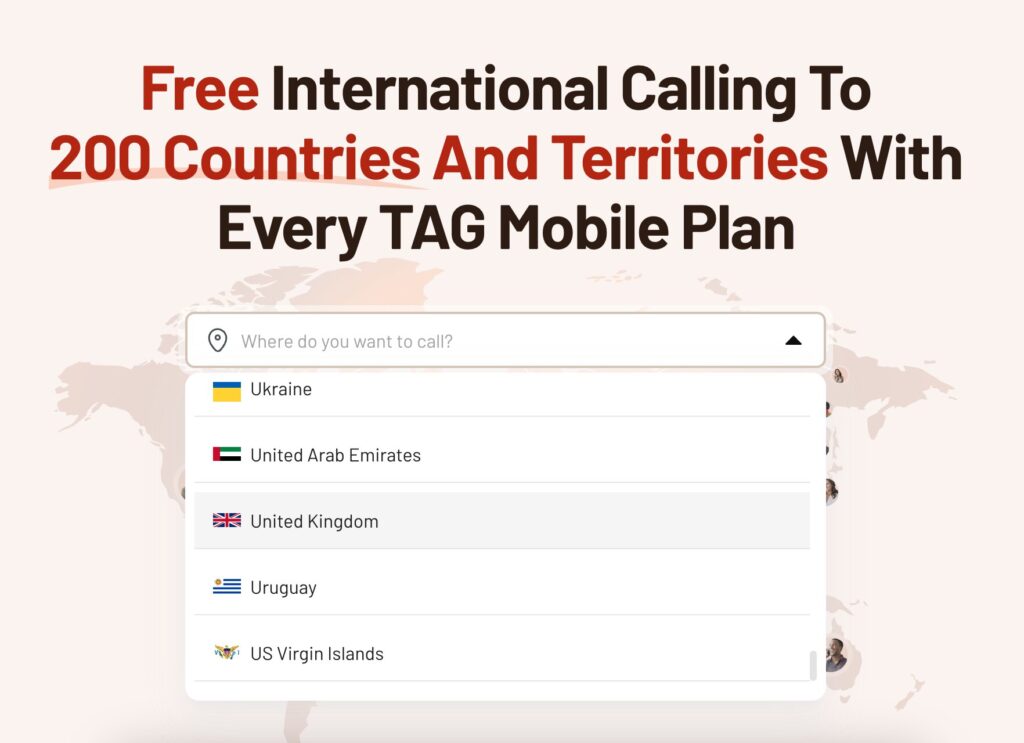
If you regularly have to search for how to make an international call on iphone, choosing the right mobile provider can make a significant difference in your monthly bill. TAG Mobile offers mobile plans designed to support affordable international communication while helping eligible users stay connected.
3.1 Benefits Of Calling Internationally With TAG Mobile Plans
TAG Mobile plans are especially helpful for low-income individuals, Lifeline program participants, families who frequently call relatives overseas, and users who rely on international communication for work.
Or if you participate in assistance programs such as SNAP, Medicaid, or SSI.
Before beginning the application, it’s a good idea to gather necessary documents, including a valid government-issued ID and official benefit verification letters.
Step 2: Apply With TAG Mobile.
Go to the official TAG Mobile website to begin the enrollment process. Enter your ZIP code to confirm service availability in your area, choose the plan you qualify for, and select an available free smartphone that fits your needs.
Step 3: Provide Your Details And Upload Required Documents.
Fill in your legal information so it can be reviewed through the federal verification system. If your eligibility cannot be confirmed automatically, you will be asked to upload supporting documents manually.
Step 4: Finalize Your Application And Wait For The Approval.
Carefully review your information before submitting it for final approval.
Once your enrollment is approved, you’ll be able to access the free services included in your plan, such as talk, text, data, or optional features like international calling, after activation.
If you selected a device, it will be shipped to your address and typically arrives within 7-14 business days. If a particular model or bundle isn’t available at the time of approval, you can choose another device option offered by TAG Mobile’s current inventory.
4. Common Problems When Making International Calls On iPhone
How to make an international call on Iphone and four common problems you may encounter. (Image by Unsplash)
Even when you follow the correct steps, you may encounter issues. Here are common problems and how to fix them:
Call Won’t Connect: Double-check the country code and area code format. Make sure you included the “+” sign.
“Call Failed” Error: Ensure your carrier supports international calling and that the feature is enabled on your account.
High Charges On Your Bill: Review your international calling rates before placing calls. Consider switching to a plan with better international coverage.
Poor Call Quality: Try using a stable Wi-Fi connection or moving to an area with stronger cellular reception.
Understanding these common issues helps ensure a smoother international calling experience.
5. Final Words
Learning how to make an international call on iPhone is simple once you know the correct dialing format: “+” sign, country code, area code, and phone number. If you have ever asked, “How do I make an international call from my iPhone?”, now you have a clear step-by-step answer. And if you’re wondering, “Can you call internationally on an iPhone for free?”, the key factor is your mobile plan.
Choosing the right provider can significantly reduce costs and make international communication more accessible. Whether you’re calling family abroad or handling international business, having the right setup ensures you stay connected in 2026 and beyond.
Notice: The government does not cover device costs, only basic service through Lifeline. Any free or discounted devices, upgrades, or top-ups are limited-time TAG Mobile offers and may vary by state, eligibility, and availability. Terms and conditions apply.
Share
TAG Blog
Stories, guides, and helpful updates for staying connected.