How to Find IMEI Number Without Phone: 5 Fast & Easy Ways
If you’re wondering how to find imei number without phone, you still have several practical options even if your device is lost or unavailable. You can often check your carrier acc...
Quincy D.-Jan 31, 2026
Image by Unsplash
Table of Contents
If you’re wondering how to find imei number without phone, you still have several practical options even if your device is lost or unavailable. You can often check your carrier account, original packaging, or online device settings to retrieve this important number.
Knowing your IMEI helps with tracking, repairs, or reporting a lost phone. For clear steps and extra guidance, refer to the detailed guide below from TAG Mobile to learn more.
1. What Is an IMEI Number and Why Does It Matter?
An IMEI (International Mobile Equipment Identity) number is a unique identification code assigned to every mobile phone. It usually consists of 15 digits (and sometimes slightly longer variants depending on the device), and no two phones share the same number. Think of it as your phone’s fingerprint. It helps networks and carriers recognize your specific device.
This number plays an important role in everyday mobile use. Carriers rely on the IMEI to verify device compatibility, activate service correctly, and track or block stolen phones so they can’t be used on the network. That’s why many people search for ways like how to find imei number without phone when their device is lost, damaged, or unavailable. Having access to your IMEI makes tasks like replacing a phone, switching carriers, or reporting theft much faster and more secure.
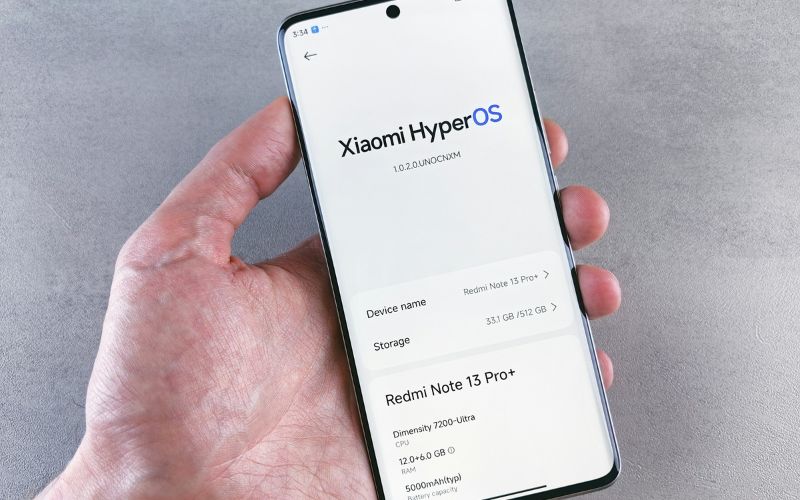
How to find imei number without phone? (Image by Unsplash)
2. How to Find IMEI Number Without Phone: 5 Ways to Find
Even if your phone is lost, broken, or not with you, your IMEI number isn’t gone for good. If you’re researching how to find imei number without phone, there are several reliable places where this unique identifier is usually saved through your accounts, paperwork, or service records.
Check Your Google Account (Android Users)
Android users can often retrieve their IMEI directly from their Google account. When you sign in on a computer or another device, you can open your device management or “Find My Device” section to see all phones linked to your account.
Each registered device typically displays key details such as the model name, last activity, and IMEI number. This method is especially useful if your phone is lost or stolen because you don’t need physical access, just your login credentials.
Use Your Apple ID (iPhone Users)
If you use an iPhone, your IMEI is tied to your Apple ID. After logging in to your Apple ID account page, you can view a list of devices connected to your account under the Devices section.
Selecting your iPhone will show technical information like the serial number and IMEI. This is one of the most accurate and convenient ways to recover your IMEI, especially when your device is missing or damaged.
Look at Your Original Phone Box or Purchase Receipt
Many people overlook the packaging that came with their phone, but it often contains important device details. The IMEI is commonly printed on a sticker attached to the original box, alongside the barcode, model number, and serial number.
If you still keep your purchase receipt, invoice, or warranty paperwork, the IMEI may also be listed there. Checking these physical documents can be a quick solution when you need the number for repairs, insurance claims, or replacements.
Check the Carrier Account or the Monthly Billing Statement
Your mobile carrier may also store your IMEI in your account records. By logging into your carrier’s website or app, you can usually find device or line information that includes the phone model and IMEI number.
Some carriers even display the IMEI on monthly bills or service statements. This can be a reliable backup method when figuring out how to find IMEI number without phone, especially if you no longer have the box or paperwork.
Review Old Emails or Service Confirmation Messages
When you first purchased or activated your phone, you likely received confirmation emails from the retailer or carrier. These messages often include order details, device specifications, or activation information that may list your IMEI.
Searching your inbox with terms like “activation,” “order confirmation,” or your phone model can help you locate the number quickly. This method is helpful if you prefer digital records over physical documents.
By checking these different sources, you can usually recover your IMEI without stress, even if your phone isn’t physically available.
3. Common Situations Where You’ll Need Your IMEI
Your IMEI number isn’t something you check every day, but it becomes extremely important in certain situations. Knowing where to locate it, and even learning how to find IMEI number without phone, can save you time and prevent delays when handling device or carrier issues.
Replacing a Phone
When you replace a lost, damaged, or malfunctioning phone, your carrier or retailer may ask for the IMEI to verify the exact device you previously used. This helps confirm ownership and ensures the correct model is removed or transferred from your account.
Providing the IMEI also allows support teams to check warranty status, eligibility for upgrades, or insurance claims. Without it, the replacement process may take longer or require extra verification steps.
Reporting Theft
If your phone is stolen, the IMEI plays a key role in protecting your data and preventing misuse. Law enforcement or your carrier can use this number to identify and blacklist the device, which stops it from connecting to most mobile networks.
Blocking the IMEI makes the phone much harder to resell or reuse, adding an extra layer of security. Reporting it quickly increases the chance of recovery and reduces the risk of unauthorized access.
Switching Carriers
When changing to a new carrier, you may need your IMEI to confirm whether your phone is compatible with the new network. Carriers use this number to check if the device is unlocked and supported by their system.
This step helps avoid activation problems and ensures your phone works properly with the new SIM card. Having the IMEI ready makes the switching process faster and smoother overall.
This becomes especially useful if you’re applying for Lifeline benefits with carriers like TAG Mobile, which offers a Bring Your Own Device (BYOD) option. In that case, your IMEI is used to verify that your current phone will work with their service, saving you time and avoiding surprises during setup.
If you qualify for Lifeline, TAG Mobile makes it easy to get started, whether you bring your own device or choose an available phone. Applying can help lower your monthly phone costs while keeping you connected with reliable service.
Stay connected without adding financial stress with TAG Mobile
Notice: The government does not cover device costs, only basic service through Lifeline. Any free or discounted devices, upgrades, or top-ups are limited-time TAG Mobile offers and may vary by state, eligibility, and availability. Terms and conditions apply.
Final Words
Knowing your IMEI can save you a lot of stress when your phone is lost, damaged, or needs to be replaced. Once you understand how to find imei number without phone, you can quickly recover important device details through your account, carrier, or purchase records. Being prepared helps you report theft faster, switch carriers smoothly, and avoid service delays.
With reliable plans and device options from TAG Mobile, eligible users can stay connected without high costs. Explore TAG Mobile today to keep your service simple, affordable, and ready whenever you need it.
Share
TAG Blog
Stories, guides, and helpful updates for staying connected.