How to Call Anonymously: 3 Simple Ways to Hide Your Number
If you’re looking for how to call anonymously, there are several easy ways to hide your number and protect your privacy during outgoing calls. From quick dial codes to built-in pho...
Quincy D.-Jan 31, 2026
Image by Unsplash
Table of Contents
If you’re looking for how to call anonymously, there are several easy ways to hide your number and protect your privacy during outgoing calls. From quick dial codes to built-in phone settings, these options give you better control over your personal information. For step-by-step guidance and helpful tips, refer to the detailed guide below from TAG Mobile to learn more.
1. What Does It Mean to Call Anonymously?
Calling anonymously means placing a phone call without showing your phone number or identity to the person receiving it. Instead of displaying your contact details, their screen may show labels like Private, No Caller ID, or Unknown. People often use this option for personal privacy, business reasons, or to avoid sharing their number publicly, and many look for simple methods on how to call someone anonymously using dial codes or built-in phone settings.
While mobile service providers can help you stay connected, anonymous calling itself usually depends on your device or carrier features, not special programs. For example, Lifeline carriers like TAG Mobile offer affordable wireless service and devices to eligible users, but they do not directly provide anonymous-calling services. Instead, you can manage privacy through your phone’s settings and standard network options.
2. How to Call Anonymously on Any Phone
If you want to know how to call anonymously, and protect your number before placing a call, there are a few simple methods that work on most devices and networks. These options make it easier to control your privacy and understand how to call anonymously without installing special apps.
Use *67 Before the Phone Number
One of the quickest and most universal methods is dialing *67 before the number you want to call. You simply enter *67, then type the full phone number and press call as usual.
Your carrier will temporarily hide your caller ID for that specific call only, and the recipient will see “Private,” “Blocked,” or “No Caller ID” instead of your number. This option is ideal if you only need anonymity occasionally and don’t want to change your phone’s permanent settings.
Turn On Caller ID Blocking in Phone Settings
Most smartphones include built-in settings that let you hide your number for all outgoing calls. You can open your phone’s settings, go to call or phone options, and turn off “Show My Caller ID” or enable caller ID blocking.
Once activated, every call you make will automatically appear anonymous until you turn the setting back on. This method is convenient if you frequently need privacy and want a hands-free solution instead of entering a prefix each time.
Contact Your Carrier to Enable Permanent Caller ID Blocking
If you prefer a network-level solution, you can contact your mobile carrier and request permanent caller ID blocking. The carrier can enable this feature directly on your account so your number stays hidden for all outgoing calls by default.
This approach works across devices and doesn’t rely on phone settings, which makes it helpful if you switch phones often. It’s also a practical choice for people researching how to anonymously call someone on a regular basis while keeping the process consistent and simple.
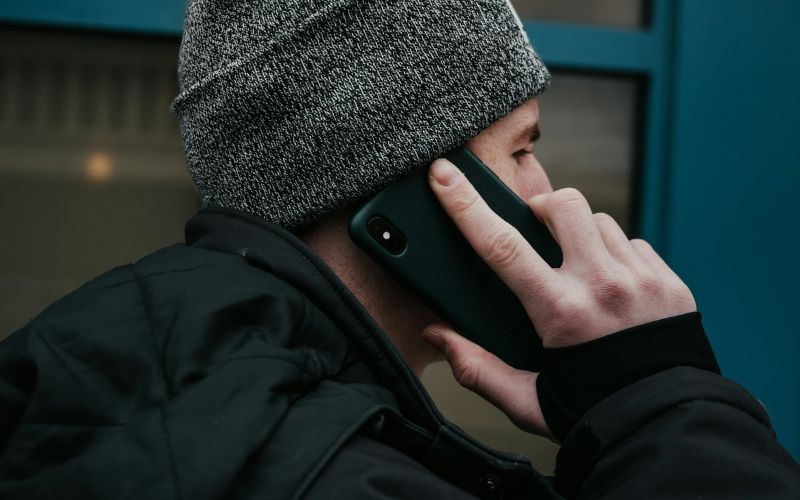
Calling anonymously means placing a phone call without showing your phone number or identity to the person receiving it. (Image by Unsplash)
3. Common Issues When Making Anonymous Calls
Anonymous calling can be a helpful way to protect your privacy, but it doesn’t always work perfectly on every phone or network. Even after you learn how to make an anonymous call, small technical limits or carrier restrictions can sometimes prevent your number from staying fully hidden.
Caller ID Still Shows Your Number
There are times when your number may still appear on the recipient’s screen, even after using a prefix like *67 or turning off caller ID in your settings. This usually happens if the blocking feature hasn’t been applied correctly or your carrier doesn’t fully support temporary caller ID suppression. In these cases, reviewing your phone settings carefully, restarting your device, or contacting your carrier to confirm that the feature is active can help ensure your number stays private.
The “Show My Caller ID” Option Is Missing
Some users notice that the caller ID toggle simply isn’t available in their phone settings. This can be confusing, but it often means the carrier controls caller ID at the network level rather than through the device itself. Reaching out to customer support can clarify whether the feature is restricted and allow them to enable or adjust it directly for your account.
Calls Get Rejected or Ignored
Even when your number is successfully hidden, many people hesitate to answer calls labeled “Private” or “No Caller ID” because they assume they might be spam. As a result, your call may go unanswered despite your efforts. If the conversation is important, sending a quick message beforehand, leaving a clear voicemail, or calling back later with your number visible can improve the chances of getting a response.
Prefix Codes Don’t Work in Certain Regions
Dial prefixes like *67 are not universal and may behave differently depending on your country or mobile network. This can make it frustrating when you’re trying to understand how to call anonymously, and the code doesn’t seem to work. Checking your carrier’s help center or asking customer service about the correct method for your region can save time and prevent repeated failed attempts.
Poor Signal or Dropped Calls
A weak mobile signal or unstable connection can cause calls to drop or fail to connect, which may make you think the anonymous feature isn’t functioning. In reality, the issue is often related to connectivity rather than caller ID settings. Moving to an area with a stronger reception or enabling Wi-Fi calling can make your calls more stable and reliable.
By recognizing these common challenges and making small adjustments, you can place anonymous calls more confidently while keeping your number protected.
4. Managing Private Calls Starts With the Right Phone Service
Managing private or anonymous calls isn’t only about knowing which dial codes or settings to use. Your overall phone experience also depends on having a stable device, a strong signal, and reliable service so you can check call logs, review voicemail, and adjust privacy controls without interruptions.
For many people, especially low-income households, the cost of mobile service and a new phone can make staying connected more difficult. That’s why affordable options matter. Providers like TAG Mobile offer free phones and budget-friendly wireless plans through the Lifeline program, helping eligible users access dependable talk, text, and data without high monthly bills.
It’s important to note, however, that TAG Mobile does NOT provide anonymous-calling services directly. Features like blocking caller ID or calling privately come from your phone’s built-in settings or carrier network, not the provider itself.
With the right service and device in place, you’ll have everything you need to manage calls smoothly and protect your privacy with confidence.
Stay connected without adding financial stress with TAG Mobile
Notice: The government does not cover device costs, only basic service through Lifeline. Any free or discounted devices, upgrades, or top-ups are limited-time TAG Mobile offers and may vary by state, eligibility, and availability. Terms and conditions apply.
Final Words
Knowing how to call anonymously and how to call unknown numbers gives you more control over your privacy and helps you decide when to share your number and when to keep it hidden. Simple tools like dial prefixes and caller ID settings can make private calling quick and convenient. At the same time, having reliable service ensures your calls connect clearly, and your phone works when you need it most.
Affordable options from TAG Mobile can help eligible users access dependable plans and devices without high costs. Explore your options today and stay connected with confidence every day.
Share
TAG Blog
Stories, guides, and helpful updates for staying connected.