How Does Hotspot Work? 5 Things to Know About Mobile Internet Sharing
Hotspot sharing lets one device use its cellular connection to provide internet access to nearby devices without relying on a regular Wi-Fi network. So, how does hotspot work in ev...
Quincy D.-Sep 15, 2026
Image by Unsplash
Table of Contents
Hotspot sharing lets one device use its cellular connection to provide internet access to nearby devices without relying on a regular Wi-Fi network. So, how does hotspot work in everyday use?
Your phone acts like a small wireless router, receiving cellular data and redistributing it through Wi-Fi, Bluetooth, or USB. Read more to understand how the connection works, what affects performance, data usage, security, and key limitations.
1. What is the Hotspot? Main Kinds Explained
Internet access does not always require a fixed Wi-Fi router at home or work. A hotspot creates a local wireless connection by sharing internet access from a cellular network or another connected source with nearby devices.
Mobile Hotspots
Smartphones can share their cellular data connection with nearby devices through a mobile hotspot.
To understand how does hotspot work, think of your phone as a small Wi-Fi access point that lets laptops, tablets, and other phones connect using a network name and password. It is especially useful when regular Wi-Fi is unavailable.
Internet usage through a phone hotspot usually comes directly from the mobile plan’s data allowance.
Depending on the carrier and plan, users may receive a specific amount of high-speed hotspot data before speeds are reduced. Frequent hotspot use can also increase battery consumption, particularly when several devices remain connected for long periods.
Standalone Hotspot Devices
Dedicated mobile hotspot devices are compact wireless routers built specifically for sharing cellular internet.
They connect to 4G or 5G networks and create a private Wi-Fi connection that can support multiple devices simultaneously. Because they operate separately from a smartphone, they can be useful for remote workers, frequent travelers, or households needing portable internet access.
These devices typically require their own SIM card and hotspot data plan, which can add another monthly cost.
Some models also support USB connections in addition to Wi-Fi. Compared with phone tethering, dedicated hotspots may handle extended sharing more effectively while preventing hotspot activity from draining a smartphone’s battery as quickly.
Public Wi-Fi Hotspots
Public Wi-Fi hotspots provide internet access within places such as airports, hotels, libraries, cafés, and other shared spaces.
Users can connect compatible devices without consuming their personal mobile data, making these networks convenient for browsing, checking messages, or handling basic online tasks while away from a private connection.
Convenience does come with limitations. Public networks may become slower when many people connect at once, and open hotspots can offer weaker security than private networks.
Users should therefore avoid sending sensitive information over unsecured connections and consider additional protection, such as a VPN, when accessing confidential accounts or completing important transactions.
Mobile internet sharing begins when a phone or hotspot device connects to a cellular network such as 4G or 5G. It then creates a local Wi-Fi network that nearby devices can detect and join. Internet traffic from those devices passes through the hotspot before reaching the mobile network.
When considering how does a mobile hotspot work, the phone essentially performs a similar role to a compact router.
It receives cellular data, shares that connection wirelessly, and manages traffic between connected devices and the internet. Speed and stability can vary based on signal strength, network congestion, connected devices, and plan restrictions.
3. Phone Hotspot vs. Dedicated Mobile Hotspot: What’s the Difference?
Both phone hotspots and dedicated mobile hotspots can share cellular internet with nearby devices, but each is designed for different usage needs.
Phone hotspots are convenient for quick, occasional connections because they require no extra equipment, while dedicated hotspot devices are better suited for longer sessions and multiple connected devices.
Once how does hotspot work is clear, the differences become easier to evaluate.
Battery consumption, device capacity, connection stability, portability, and data plan requirements all influence which option provides the better experience for everyday use, travel, or remote work.
Criteria
Phone Hotspot
Dedicated Mobile Hotspot
Setup
Built into most smartphones and easy to activate
Requires a separate device and data plan
Battery Use
Can drain the phone battery quickly
Uses its own battery without affecting the phone
Connected Devices
Usually better for a smaller number of devices
Often supports more simultaneous connections
Performance
Depends heavily on phone signal and current phone activity
Designed specifically for internet sharing and may provide steadier performance
Best Use
Convenient for short-term or occasional sharing
Better suited for travel, remote work, or extended connections
4. How Many Devices Can Use One Hotspot?
One mobile hotspot can typically support around 5 to 15 connected devices at the same time.
The exact number varies by smartphone or hotspot model, network capability, and carrier restrictions, while connecting more devices may also reduce available speed and overall connection stability.
How does hotspot work? An interesting fact is that one mobile hotspot typically supports 5-15 connected devices at once. (Image by Unsplash)
5. A Reliable Method to Get a Phone Plan for Reliable Hotspot Use
Reliable hotspot use starts with choosing a mobile plan that can support the amount of data you expect to share.
Check network coverage in the places you use your phone most, the amount of high-speed data included, whether hotspot or tethering is supported, and what happens after you reach the plan’s data limit. Frequent hotspot users may need more data than someone who only connects a laptop occasionally for email or light browsing.
For eligible low-income consumers, the Lifeline Program can help reduce the monthly cost of qualifying phone service. Through authorized Lifeline service providers, qualifying customers may also have access to free or discounted phones that can support hotspot use when the device, plan, and network allow it.
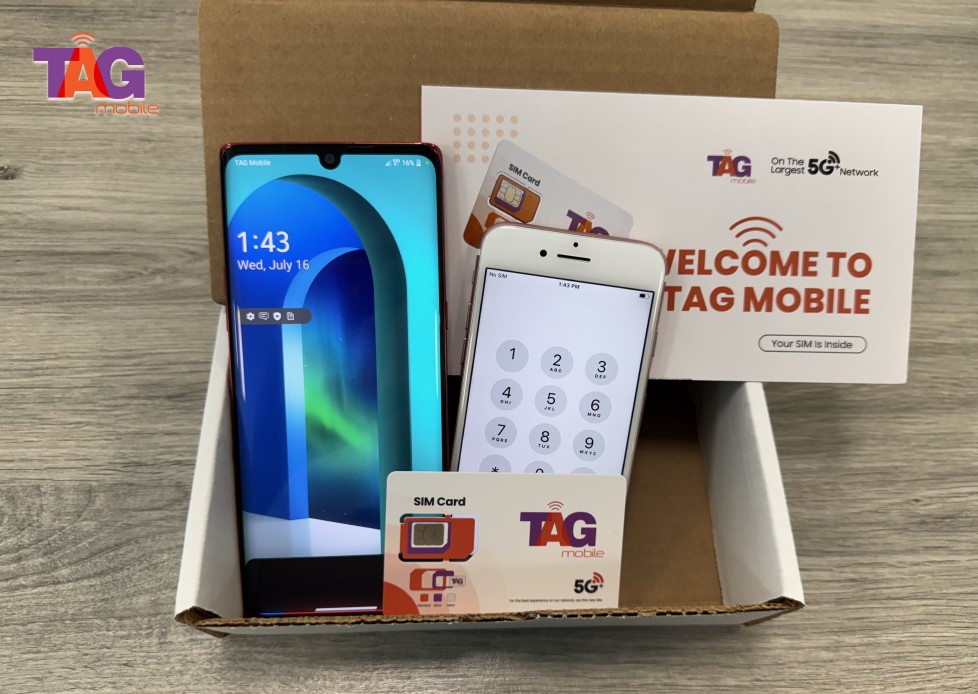
TAG Mobile is one of the reliable carriers that participate in Lifeline, and offers eligible customers mobile data plans with unlimited talk, text, free calls to international destinations, among others.
One of the cherries on top is you can apply for these benefits completely online. So, check your qualifications for Lifeline and claim your free package soon!
TAG Mobile is the one of the most trusted Lifeline provider choices for eligible US residents.
Note: Eligibility varies by state and program. Offers depend on availability and qualifications. TAG Mobile operates under the federal Lifeline Program as an Eligible Telecommunications Carrier (ETC). Service is non-transferable and limited to one service per household.
6. Final Thoughts
Mobile internet sharing offers a practical way to stay online when a regular Wi-Fi connection is not available. Once how does hotspot work becomes clear, it is easier to manage data usage, connected devices, and overall performance more effectively. TAG Mobile provides wireless service options that can support everyday connectivity for eligible users. With the right plan and careful hotspot use, sharing internet on the go can be far more convenient and dependable.
Share
TAG Blog
Stories, guides, and helpful updates for staying connected.