Ohio residents who are receiving EBT/SNAP benefits automatically qualify for telecommunication benefits and a free laptop through the Lifeline program. A free laptop helps students complete schoolwork, supports seniors with telehealth, and gives families affordable internet access.
In this guide, we explain who qualifies, how to get a free laptop with EBT Ohio, which providers offer laptops, and what devices are available.
1. Which are the US Government Programs Offering Free Laptops in Ohio?
In the US, you can get a free laptop with EBT Ohio or at a discounted price through several programs. These programs are designed to help low-income families, seniors, and students stay connected for work, school, and healthcare.
Here are the main programs available in Ohio:
- Lifeline Program: A federal program that provides subsidies for internet services $9.25 monthly support (up to $34.25 for tribal residents). Moreover, Lifeline providers offer free or discounted laptops, tablets, or phones bundled with free talk, text, and data. SNAP/EBT users qualify automatically.
- Nonprofit Organizations: Groups like PCs for People ($50–$150 refurbished laptops), Human-I-T (discounted Chromebooks with digital literacy support), and EveryoneOn.org (links to local device donation programs).
- Local Initiatives: City projects in Columbus and Cleveland that distribute free or low-cost laptops as part of digital equity efforts, depending on available funding.
Which program should you choose?
The Lifeline program is the best option. It offers ongoing subsidies, device choices at up to 70% off retail, and extra benefits like free talk, text, and data through reputable providers like TAG Mobile. If you receive EBT/SNAP benefits, you qualify automatically.
Applications are fast, with devices shipped in about a week (vary by provider). Unlike one-time nonprofit giveaways, Lifeline helps Ohio households stay connected long term.

2. What is the Lifeline Program?
The Lifeline Program is a federal assistance program designed to help low-income households in Ohio and across the U.S. stay connected. It offers monthly subsidies on phone or internet service and provides access to free or discounted devices, including laptops.
For residents with EBT or SNAP benefits, qualification is automatic, making Lifeline the most reliable option if you want a free laptop Columbus Ohio.
2.1. Lifeline Benefits for Eligible Users
When you qualify, Lifeline program support includes service discounts and provider support for a free/discounted laptop, along with free services, including:
- Up to $9.25/month standard support.
- Up to $34.25/month for tribal residents.
- Free talk, text, and monthly data.
- Free SIM card or eSIM with your new device
- International calling with certain providers.
- No contracts or surprise bills.
- Extra benefits depending on your chosen Lifeline provider.
Note: Only one Lifeline benefit is allowed per household, and the subsidy applies automatically after approval.
2.2. Who Qualifies for a Free Laptop with EBT Ohio
In addition to those who are automatically eligible for EBT/SNAP, other US residents may still qualify based on one of the Lifeline requirements below:
- Income-based eligibility: Household income at or below 135% of Federal Poverty Guidelines.
- Program-based eligibility: The enrollment in SNAP/EBT, Medicaid, SSI, Section 8 Housing, and Veterans Pension.
- Tribal programs: Tribal residents enroll in Tribal TANF, BIA, and FDPIR
- Student-specific eligibility: Some schools in Ohio also provide a free laptop with EBT Ohio for students who show financial need.
If you’re looking for a free laptop with EBT near me, Lifeline remains the easiest and most consistent way to apply and get approved.
>>> Read more: Claim Your Free Tablet With EBT Ohio: Who Qualifies and How to Apply
3. Step-by-Step: How to Apply Online for a Free Laptop with EBT in Ohio
If you want to apply for a free laptop online, the process is simple and only takes a few steps. Most Ohio residents who already receive SNAP/EBT benefits can qualify quickly through Lifeline providers.
Step 1: Visit a provider website
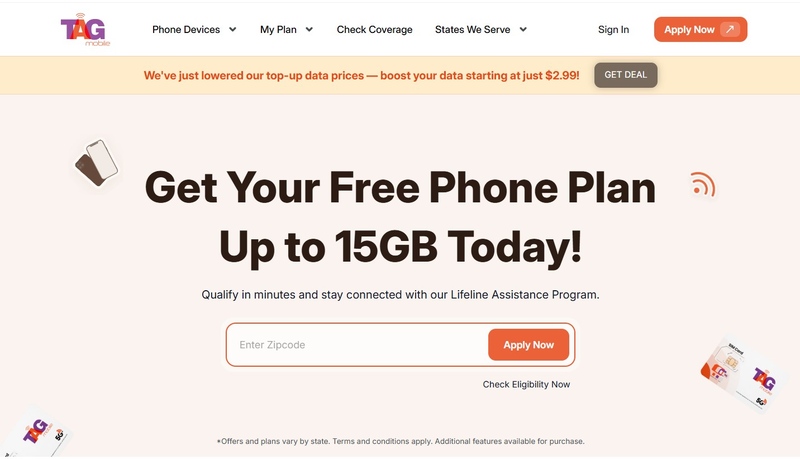
Go to the trusted Lifeline provider website, e.g: tagmobile.com. Enter your ZIP Code. The system will show you the plans and devices available in your area.