Can You Use EBT Cash Online at Walmart? Checkout Tips
Online grocery checkout can be convenient, but payment rules are not always the same for SNAP food benefits and cash assistance. This guide explains can you use EBT cash online at...
Quincy D.-Jun 16, 2026
Image by Unsplash
Table of Contents
Online grocery checkout can be convenient, but payment rules are not always the same for SNAP food benefits and cash assistance.
This guide explains can you use EBT cash online at Walmart, what shoppers should check before placing an order, and why eligible items, fees, pickup, delivery, and backup payment methods matter. For more practical checkout tips and benefit guidance, refer to TAG Mobile’s guide below.
1. Can You Use EBT Cash Online at Walmart?
Walmart accepts EBT cards for online orders in participating states. However, SNAP food benefits and EBT Cash work differently.
SNAP can only be used for eligible grocery items such as fruits, vegetables, meat, dairy products, bread, and cereals.
If EBT Cash benefits are available on the card, they may offer more flexibility for certain purchases, depending on state rules and Walmart’s payment settings. According to Department of Public Social Services of LA Country, “EBT cash benefits can be used to pay for Walmart Grocery delivery fees.”
Delivery fees, tips, service charges, and non-covered items typically require another payment method at checkout.
2. How to Use EBT Cash Online at Walmart
Online checkout works best when shoppers know which balance applies before placing an order. Since SNAP and EBT Cash follow different rules, reviewing payment options, item eligibility, and extra charges can help avoid declined transactions.
Set Up Your Walmart Account
Start by creating or signing in to your Walmart account through the website or mobile app. Add your current delivery address, select a nearby Walmart store, and confirm whether grocery pickup or delivery is available in your area before shopping.
This setup helps Walmart display local inventory, available time slots, service fees, and accepted payment options. Since payment features may vary by location, completing your account details first can make the checkout process smoother and reduce confusion later.
Add Your Payment Method
After your account is ready, go to the payment section and add your EBT card if Walmart accepts it for online orders in your location. Enter the card number carefully, follow the verification prompts, and save the card before building your cart.
Adding a debit or credit card is also important because some costs may not be covered. Delivery fees, tips, service charges, taxes, or non-eligible products often need a separate payment method before the order can be completed successfully.
Shop for Eligible Items
Choose products carefully because SNAP food benefits and EBT Cash may follow different spending rules online. SNAP usually applies only to approved grocery items, while cash assistance may allow broader purchases depending on state rules and Walmart’s payment system.
Review your cart before checkout to see which items are covered and which may require another payment method. Removing restricted products early can help avoid declined transactions, payment confusion, or delays when placing your order.
Complete Checkout Successfully
At checkout, select your EBT card and choose how much of the available balance you want to apply to the order. Review your cart total, pickup or delivery details, item substitutions, and any remaining balance before clicking the final order button.
Some charges may still require another payment source, even when your EBT card is accepted. Confirming the total carefully helps prevent failed payments, canceled orders, or unexpected out-of-pocket costs after checkout.
3. What Can You Buy Online With EBT Cash at Walmart?
Walmart allows SNAP EBT benefits to be used online for eligible items with pickup, delivery, or shipping, but shoppers should review payment rules before checkout.
EBT Cash may work differently by state and account settings, so fees, tips, delivery charges, taxes, or non-covered products may still require another payment method.
Product Category
Examples You May Buy Online
Important Notes
Fruits and vegetables
Fresh apples, bananas, onions, frozen vegetables, canned fruit
SNAP-eligible when sold as food items
Meat, poultry, and fish
Chicken, beef, pork, turkey, tuna, frozen seafood
Must be eligible grocery items, not hot prepared meals
Vegetable seeds, herb plants, fruit or vegetable plants
Must produce food for the household to eat
Non-food household items
Soap, diapers, paper towels, detergent, toothpaste
Not covered by SNAP; may require EBT Cash or another payment method where allowed
Extra checkout costs
Delivery fees, tips, service charges, taxes
Usually not covered by SNAP and may need a debit or credit card
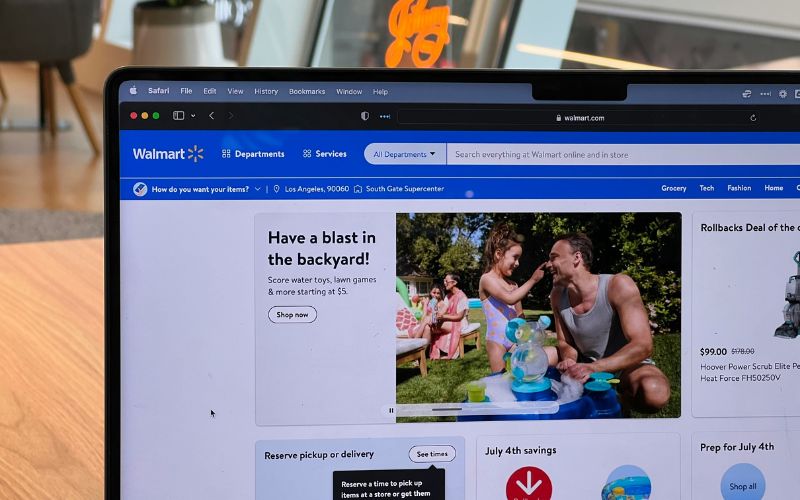
Walmart accepts SNAP EBT online for eligible grocery purchases, but can you use EBT cash online at Walmart? It depends on each state requirements. (Image by Unsplash)
4. Beyond Walmart: Free Device Options for SNAP Benefit Recipients
SNAP can help households manage food costs, but staying connected can also make a difference when handling benefit notices, online orders, healthcare calls, school updates, and job searches.
Shoppers who already qualify for SNAP may also meet the requirements for other assistance programs that support everyday communication needs.
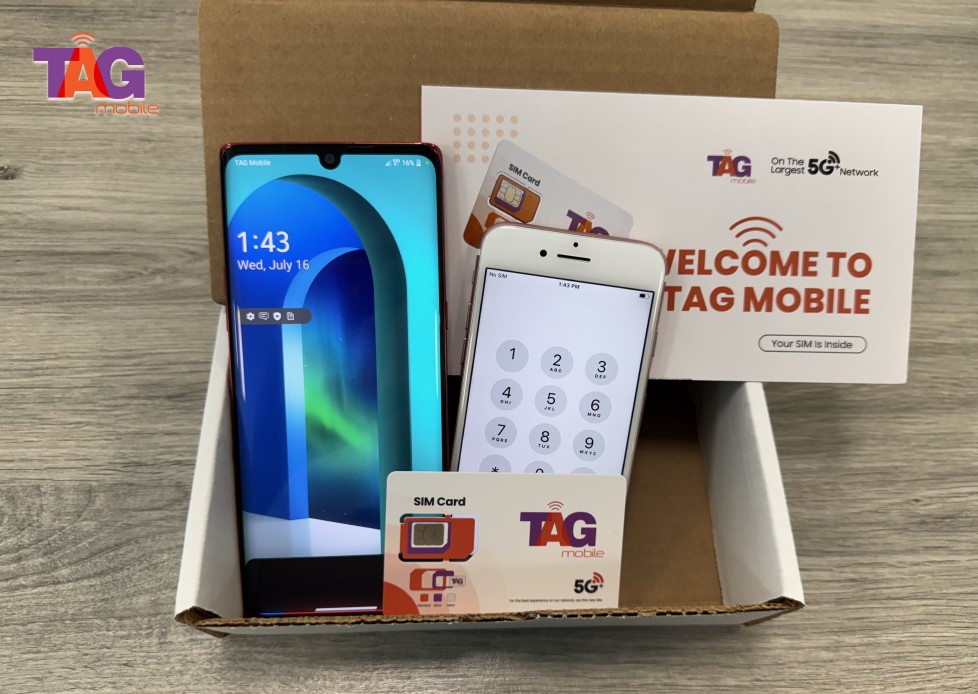
The Lifeline Program is a federal assistance program that offers discounted or free phone service to eligible low-income consumers. In that context, TAG Mobile is an Eligible Telecommunications Carrier that provides Lifeline services and may offer qualifying customers device options, along with communication benefits such as talk, text, monthly data, and international calling where available.
Possible device options may include:
iPhone XS: Suitable for users who want a compact Apple device for calls, texts, email, browsing, and essential apps.
iPhone 8 Plus: Offers a larger screen, Touch ID security, and dual rear cameras, making it a practical option for everyday tasks and entertainment.
Galaxy A20: Features a large display, long-lasting battery life, and essential smartphone functions for calls, messaging, web browsing, and everyday apps.
Galaxy A32 5G: Supports 5G connectivity, a smooth display experience, and a versatile multi-camera system for streaming, social media, and daily communication.
iPhone 6S Plus:Offers a spacious 5.5-inch display, dependable performance for basic tasks, and a user-friendly iOS experience for calls, messaging, and web browsing.
Device availability may vary by ZIP code, inventory, and program rules. Lifeline is limited to one benefit per household, is non-transferable, and only eligible consumers may enroll.
TAG Mobile is the top Lifeline provider choice for eligible US residents.
Note: Eligibility varies by state and program. Offers depend on availability and qualifications. TAG Mobile operates under the federal Lifeline Program as an Eligible Telecommunications Carrier (ETC). Service is non-transferable and limited to one service per household.
5. Final Words
Walmart checkout works best when shoppers know which benefit balance applies before placing an order. Asking can you use EBT cash online at Walmart helps clarify how SNAP grocery payments, cash assistance options, and extra charges may be handled.
Reviewing eligible items, delivery fees, tips, substitutions, and remaining totals can reduce payment errors or order delays. Since rules may vary by state, account settings, and item type, checking Walmart’s payment details first is still important. For households needing support beyond shopping, TAG Mobile may help qualified customers explore Lifeline service and device options.