How to Use EBT Card? Beginner-Friendly SNAP & EBT Guide 2026
Many first-time SNAP recipients search how to use EBT card for help with grocery purchases, balance checks, and approved food items. EBT cards work similarly to debit cards at part...
Quincy D.-May 21, 2026
Image by Unsplash
Table of Contents
Many first-time SNAP recipients search how to use EBT card for help with grocery purchases, balance checks, and approved food items. EBT cards work similarly to debit cards at participating supermarkets and approved retailers across the United States.
Learning basic checkout steps, PIN security, and account management may help make SNAP benefits easier to use during everyday shopping. Reliable mobile access through TAG Mobile can also support faster account updates and balance tracking.
1. What Is an EBT Card & How Does It Work?
An EBT card is an electronic payment card used to access SNAP and certain government assistance benefits. The card works similarly to a debit card and allows eligible recipients to buy approved food items at participating grocery stores, supermarkets, and authorized retailers throughout the United States.
SNAP benefits are electronically loaded onto the EBT account each month through a secure payment system connected to the cardholder. During checkout, users swipe or insert the card into the payment terminal and enter a personal PIN to complete the purchase.
Eligible grocery costs are automatically deducted from the available balance after approval. Many states also provide online portals, mobile apps, and automated phone systems for balance checks and account management.
Food stamp program’s name and the benefit card can vary depending on the state.
Every guide for how to use EBT card is incomplete if there’s no activation guide.
As a matter of fact, new EBT cards usually require activation before SNAP or cash assistance benefits can be accessed for purchases or balance checks. Activation steps may vary slightly by state, but most systems provide simple online or phone-based setup options for first-time use.
How to Activate EBT Card Online
Many states allow EBT card activation through secure online portals connected to the state benefit system. Cardholders usually enter the card number, personal information, and account verification details before creating or confirming account access.
Online activation may also include PIN setup and balance access after verification is completed successfully. People learning how to use EBT card services for the first time should use only official state EBT websites to help protect account information and avoid fraudulent pages or unauthorized access attempts.
How to Activate by Phone
Automated customer service phone systems are another common way to activate a new EBT card. Cardholders typically call the number printed on the back of the card and follow step-by-step voice instructions connected to the state EBT system.
The phone process may require entering the card number, date of birth, or other verification information before activation is approved. After completion, the account is usually ready for grocery purchases and balance checks shortly afterward.
Setting Your PIN
Creating a secure PIN is an important part of the EBT activation process because purchases cannot normally be completed without it. Strong PIN combinations are generally safer than birthdays, repeated digits, or easy number patterns that others may guess quickly.
Many activation systems allow users to select or update the PIN during online setup or automated phone activation. Keeping the PIN private may help reduce fraud risks and improve account security during everyday EBT use.
3. How to Use an EBT Card at Grocery Stores?
Shopping with an EBT card becomes much easier once you understand which products qualify under SNAP rules.
Reviewing eligible items before checkout may help avoid declined purchases, payment delays, or confusion when certain products are not covered under SNAP guidelines.
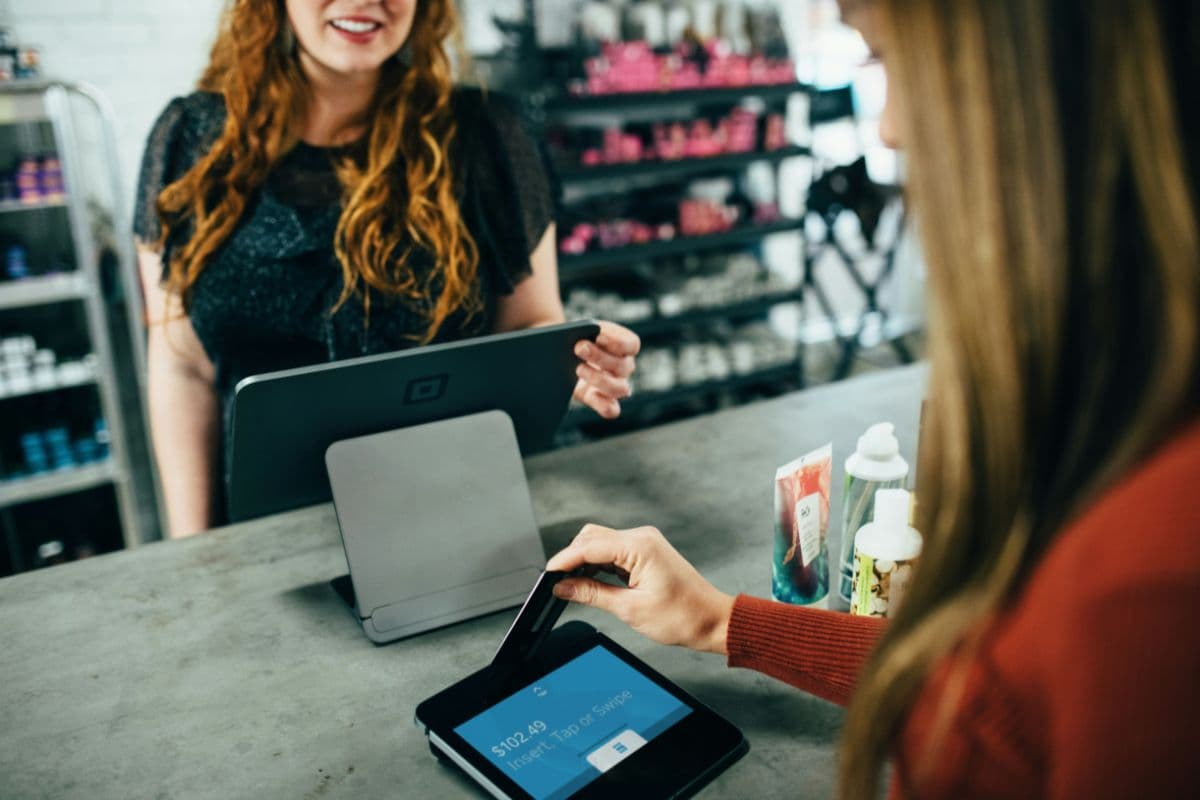
The guide on how to use EBT card at grocery stores. (Image by Unsplash)
Shop for Eligible Items
Grocery purchases with an EBT card usually follow the same process as regular debit card payments at checkout. Knowing the basic payment steps may help SNAP recipients complete transactions more smoothly and avoid common checkout confusion.
Checkout
After shopping is finished, items are scanned at the register before the final payment amount appears on the screen. Many grocery stores automatically separate SNAP-approved products from non-eligible purchases during the checkout process for easier payment handling. Some shoppers also ask can you type your EBT card number in at Walmart when learning about different checkout and payment options.
Cashiers may explain remaining balances or separate payment totals when some products are not covered under SNAP rules. Keeping grocery items organized during checkout may help speed up transactions and make payment details easier to review before approval.
Swipe and PIN
The EBT card is inserted, swiped, or tapped at the payment terminal once the grocery total is ready for payment. Cardholders then enter their secure personal PIN to approve the transaction and access available SNAP funds connected to the account.
Strong PIN security remains important because unauthorized access may place benefits at risk. Covering the keypad while entering the PIN and avoiding simple number combinations may help improve account protection during store purchases.
Confirm Amount
The payment terminal normally displays the SNAP purchase total before the transaction is completed. Reviewing the amount carefully may help prevent balance mistakes, incorrect charges, or accidental approval of non-eligible purchases during checkout.
Some stores may show separate totals for SNAP-approved products and non-covered items requiring another payment method. Taking a moment to review the final amount carefully may help improve budget tracking and reduce shopping confusion later.
Get Receipt
Receipts usually display the purchase amount, remaining SNAP balance, and transaction details after payment is approved successfully. Keeping receipts may help cardholders track monthly spending and monitor account activity more accurately over time.
Reviewing receipts regularly may also help identify unexpected charges, balance differences, or suspicious account activity more quickly. Many shoppers save receipts for grocery budgeting, balance checks, and future purchase planning throughout the benefit period.
Digital grocery services now allow many SNAP recipients to purchase approved food items without visiting physical stores. Website and app-based ordering systems can help households compare prices, organize monthly food budgets, and schedule delivery or pickup more conveniently.
How to Add EBT Card to Amazon
Amazon allows eligible SNAP recipients to connect an EBT card directly to their account for approved grocery purchases in participating states. Users normally begin by signing into their Amazon account and opening the payment settings section under account management options.
Inside the payment settings menu, shoppers can add the EBT card number, together with the required verification details, as a SNAP payment method.
After setup is completed, qualifying grocery products usually display SNAP eligibility labels during browsing. Approved food purchases are then deducted directly from the available balance during checkout.
How to Use EBT at Walmart
SNAP-approved food categories available through digital shopping platforms generally include fruits, vegetables, dairy products, bread, cereal, frozen meals, meat, and pantry essentials.
Many participating retailers clearly label qualifying products to help shoppers identify approved items more easily before payment.
Delivery charges, tips, service fees, household supplies, and non-food products are commonly excluded from SNAP coverage and may require another payment method. Reviewing the final order summary carefully before checkout may help reduce payment issues and improve monthly grocery planning.
5. Why Is My EBT Card Not Working Today?
Payment problems with an EBT card can sometimes happen unexpectedly during grocery shopping or balance checks. Most issues are usually connected to account security, system maintenance, incorrect information, or temporary balance problems.
Insufficient SNAP balance
Transactions may fail when the remaining SNAP balance is lower than the total purchase amount. Reviewing available funds before shopping may help avoid declined payments during checkout at approved retailers.
Incorrect PIN entry
Entering the wrong PIN several times may temporarily block account access for security reasons. Waiting a short period or resetting the PIN through the official EBT system may help restore normal account access.
Card damage or unreadable magnetic strip
Scratches, cracks, or damage to the card strip or chip may prevent payment terminals from reading the card correctly. Requesting a replacement card through customer service may become necessary if payment problems continue.
System outages or maintenance
State EBT systems and payment networks may occasionally experience temporary outages or scheduled maintenance. During these periods, balance checks, purchases, or online account access may not work normally until service is restored.
6. FAQs about EBT Active and Usage
Questions about online grocery payments, checkout options, and approved SNAP purchases are common for first-time cardholders. Learning how different retailers process EBT payments may help make account management and grocery shopping much easier.
How to remove EBT card from DoorDash?
DoorDash users can usually remove a saved EBT payment method through the payment settings section inside the account menu.
After selecting the stored card, the app normally provides an option to delete the payment method from the digital wallet. Logging out of shared devices afterward may also help improve account security.
Can I manually enter my EBT card at Walmart?
Certain Walmart online grocery systems may allow manual EBT card entry during approved SNAP purchases. Physical store locations, however, commonly require the card to be swiped, inserted, or tapped directly at checkout. Payment options may vary depending on the store location and order type.
What can I buy with EBT NY?
New York SNAP benefits usually cover groceries such as fruits, vegetables, bread, dairy products, cereal, and meat items.
Alcohol, tobacco, vitamins, household products, and prepared hot foods are commonly excluded from eligible purchases. Many grocery stores and approved food retailers throughout New York accept EBT payments for qualifying items.
7. Final Words
Learning how to use EBT card may help SNAP recipients shop more confidently, manage balances more accurately, and avoid common checkout problems during grocery purchases. Understanding activation steps, approved items, online shopping options, and account security can also make everyday benefit use much easier over time.
For more helpful information about SNAP benefits, EBT usage, balance checks, eligibility rules, and related assistance programs, readers can also explore additional guides and resources available through TAG Mobile.
Note: Eligibility varies by state and program. Offers depend on availability and qualifications. TAG Mobile operates under the federal Lifeline Program as an Eligible Telecommunications Carrier (ETC). Service is non-transferable and limited to one service per household.
Share
TAG Blog
Stories, guides, and helpful updates for staying connected.