How To Get Free iPad For Students? A Legitimate Method
Many students nowadays rely on technology to stay on track with their schoolwork. However, not every household can afford the most recent device. That is why programs that provide...
Many students nowadays rely on technology to stay on track with their schoolwork. However, not every household can afford the most recent device. That is why programs that provide a free iPad for students have become such a helpful resource, particularly for low-income families.
Initiatives like Lifeline aim to bridge the digital gap. It allows users to access online learning, research tools, and educational applications without putting further financial strain on their families.
1. Is a Free iPad Government for Students Possible?
Yes, students may receive free or heavily reduced iPads through the Lifeline Assistance program. It is a free government-sponsored phone and tablet initiative.
Beginning in the 1980s, the effort has brought inexpensive connections to US citizens for many years.
Eligible participants in this program can save up to $9.25 on their monthly phone or internet subscription. Meanwhile, those living in tribal territories can earn monthly savings of up to $34.25. The discount applies to either wireless or wireline services, but not both.
Importantly, if you apply for Lifeline through an authorized service provider participating in the program, you may receive a Lifeline free tablet or phone in addition to the monthly data plan.
Lifeline program for low-income individuals and families– Image by Freepik
Nonetheless, to qualify for a subsidized or free iPad for college students under the Lifeline program, you must fulfill one of the following qualifying criteria:
Your household’s income is at or below 135% of the Federal Poverty Guidelines. Yet, the threshold changes according to your household size and state.
You or someone in your family receives benefits from one or more of the following government programs:
Medicaid / Medi-Cal
Supplemental Nutritional Assistance Program (SNAP)
Federal Public Housing Assistance or Section 8
Supplemental Security Income (SSI)
Veterans Pension
Tribal Head Start
Tribally-Administered Temporary Assistance to Needy Families (TANF)
Regarding “How to get an iPad for free as a student?”, you must select a reputable service provider that includes this device in its Lifeline plan.
One noteworthy choice is TAG Mobile. The company, known for its dependable service and nationwide coverage, makes it easy for qualified students to access vital learning resources at no additional cost.
Furthermore, what distinguishes TAG Mobile is its focus on cost and accessibility via the Lifeline program.
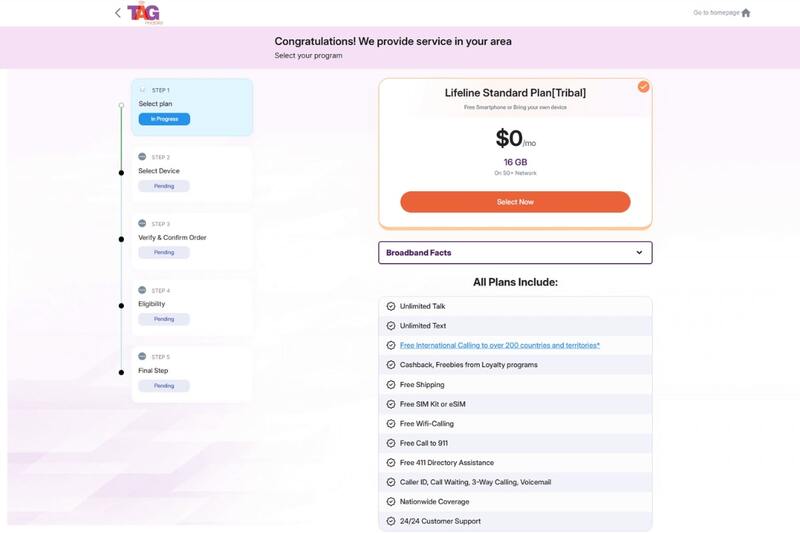
TAG Mobile’s Lifeline plan includes:
Many devices from popular brands, including a free iPad for students
Up to 15 GB of high-speed data
Free unlimited talk & text
Free international calling to more than 200 countries and territories
No contract, hidden cost, credit check, or activation fee
24/7 customer support via multiple channels, etc
TAG Mobiles offers various tablets and phones
Aside from TAG Mobile, other providers like AirTalk Wireless, TruConnect, and more also participate in government programs that help students receive a low-cost or free iPad from government for students.
IMPORTANT NOTE: The government does not cover device costs, only basic service through Lifeline. Any free or discounted devices, upgrades, or top-ups are limited-time TAG Mobile offers and may vary by state, eligibility, and availability. Terms and conditions apply.
3. How to Get Free iPad for Students?
If you choose TAG Mobile, the Lifeline application procedure is really simple. Simply follow these instructions:
Step 1: Check Coverage
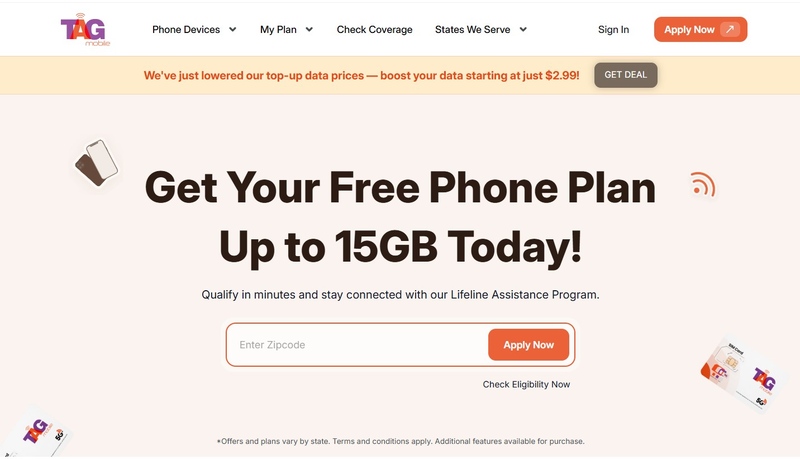
Go to tagmobile.com and enter your ZIP code. Then, hit “Apply Now” to see if Lifeline service is available in your area.
Go through the Lifeline plans available in your state and choose the one that best matches your needs. It may vary depending on different regions.
Select a suitable Lifeline plan
Step 3: Choose a Device
Look at the selection of iPads and other devices. Some tablets may not be entirely free, but they come at a very affordable price compared to the market. If you prefer, you can also keep your current device with the BYOD option.
Step 4: Complete the Application
Fill in your details on the online form. If your state requires, upload eligibility documents such as proof of income or government assistance. Make sure all information is accurate before submitting.
Step 5: Submit and Receive Your Device
Send your application for review. After approval by TAG Mobile and the National Verifier (or your state Lifeline Administrator), you will receive your device after several working days.
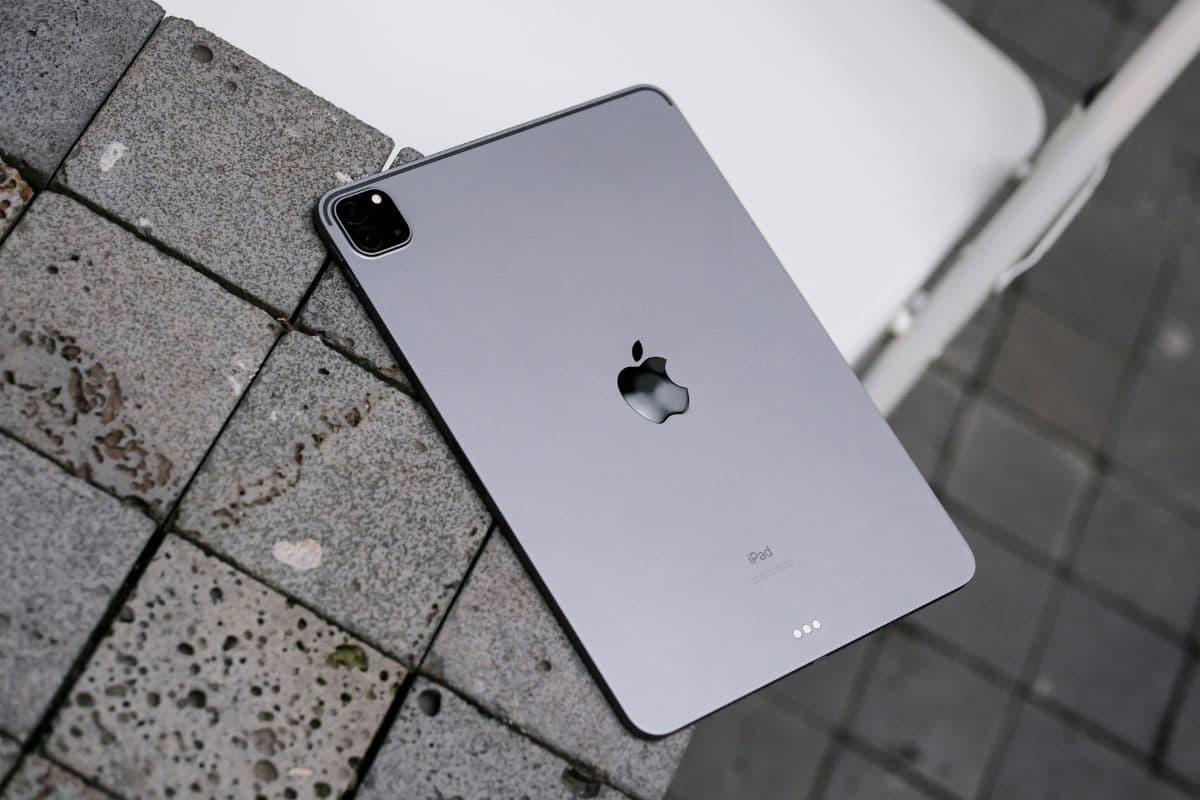
TAG Mobile offers a wide range of government devices to satisfy your needs, such as education and entertainment. All have a stylish design, top-notch performance, and innovative features.
Portable and stylish, lightning-fast performance, immersive display for creativity, versatile storage options, etc.
If no iPad is available, other tablet alternatives exist, such as a free Samsung tablet. Please remember that these devices may run out of stock at any time. So ensure you are up to speed on the latest TAG Mobile updates!
Understanding the qualifying requirements and completing the proper registration processes will allow you to take advantage of the Lifeline program’s exceptional benefits, which include a free iPad for students. Stay connected, engaged, and better prepared for your academic journey today!
Frequently Asked Questions
How can I find my iPad for free?
If you qualify based on income or government assistance programs, you may be eligible to receive a free or discounted iPad thanks to the Lifeline program. However, you must apply through a licensed provider to get that benefit.
Is an iPad eligible for a student discount?
The Apple education discount allows students to save on school-related devices like iPads and MacBooks. Although the savings with the Apple student discount vary by model, you can often save up to 10% on iPads and MacBooks.
What are some of the best free apps for iPad for students?
Google Docs and Google Drive are ideal for assignments. Meanwhile, Notion or Evernote are some of the best free note-taking app for iPad for college students.
Share
TAG Blog
Stories, guides, and helpful updates for staying connected.