Grocery shopping with SNAP can be easier when you know where EBT is accepted and which items qualify before checkout.
If you are comparing restaurant rules, like does Whole Foods take EBT, read the TAG Mobile guide below for clearer SNAP shopping tips.
1. Does Whole Foods Take EBT?
Does Whole Foods accept EBT? Yes, Whole Foods accepts SNAP EBT for eligible food items both in-store and online through supported ordering options.
However, SNAP benefits usually cannot cover non-food items, hot prepared meals, alcohol, vitamins, delivery fees, service charges, or tips.
Before checking out online, review your cart carefully because eligible and non-eligible items may need to be paid for with different payment methods.
2. How to Use an EBT card at Whole Foods
Using SNAP benefits at Whole Foods is fairly simple once you know which items qualify and which costs need another payment method.
In-Store (Regular & Self-Checkout)
- Shop: Select any standard SNAP-eligible products intended for home preparation. Just keep in mind that hot, ready-to-eat meals and all non-food items are strictly excluded from government coverage.
- Checkout: At a regular register or self-checkout kiosk, select EBT as your payment method. The system will identify which items in your cart qualify for SNAP payment.
- Pay: Swipe your EBT card and enter your 4-digit PIN to complete the eligible portion of the purchase. Any remaining balance for non-eligible items must be paid with another payment method.
Online (Amazon & Delivery)
- Link your card: Add your SNAP EBT card to your Amazon account before shopping online. This allows Amazon to apply your benefits to eligible grocery items at checkout.
- Shop Whole Foods: Choose qualifying groceries through Whole Foods Market on Amazon, or another supported Amazon grocery option.
- Checkout: Select your EBT card at checkout and enter your PIN to pay for eligible food items.
>>> Read More: What Can You Buy with EBT Cash Benefits? 5 Allowed Items
3. The Best Whole Foods Purchases for EBT Users
Shopping at Whole Foods with SNAP requires a strict strategy so you don’t drain your entire monthly balance in one trip. Here’s what you should take note:
- The “Yellow Tag” Amazon Prime Stacking: Whole Foods offers an extra 10% off sale items (marked with yellow tags) for Amazon Prime members. Since SNAP users qualify for a heavily discounted Prime Access membership, linking your accounts and scanning your Prime app at checkout is the easiest way to slash your grocery bill.
- 365 Brand Over National Brands: Skip the fancy artisan labels. The in-house “365 by Whole Foods Market” line is priced competitively with regular conventional supermarkets, allowing you to stock up without paying the “Whole Foods tax.”
- Pre-Packaged Bulk Bags vs. Loose Produce: While Whole Foods is famous for its fresh produce, buying loose individual fruits can get expensive. Look for the larger, pre-packaged bags, their per-pound unit price is almost always significantly lower.
- The Freezer Aisle Lifesaver: Fresh organic berries and greens spoil fast, leading to wasted EBT dollars. The 365 frozen section offers the exact same nutritional value in bulk bags at a fraction of the fresh price, with zero risk of spoilage.
- Cold Deli “Heat-and-Eat” Hacks: While the hot buffet bar is strictly banned under SNAP rules, the exact same dishes are often packaged cold in the refrigerated deli cases.
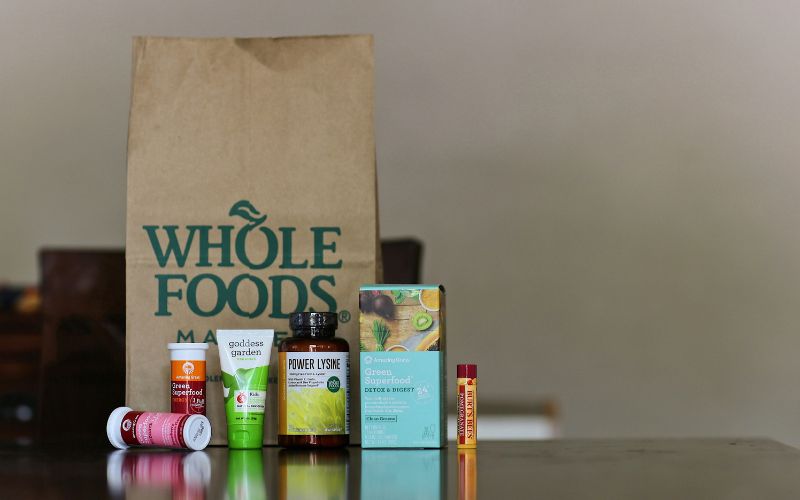
4. Common Whole Foods Shopping Mistakes That Waste SNAP Benefits
Whole Foods can be useful for SNAP shoppers, but the total prices can rise quickly without a clear plan.
Falling for the “Organic Snack” Trap
It’s easy to justify buying premium organic cookies, specialty kombuchas, or gluten-free crackers because they are EBT-eligible. However, these highly processed items carry massive price markups and low nutritional value, quickly eating away funds that should go toward raw ingredients.
The Hot Bar Checkout Surprise
Whole Foods’ famous hot food bars and freshly roasted rotisserie chickens smell amazing, but they are strictly non-eligible under federal SNAP rules. Mixing these into your conveyor belt without separating them beforehand forces you to pay out-of-pocket, creating an awkward surprise at the register.
Blind Shopping Without the Weekly Circular
Walking into Whole Foods without checking their digital flyer or the Amazon Prime app is an expensive mistake. The store changes its discounts every Wednesday; skipping these specific weekly promotions means you are paying top dollar for items that might go on sale just a day later.