

iPhone 14 Pro Max SIM Free: A Smart Choice for Everyone
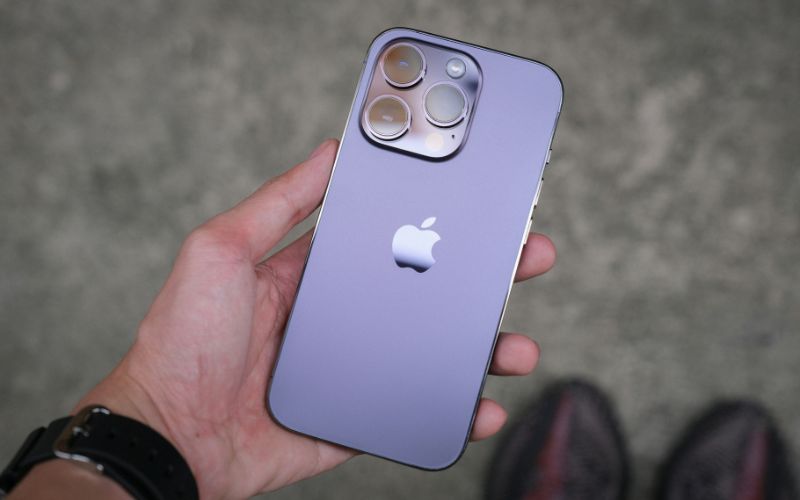
The iPhone 14 pro max SIM free is a perfect choice for users who want complete flexibility and premium performance. With its powerful chip, advanced camera system, and stunning display, this device delivers a smooth and reliable experience without being tied to any carrier. You can easily choose the network that suits your needs. For more details, you can refer to the guide below from TAG Mobile.
1. Is the iPhone 14 Pro Max SIM Free?
Yes, the iPhone 14 Pro Max supports eSIM technology, and in the United States models, it is designed as a SIM-free device with no physical SIM tray. This means that modern carriers activate your cellular plan digitally using an eSIM rather than a traditional removable SIM card.
When you ask “Is the iPhone 14 Pro Max eligible for eSIM?”, the answer is yes. It fully supports multiple eSIM profiles and allows you to download and activate carrier plans directly on the device.
>>> Read More: Switch and Get a Free iPhone: Transfer Lifeline Provider With 5 Steps
2. How to Activate a SIM-Free iPhone 14 Pro Max?
Activating your iPhone 14 Pro Max SIM free is usually quick and simple, especially since the device is not tied to any specific carrier. Follow the steps below to make sure your SIM card is installed correctly, and your phone connects smoothly to your chosen network.
Step 1: Check That Your iPhone Is Unlocked
Make sure your iPhone is not locked to any network provider, especially if it was previously purchased under a contract. A SIM-free device should accept SIM cards from any compatible carrier.
Step 2: Prepare the Correct SIM Card Size
You must use a nano-SIM, as all modern iPhones from the iPhone 5 onwards require this size. Using the correct SIM card ensures a proper network connection.
Step 3: Turn Off Your iPhone Before Inserting the SIM
Although most newer iPhones can detect a SIM swap while powered on, it’s best practice to turn the device off completely before inserting or changing the SIM card.
Step 4: Complete Online Activation (If Required)
Some carriers require online activation. You may receive an activation key and need to visit your carrier’s website or mobile app to enter the details and follow the on-screen instructions.
Step 5: Wait for Network Recognition
Allow your iPhone time to detect and activate the new SIM card. This can take anywhere from a few minutes to several hours. If there is no signal, restart your phone or contact your carrier for assistance.
3. Common Problems and Quick Fixes for a SIM-Free iPhone 14 Pro Max
Even when you use an iPhone 14 Pro Max SIM free, you may occasionally experience minor setup or network issues. Below are some common problems users face, along with practical solutions to fix them quickly.
Problem 1: No Signal or “No Service” Displayed
This issue usually happens when the SIM card is not inserted properly or has not been activated by the carrier. You should first remove and reinsert the SIM card carefully, then restart your device.
If the problem continues, you should check whether your carrier has fully activated the line or try resetting your network settings under Settings > General > Transfer or Reset iPhone > Reset > Reset Network Settings.
Problem 2: SIM Card Not Supported
If your iPhone displays a “SIM Not Supported” message, your device may still be locked to a previous carrier. You should confirm that your iPhone 14 Pro Max SIM free is fully unlocked by contacting the original provider. If it is locked, you will need to request an official unlock before using another network’s SIM card.
Problem 3: Why does the iPhone 14 Pro Max have no SIM card slot?
Some models, especially those sold in the United States, were designed without a physical SIM tray and rely entirely on eSIM technology.
If you are asking, “Why does the iPhone 14 Pro Max have no SIM card slot?”, the answer is that certain regional versions use digital SIM activation instead of a nano-SIM. To fix activation issues on these models, you should contact your carrier to request an eSIM QR code or activation details and complete the setup through Settings > Mobile Data > Add eSIM.
Problem 4: Mobile Data Not Working
If calls and texts work but mobile data does not, your APN settings may not be configured correctly. You should check with your carrier for the correct APN details and enter them manually if necessary. Restarting your phone after updating these settings often resolves the issue.
Problem 5: Activation Taking Too Long
Sometimes activation may take several hours, especially if the carrier is processing the request. You should keep your phone powered on and connected to Wi-Fi during this time. If nothing changes after 24 hours, you should contact your carrier to confirm that the SIM or eSIM activation has been completed successfully.
4. Getting Connected Quickly With a Ready-to-Use Device
If you want to avoid complicated setup steps or compatibility issues, choosing a ready-to-use device can save time and effort. Instead of troubleshooting activation problems, you can get connected quickly with a device that is already supported by your carrier.
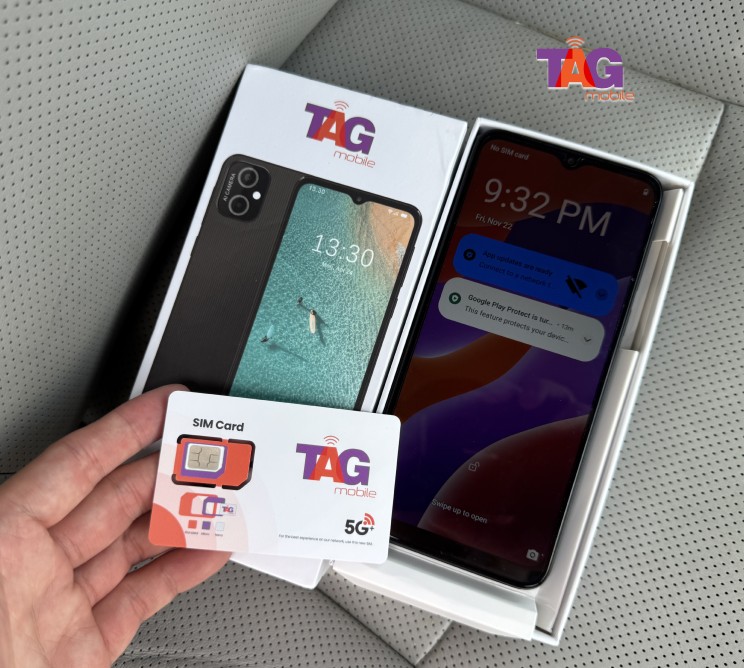
Through TAG Mobile, eligible users can receive a free phone along with a physical SIM card or eSIM, depending on the device and availability. The service plans include essential features such as unlimited talk and text, monthly high-speed data, Caller ID, Call Waiting, 3-Way Calling, Voicemail, and Wi-Fi Calling.
Once approved, devices are typically shipped within 7-10 business days, and activation instructions are included so you can start using your phone right away.
>>> Read more: eSIM for Locked iPhone: 2026 Guide to Compatibility and Unlocking
5. Final Words
Choosing an iPhone 14 Pro Max SIM free gives you complete freedom to select the network and plan that suits your lifestyle. You are not tied to long-term contracts, and you can switch carriers whenever you need. With its powerful performance, premium design, and advanced camera system, this device remains a smart investment. If you are ready to enjoy flexibility and full control, explore the latest offers at TAG Mobile and find your perfect iPhone today.
Notice: The government does not cover device costs, only basic service through Lifeline. Any free or discounted devices, upgrades, or top-ups are limited-time TAG Mobile offers and may vary by state, eligibility, and availability. Terms and conditions apply.
- Share This:
-

-

-

-

-



About the author
