

Can You Use an iPhone Without a SIM Card? Full Checklist
Many iPhone users wonder whether their device can still function without a SIM card installed. A common question is, can you use an iPhone without a SIM card, especially when relying on Wi-Fi for internet access or using apps that do not require cellular service?
In many situations, an iPhone can still perform several functions even without an active SIM. To explore the details and practical scenarios, you can refer to the guide/article from TAG Mobile for more information.
1. Can an iPhone Work Without a SIM Card?
Yes, an iPhone can work without a SIM card, but it will not be able to connect to cellular networks for calls, text messages, or mobile data. Without a SIM, the device can still function using Wi-Fi, allowing users to browse the internet, download apps, use social media, and access many online services.
Features such as the camera, music, games, and other offline apps will also continue to work normally, but cellular communication requires a SIM card or an activated eSIM.
2. What You Can Do on an iPhone Without a SIM Card
Even without a SIM card, an iPhone can still perform many useful functions. While cellular services such as calls and mobile data will not work, the device can still operate through Wi-Fi and built-in features.
Connect to Wi-Fi
An iPhone can connect to a Wi-Fi network just like any other smart device. Once connected, the phone can browse the internet, download apps, check email, and access online services. This allows the device to remain useful even without an active cellular plan.
Use Apps and Online Services
Most apps on the App Store can still function normally when connected to Wi-Fi. Users can access social media platforms, streaming services, online games, and productivity tools without needing a SIM card. For people wondering can you use an iPhone without a SIM card, the answer is yes for many everyday tasks, as long as the device has internet access.
Use FaceTime, iMessage, and Wi-Fi Calling
Apple services such as FaceTime and iMessage can work over Wi-Fi instead of a cellular connection. Users can make video calls, send messages to other Apple devices, and stay connected with friends and family.
Some carriers, like TAG Mobile, also support Wi-Fi calling, which allows calls to be made through an internet connection when the feature is enabled.
Use the Camera and Media Features
Even without a SIM card, the iPhone still functions as a powerful multimedia device. Users can take photos, record videos, listen to music, watch downloaded movies, and use editing apps.
These features operate independently of cellular service, so they work normally whether a SIM card is installed or not.
>>> Read More: eSIM to Physical SIM: Everything You Need to Do First
3. What You Cannot Do Without a SIM Card
Although an iPhone can still perform many functions using Wi-Fi, some features depend entirely on cellular connectivity. Without an active SIM card or eSIM, certain communication services will not be available on the device.
Make Traditional Phone Calls
One limitation is that the iPhone cannot make traditional phone calls through the cellular network. Standard voice calls require a SIM or eSIM that connects the device to a carrier’s network. While Wi-Fi services like FaceTime or certain apps may still allow voice communication, regular carrier-based calls will not work.
Send Standard SMS Messages
Sending standard SMS text messages also requires a SIM card connected to a mobile carrier. Without cellular service, the phone cannot send or receive regular SMS or MMS messages.
However, users may still communicate through internet-based messaging platforms such as iMessage or other messaging apps when connected to Wi-Fi.
Use Cellular Data
Another major limitation is the inability to use mobile data. Cellular data allows the phone to access the internet when Wi-Fi is not available, but this feature requires an active SIM or eSIM plan.
For people wondering can you use an iPhone without a SIM card, the device will still work for many tasks, but internet access outside of Wi-Fi networks will not be possible.
4. SIM vs eSIM on Modern iPhones
Modern iPhones support both traditional SIM cards and newer eSIM technology, giving users more flexibility when activating mobile service. Understanding the differences between these two options can help you decide which one works best for your device and carrier.
Physical SIM Cards
A physical SIM card is the traditional method used to connect a phone to a mobile carrier. The small nano-SIM card is inserted into the SIM tray of the iPhone and stores information such as the phone number and carrier identification. Many users prefer physical SIM cards because they are easy to move between devices. If you switch phones, you can simply remove the SIM card and insert it into the new device to continue using the same mobile plan.
eSIM Technology
An eSIM is a digital version of a SIM card that is built directly into the iPhone. Instead of inserting a physical card, users can activate a mobile plan by scanning a QR code or downloading a carrier profile through the phone settings. eSIM technology allows faster activation and makes it easier to switch carriers or add multiple plans on the same device.
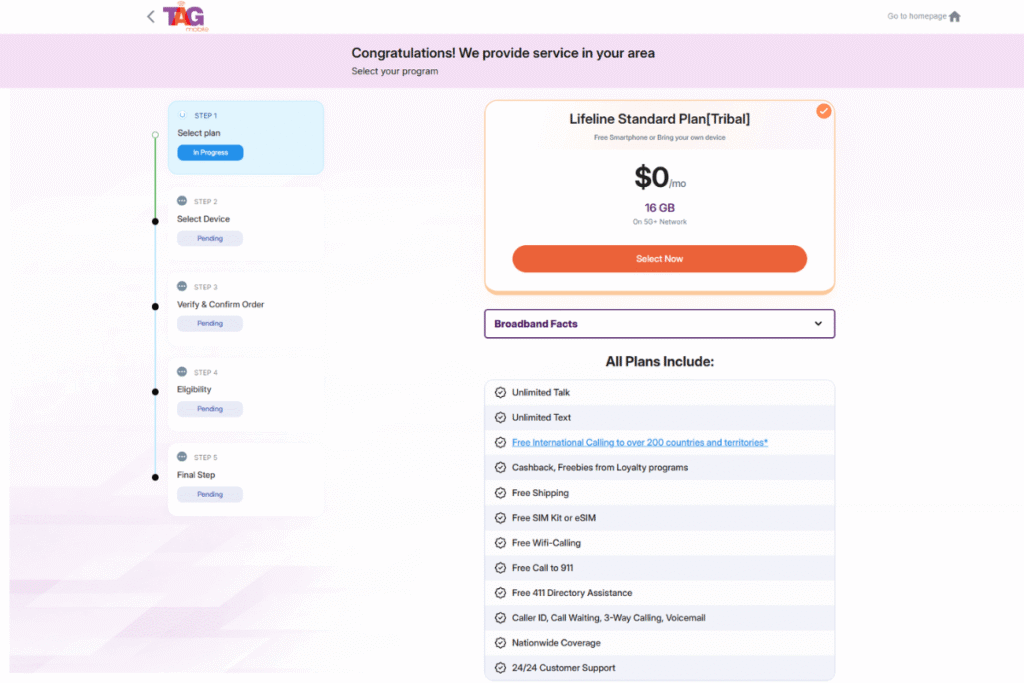
Some Lifeline providers, such as TAG Mobile, also support eSIM activation and may offer free or discounted iPhones along with mobile plans for eligible users. This option can make it easier to start using a compatible iPhone without needing a physical SIM card.
>>> Read more: Free iPhone 7 with Food Stamps: How to Receive at $0 Price
5. Final Words
Understanding can you use an iPhone without a SIM card can help users make better decisions when setting up a new device or using their phone primarily with Wi-Fi. Even without a SIM, an iPhone can still handle many everyday tasks, such as browsing the internet, using apps, or making Wi-Fi calls.
However, adding a SIM card or activating an eSIM unlocks the full range of cellular features. If you’re ready to connect your device to reliable mobile service, TAG Mobile offers simple activation and flexible plans for eligible users. Explore TAG Mobile to get your iPhone connected quickly and conveniently.
Notice: The government does not cover device costs, only basic service through Lifeline. Any free or discounted devices, upgrades, or top-ups are limited-time TAG Mobile offers and may vary by state, eligibility, and availability. Terms and conditions apply.
- Share This:
-

-

-

-

-



About the author
