Get our Brand-New Arrivals Verde for $0 this Black Friday Zero-Pay!

Claim Yours Now

iPhone Free Government Phone Near Me – What You Should Know Before Applying

Finding an iPhone free government phone near me is a common question for those looking for affordable connectivity. This guide explains how the Lifeline Program works and how TAG Mobile can help you apply for a free iPhone through a simple, step-by-step process.

1. What is the iPhone Free Government Phone Program?

The iPhone Free Government Phone Program is part of the Lifeline initiative, offering free or low-cost phones to help eligible individuals stay connected. Below, we break down what the program offers and who qualifies to benefit from it.

1.1. The Lifeline Program Explained

The Lifeline Program is a federal support program that provides free or discounted phone service to qualifying households. When you join Lifeline, you receive monthly bill assistance for phone or internet services. Lifeline offers up to $9.25 per month for standard subscribers and up to $34.25 per month for eligible Tribal residents.

These subsidies help reduce essential communication costs for low-income households.

When you apply through an authorized Lifeline provider, you may receive a free iPhone. You also get free monthly talk, text, data, and a free SIM or eSIM, depending on the provider. Some plans include international calling, and there are no contracts or monthly bills attached to the service.

1.2. Who Qualifies for a Free Government iPhone?

You may qualify for an iPhone free government phone near me if your household participates in certain assistance programs such as Medicaid, SNAP, SSI, Section 8, or Veterans Pension plans. Program-based eligibility is the most common path and may vary slightly depending on your state or provider. Applicants can use any approved household member’s enrollment to meet this requirement.

This ensures that families receiving essential support also gain access to reliable phone service. You also qualify if your household income is at or below 135% of the Federal Poverty Guidelines. Tribal residents may be eligible through additional programs like Tribal TANF, FDPIR, or BIA General Assistance.

Most applicants must provide proof such as tax returns, benefit letters, or recent pay stubs. Checking the latest income rules on the Lifeline website helps ensure you meet all requirements before applying.

1.3. Why Does the Government Offer Free Phones Instead of Phone Booths?

Where are free phones near me? And are there still phone booths anywhere?

The government offers free phones instead of phone booths because mobile access is essential for work, safety, and communication. Phone booths are outdated, costly to maintain, and inaccessible in emergencies. Free phones ensure people can contact services anytime, stay connected to opportunities, and manage daily needs more reliably.
Where are free phones near me
Where are free phones near me? You can seek guidance from Lifeline providers by contacting them. TAG Mobile is one great choice!

2. What Is the Best Free Government Phone With Unlimited Everything?

If you want the best free government phone with unlimited service, TAG Mobile is one of the strongest choices.

While some Lifeline providers offer only basic devices, TAG Mobile stands out by giving eligible users access to iPhones, upgraded smartphones, and robust service plans. Its coverage, reliability, and device options make it a top pick nationwide.

3. How to Apply for an iPhone Free Government Phone

Follow these straightforward steps to apply for your iPhone through the Free Government Phone Program.

3.1. Step 1 – Confirm Your Eligibility

Start by visiting the official TAG Mobile website at tagmobile.com and entering your ZIP code to check availability in your area. You will see the Lifeline plans available in your state and whether you qualify based on income or program participation. Once your eligibility is confirmed, you can proceed with the application process.
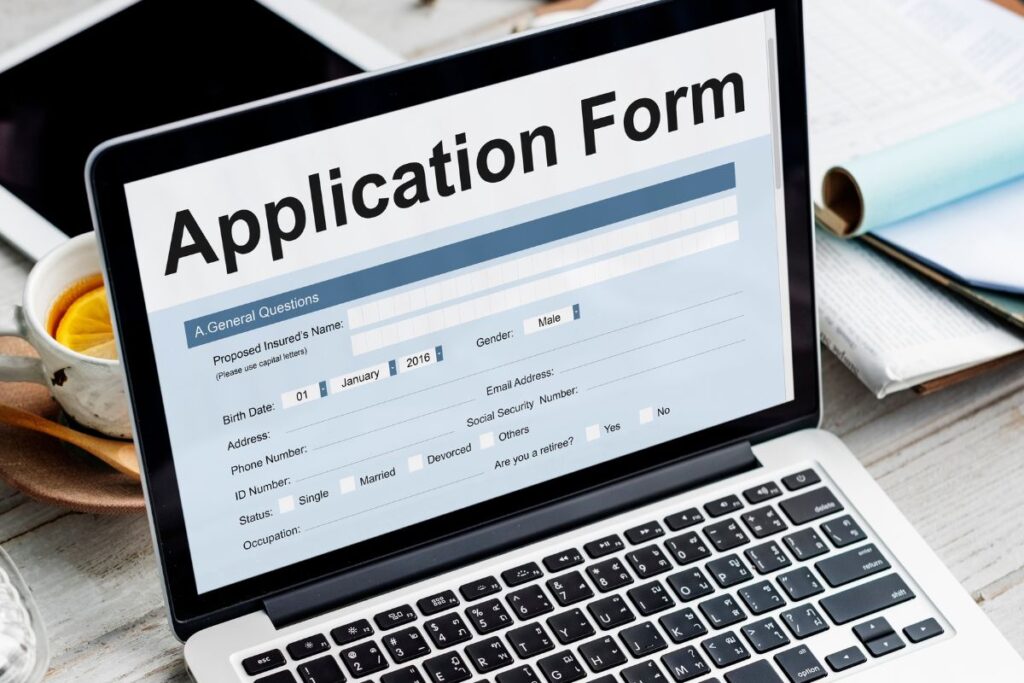

3.2. Step 2 – Submit an Application Online or In-Person

After checking availability, choose the Lifeline plan you want and click “Select Now” to start your application. You can apply through TAG Mobile’s secure online portal or visit an authorized location if you prefer in-person assistance.

Then select your device, which may include a free iPhone or an upgraded model at a reduced cost.

Some of the best iPhones you may find available on TAG include:

3.3. Step 3 – Provide Required Documents & Wait for Approval

If your state does not support automatic verification, upload a government-issued ID and proof of income or program enrollment. TAG Mobile’s portal will guide you securely through the document upload process. 

Most applications are approved within 20 – 30 minutes, although some may take a few days for review. Once approved, your iPhone will be shipped within 7 – 10 business days along with tracking and activation instructions.

iphone-free-government-phone-near-me-apply-online
Here is how to apply for an iPhone free government phone near me! (Image by Freepik)

>>> Read more: How To Get A Free iPhone For 100% With 6 Easy Steps 

4. Common Errors When Applying for a Free Government iPhone

Applying for a free government iPhone can be straightforward, but mistakes do happen. Knowing the most common errors can help you avoid delays and complete your application successfully.

4.1. Submitting Incomplete or Mismatched Documents

One of the most common mistakes applicants make is submitting incomplete or mismatched documents. Providing incorrect information, missing proof of income, or an invalid ID can delay approval or lead to denial. Always double-check your files, ensure all documents match the details in your application, and follow the provider’s upload instructions carefully.

4.2. Not Checking Eligibility Before Applying

Many applicants waste time applying without verifying their eligibility first. If you do not meet the income or program-based requirements, your application will be rejected.

Always review the Lifeline or provider-specific eligibility criteria before starting the process. Confirming eligibility ahead of time saves frustration and speeds up access to a free government iPhone.

>>> Read more: A Guide To Free iPhone 11 Government Phone You Cannot Miss  

4.3. Ignoring Follow-Up Emails or Approval Deadlines

Even after submitting an application, some applicants fail to respond to follow-up emails or meet approval deadlines. Providers may request additional documents or clarifications to complete verification. Ignoring these communications can result in delays or denial of your phone.

Check your email regularly and respond promptly to ensure your application is processed without interruptions.

4.4. Applying Through Unverified or Fake Providers

Applying through unverified or fake providers is a major risk when seeking an iPhone free government phone near me. Fraudulent sites may steal personal information or fail to deliver a device. 

Always use trusted Lifeline providers, like TAG Mobile or other verified carriers, and check the official Lifeline website for approved options. This ensures your application is secure and you receive a legitimate device and service.

5. Final Words

Finding an iPhone free government phone near me can help you stay connected without breaking the budget. The Lifeline Program makes it possible for eligible individuals to receive free talk, text, and data. By choosing TAG Mobile, you can complete a simple application and start enjoying your free iPhone quickly.

Session feedback

Please rate your experience below

  • 5/5 stars

Your email address will not be published. Required fields are marked *

Subscribe to our newsletter!

Find out what we can do for your business or home.