How to Apply for Free Food Stamp Phone: Your Lifeline Guide
You can apply for free food stamp phone and get a phone at no cost or with a monthly discount through Lifeline. Many people don’t realize that SNAP benefits can help them qualify f...
Quincy D.-Dec 01, 2025
Image by Freepik
Table of Contents
You can apply for free food stamp phone and get a phone at no cost or with a monthly discount through Lifeline. Many people don’t realize that SNAP benefits can help them qualify for this program. By following the right steps in the article, you can stay connected without affecting your budget. You may also qualify for free phone SNAP benefits and other discounts through participating providers.
Lifeline is a government program that helps make phone and internet service more affordable for low-income households. SNAP, also known as food stamps, does not give out free phones.
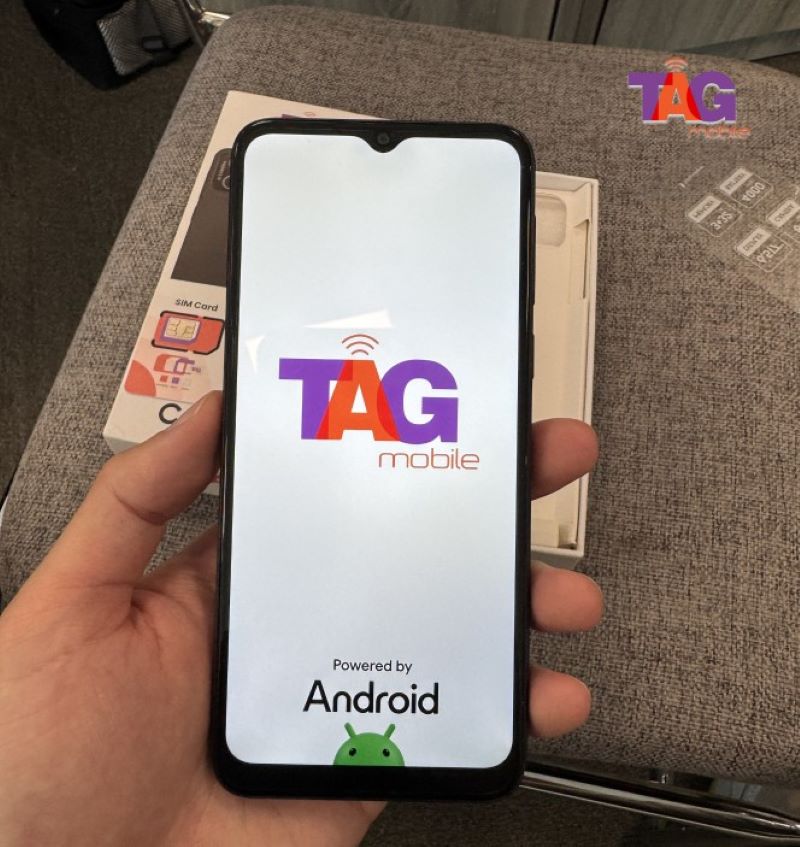
However, if you receive SNAP benefits, you can qualify for Lifeline. The program provides a monthly discount or credit on your service. Some participating providers, like TAG Mobile, may also offer a free phone snap program or a low-cost phone or SIM card when you sign up.
Lifeline is a federally financed program that started in 1985
2. Do You Qualify? Understanding Eligibility
2.1. Qualifying via SNAP / EBT
One of the easiest ways to qualify for Lifeline is by being enrolled in SNAP. If you or someone in your household receives SNAP, you may already be eligible for Lifeline support.
To apply, you will need to show proof of participation, such as a benefits letter or an official notice from the program. This allows you to access free phone with SNAP benefits through your Lifeline provider.
2.2. Income‑Based Qualification
You do not have to be on SNAP to qualify. Lifeline also considers your household income. If your total household income is at or below 135 percent of the Federal Poverty Guidelines, you may qualify.
For example, in 2025, a one-person household can earn up to $21,128 per year, and a four-person household can earn up to $43,403. You will need to show proof of income, such as pay stubs or tax documents, when you apply.
2.3. One Benefit Per Household Rule
Only one Lifeline benefit is allowed per household. This means everyone living at the same address and sharing income can only receive one Lifeline-supported service.
You cannot receive multiple Lifeline discounts simultaneously, such as both a landline and a mobile phone. Suppose someone else at your address already has Lifeline. In that case, you may need to fill out a Lifeline Household Worksheet to show that your household is eligible and to prevent duplicate benefits. Participating households can also take advantage of SNAP free phones programs offered by some providers.
To show that you are enrolled in SNAP or another qualifying program, you will need to provide documents that clearly show:
Your full name or the name of the dependent who qualifies
The program name, for example, SNAP
The name of the government agency that issued the benefit
A date showing the document was issued in the last 12 months, or an expiration date that matches your benefit period
3.2. Proof of Identity
You must provide a valid, government-issued ID to prove who you are. Lifeline accepts IDs that are current and show your name along with at least one of the following: date of birth, the last four digits of your Social Security Number, or a Tribal ID.
Accepted documents include:
State driver’s license or state ID card
U.S. passport
Birth certificate, certificate of naturalization, or certificate of citizenship
Social Security card or tax document, if needed to verify your Social Security Number
3.3. Proof of Address / Household Status
Lifeline needs proof of where you live. Documents should show your name and physical address. PO boxes are generally not accepted.
You can use documents such as:
A recent utility bill, such as electric or water
A lease agreement or mortgage statement
A driver’s license or state ID with your current address
If the National Verifier cannot automatically confirm your address, you may be asked for additional proof. This could include a map with your location or other information that shows your household.
4. How to Apply for Free Food Stamp Phone
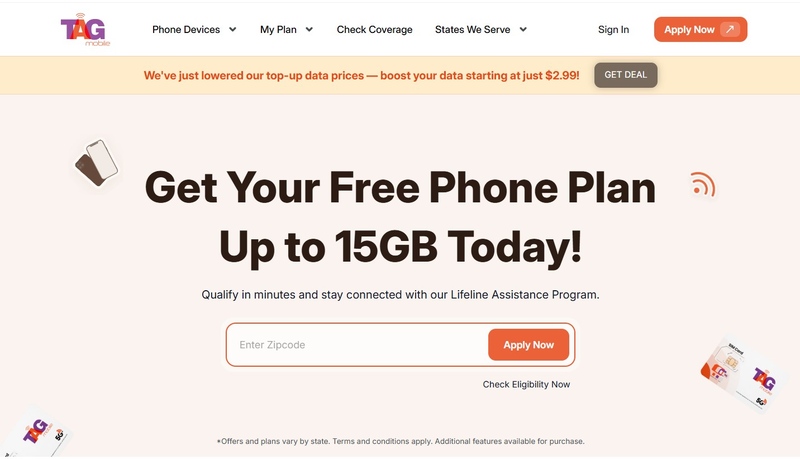
If you’ve already confirmed your Lifeline eligibility through SNAP and have your documents ready, the next steps are easy. All you need to do now is apply through your chosen Lifeline provider’s website. The process only takes a few minutes, and your provider will handle the National Verifier check for you.
Here’s exactly what to do next:
Step 1: Visit Your Lifeline Provider’s Website
Go to the official website of the provider you want to use (for example, TAG Mobile or AirTalk Wireless).
Enter your ZIP code to confirm that the provider offers Lifeline service in your area.
Select a Lifeline plan (depending on availability in your state).
Browse available free phone options offered by the provider. Some providers may also give you the choice to upgrade to a higher-end smartphone for a small fee.
Step 3: Fill Out the Online Application and Upload Your Proof Documents (If Requested)
Complete the application form using the exact same legal name and address shown on your documents.
If the provider needs manual verification, you may be prompted to upload your documents directly on the website. Upload clear images of:
Your SNAP benefit letter
A valid ID
Proof of address (if required)
Most providers instantly verify your documents through the National Verifier.
Step 4: Submit Your Application & Wait for Approval
Once your application is approved and verified:
Your selected Lifeline provider (like TAG Mobile) will ship a free phone with the SIM kit to your mailing address.
After you receive it, follow the provider’s activation instructions to start using your Lifeline service.
TAG Mobile offers a variety of free/discounted devices
Notice: The government does not cover device costs, only basic service through Lifeline. Any free or discounted devices, upgrades, or top-ups are limited-time TAG Mobile offers and may vary by state, eligibility, and availability. Terms and conditions apply.
Some people may come to your home claiming to give out free government phones. Do not accept these offers without checking first. Always make sure you are working with a trusted Lifeline provider, like TAG Mobile, before giving any personal information.
5.2. Avoid Paying Anyone to Apply
Applying for Lifeline is completely free. You should never pay anyone to help you submit an application. Any request for money is a scam.
5.3. Document Errors or Missing Information
If your documents are missing information, outdated, or unclear, your application could be delayed or denied. Check everything carefully before sending it in.
5.4. Missing Recertification Notices
To keep your Lifeline benefit active, you need to recertify your eligibility every year. If you do not respond to a recertification notice, your free phone or discount could be canceled.
Final Thoughts
If you receive SNAP benefits and need a free or low-cost phone, applying for a “food stamp phone” through Lifeline is a real and helpful option. Make sure you gather the right documents, complete the online application, and choose a trusted provider like TAG Mobile. Take action today:Apply for the Lifeline Program and stay connected without breaking your budget.
Share
TAG Blog
Stories, guides, and helpful updates for staying connected.