

The Truth: Does iPhone XR Have eSIM for Dual Plans?
If you’ve been asking, does iPhone XR have eSIM capability, you’ll be glad to know that it supports built-in digital SIM technology. The iPhone XR was among the first Apple models to combine a physical nano-SIM with an embedded eSIM, giving users flexible dual-SIM options.
If you’re unsure about compatibility, you might also be wondering, how to check for eSIM on iPhone XR? The quickest way is to look for the “Add eSIM” option in Cellular settings or check for an EID number in the About section. For a detailed walkthrough and additional setup guidance, you can refer to the full article from TAG Mobile below to learn more.
1. Does iPhone XR Have eSIM? Clear Answer
Yes, the iPhone XR supports eSIM functionality. It was one of the first Apple models to introduce embedded SIM technology alongside a physical nano-SIM slot.
This means the iPhone XR supports Dual SIM capability, allowing you to use one physical nano-SIM and one digital eSIM at the same time. With this setup, users can manage two different phone numbers on a single device, for example, one for personal use and another for work or travel.
>>> Read More: Claim A Free iPhone XR Or Alternatives Easily: Here Is How!
2. How to Activate eSIM on iPhone XR (Quick Guide)
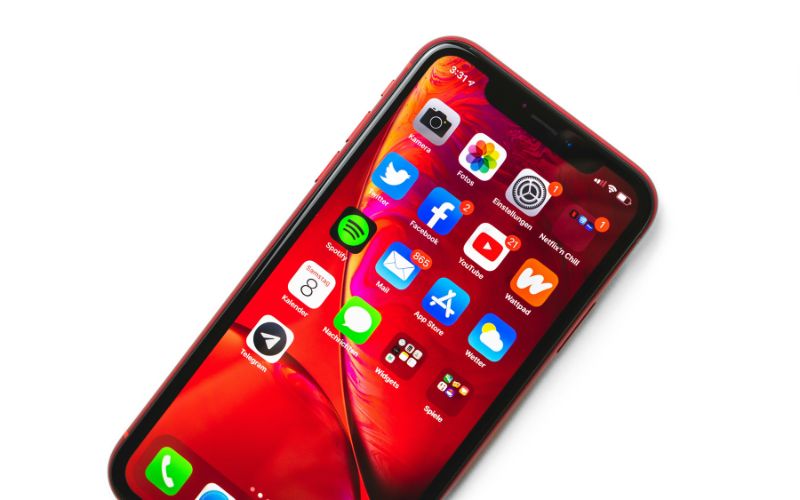
If you’ve been asking, does iPhone XR have eSIM or Why is my eSIM not working on my iPhone XR?, you’ll be glad to know that Apple built this feature directly into the device. Activating the eSIM is straightforward, as long as your carrier supports digital SIM provisioning and provides the required activation details.
Connect to Wi-Fi
Before starting, you should connect your iPhone XR to a reliable Wi-Fi network. The phone needs internet access to download the eSIM profile from your carrier’s server. Without a stable connection, the installation may pause or fail.
Open Settings → Cellular
Next, you unlock your device and open the Settings app. Tap Cellular (or Mobile Data, depending on your region) to access your SIM and network configurations. This section allows you to manage existing lines and add a new digital plan.
Tap Add eSIM
Within the Cellular menu, let’s select Add eSIM or Add Cellular Plan. Once you tap this option, your iPhone XR prepares to install a new carrier profile. The system will prompt you to proceed with either scanning a QR code or entering details manually.
Scan the QR Code or Download the Plan
Your carrier may provide a QR code for activation, which you can scan using your phone’s camera. In some cases, the carrier’s app allows automatic plan download without scanning a code. After you complete this step, the device securely installs the eSIM profile onto its internal hardware.
Confirm Activation
Finally, review the plan information displayed on your screen and confirm activation.
Your iPhone may ask you to label the line and choose default settings for calls, messages, and mobile data. Once signal bars appear and the carrier name is visible, your eSIM is successfully activated and ready to use.
3. Want an Affordable Phone With Service Already Included?
If you are looking for a smartphone that comes ready to use without complicated setup steps, there are options that combine both the device and service in one simple solution. Instead of worrying about compatibility, SIM swaps, or activation delays, choosing a phone that arrives prepared can save time and reduce stress.
For eligible customers, the Lifeline Program offers free or discounted monthly wireless service based on federal income guidelines or participation in approved assistance programs. This benefit helps ensure reliable access to talk, text, and data for work, school, healthcare, and everyday communication.
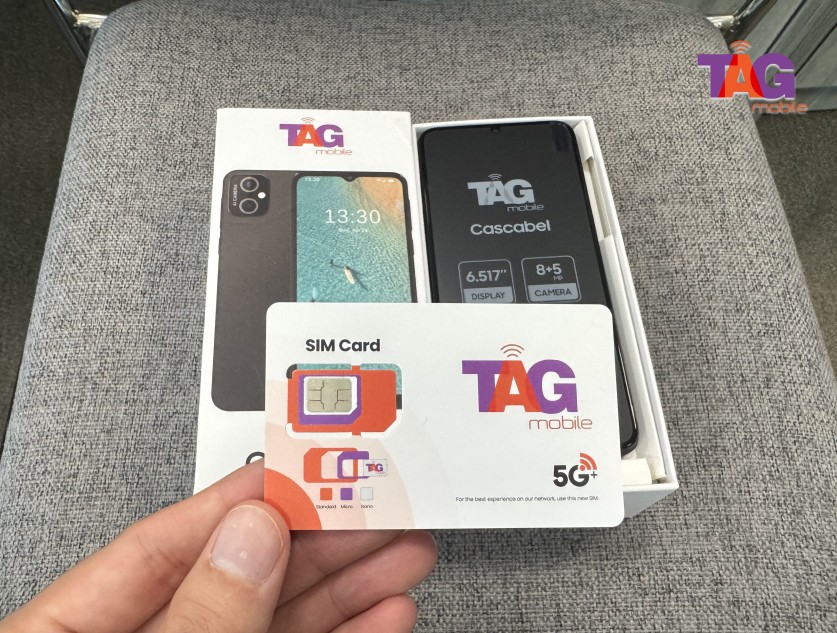
TAG Mobile participates in the Lifeline Program and provides affordable phone options, including select iPhone models that support eSIM technology.
Popular eSIM-compatible iPhones may include models such as iPhone XR, iPhone 11, iPhone 12 series, and newer generations. If you opt for one of our devices, your eSIM will arrive pre-activated, allowing you to power on your phone and start using your service immediately, no manual SIM installation required.
>>> Read more: Best Free eSIM Service for iPhone: Where to Find Them?
4. FAQs About iPhone XR and eSIM
Many users have questions about how eSIM works on the iPhone XR and how it compares to newer models. Below are clear and accurate answers to help you better understand its capabilities and limitations.
Does iPhone XR support both SIM and eSIM?
Yes, the iPhone XR supports both a physical nano-SIM and a digital eSIM. This allows Dual SIM Dual Standby functionality, meaning you can use two numbers on the same device. One line can be assigned for calls and texts while the other can handle mobile data, depending on your preferences.
How many eSIM profiles can iPhone XR store?
The iPhone XR can store multiple eSIM profiles, but only one eSIM can be active at a time alongside the physical SIM. Additional profiles can remain saved on the device for future use. To switch between them, you simply select the preferred plan in the Cellular settings.
Is iPhone XR easier than newer eSIM-only iPhones?
In some cases, yes. Because the iPhone XR includes both a nano-SIM slot and eSIM support, users have more flexibility during setup and carrier switching. Unlike newer eSIM-only models sold in certain regions, the XR still allows you to insert a physical SIM if needed, which can make troubleshooting or international travel more convenient.
5. Final Words
For anyone asking, does iPhone XR have eSIM capability? The key takeaway is that this device was among the first iPhones to introduce digital SIM support. With both a physical nano-SIM and a built-in eSIM, it offers flexibility for managing two lines on one phone. That makes it a solid choice for users who want convenient activation and easier carrier switching. If you’re considering a new plan or exploring affordable phone options, take a look at TAG Mobile to discover compatible devices and service plans designed to keep you connected without complications.
Notice: The government does not cover device costs, only basic service through Lifeline. Any free or discounted devices, upgrades, or top-ups are limited-time TAG Mobile offers and may vary by state, eligibility, and availability. Terms and conditions apply.
- Share This:
-

-

-

-

-



About the author
