

Samsung Dual SIM Phones: The Ultimate Productivity Tool
Many smartphone users prefer using Samsung dual SIM phones since they enable two mobile numbers to be used on a single phone device. This is particularly important when you need to separate your work life from your personal life through communication or when you need to use different mobile networks for better services.
Currently, Samsung allows users to have different mobile SIM combinations, including nano SIM and eSIM or two physical SIMs, depending on the model of the phone. This allows users to be effective in their mobile communication without having to carry two separate mobile devices. To learn more about this, you can visit the guide provided by TAG Mobile for detailed information.
1. What Is a Samsung Dual SIM Phone?
Samsung Dual SIM phones are smartphones that allow two SIM profiles to operate on the same device. Depending on the model, the phone may support two physical nano-SIM cards or a combination of nano-SIM and eSIM. This feature enables the device to use two different phone numbers or carrier plans at the same time for calls, messages, and mobile data.
2. Benefits of Using Samsung Dual SIM Phones
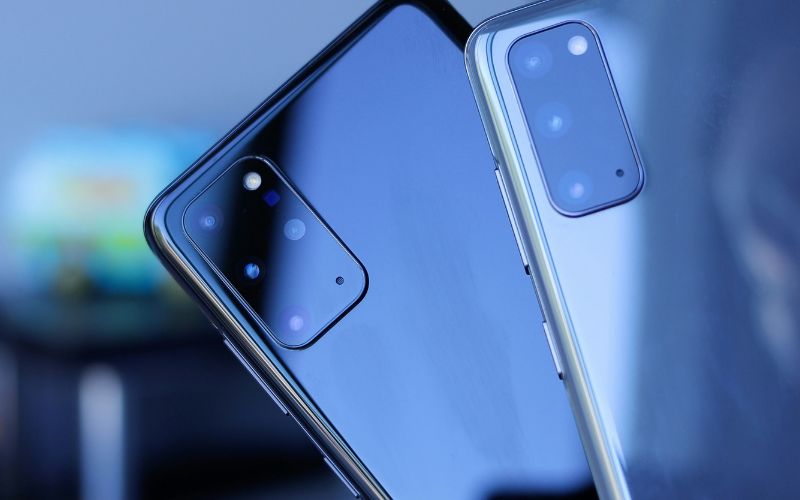
Dual SIM capability has become an increasingly useful feature for smartphone users who want more flexibility in managing their mobile service. With two SIM profiles in one device, it becomes easier to handle different numbers, networks, and mobile plans without carrying multiple phones.
Separate Work and Personal Numbers
One major advantage of Samsung dual SIM phones is the ability to keep work and personal communication separate on a single device. A user can assign one number for professional calls and messages while keeping another number for family and friends. This setup helps organize communication more effectively and avoids the inconvenience of carrying two phones.
Use Two Different Carriers
Dual SIM functionality also allows a phone to connect to two different mobile carriers at the same time. This can be helpful in areas where one network provides better coverage than another. By using two carriers, the device can maintain stronger connectivity for calls, texts, and data depending on the available signal.
Save Money With Different Plans
Using two SIM profiles can also help reduce mobile expenses. One SIM can be used for a plan with affordable data, while the second SIM may provide better call or international rates. This combination allows users to choose plans that best fit their communication and data needs.
Convenient for Travel
Dual SIM phones are particularly useful for travelers. Instead of replacing the main SIM card, a traveler can insert a local SIM or activate an eSIM for data while keeping the original number active. This makes it easier to stay connected abroad without losing access to the primary phone number.
>>> Read More: Free Government Phone Samsung: How to Claim Yours Through Lifeline
3. Suggested Popular Samsung Dual SIM Phones
Many Samsung smartphones support dual SIM functionality, allowing users to manage two mobile numbers on a single device. Depending on the model and region, these phones may support two physical SIM cards or a combination of nano-SIM and eSIM.
If you are looking for compatible devices, you can also refer to the list of Samsung and other Android phones available at TAG Mobile. The provider offers a variety of Android smartphone options that work with modern SIM and eSIM activation.
| Phone models | TAG Mobile price | Retail price |
| FOXXD A67L | FREE | $120.00 |
| Galaxy A14 5G | From $69.99 | $100.00 |
| FOXXD A67U | From $14.99 | $120.00 |
| Galaxy A42 5G | From $44.99 | $149.00 |
| Galaxy S10e | From $19.99 | $224.99 |
| Galaxy S21 5G | From $129.99 | $359.99 |
In addition, eligible customers may be able to apply for Android phones (such as Samsung) along with a free SIM card or eSIM through TAG Mobile.
Once the application is approved, the device and activation details will be provided so you can quickly connect your phone for calls, texts, and mobile data. You can consider some main steps to apply to TAG Mobile:
- Check if you qualify for Lifeline service: Qualification is typically based on participation in assistance programs such as Medicaid, SNAP, SSI, or by meeting certain household income requirements.
- Enter your ZIP code to view available plans: After starting the application, enter your ZIP code to confirm service availability and see the plans offered in your area.
- Select a mobile plan and review phone options: Browse the available Android smartphones and choose a plan that fits your needs. Some devices support SIM card or eSIM activation for faster setup.
- Provide personal information for verification: Complete the online form with details such as your name, home address, date of birth, and the last four digits of your Social Security number for identity verification.
- Upload supporting documents if requested: If automatic verification is not possible, the system may ask you to upload proof of eligibility, such as a benefits letter or income documentation.
- Submit the application and wait for confirmation: Once the application is submitted and approved, TAG Mobile will ship the phone or provide activation instructions so you can start using your service.
4. How to Set Up Dual SIM on a Samsung Phone
Setting up dual SIM Samsung phones is usually a simple process that only takes a few minutes. Once the configuration is complete, the phone can manage two numbers, two carriers, or a combination of SIM and eSIM for more flexible connectivity.
Step 1: Insert the First SIM card
Begin by turning off the Samsung phone and opening the SIM tray using the SIM eject tool. After the tray pops out, place the primary nano-SIM card into the correct slot and carefully slide the tray back into the device. When the phone powers on again, the system will automatically detect the SIM card and attempt to connect to the carrier network.
Step 2: Insert the Second SIM or activate eSIM
Next, add the second SIM profile to the device. Depending on the model, the phone may support another physical nano-SIM or allow activation of a digital eSIM through a QR code provided by the carrier.
Many Samsung dual SIM phones support this flexible setup, allowing one physical SIM and one eSIM to operate on the same device.
Step 3: Open SIM Card Manager in Settings
After both SIM profiles are installed, the next step is to manage them through the system settings.
Open Settings, then navigate to Connections → SIM Card Manager. This section displays both SIM profiles and allows the phone to control how each connection operates.
Step 4: Assign SIM Preferences
Finally, configure how the phone should use each SIM card. The SIM Card Manager allows different preferences to be assigned for mobile data, calls, and text messages. It is also possible to rename each SIM (for example, “Work” and “Personal”) so the device can easily identify which number is being used for different tasks.
5. Tips for Using Samsung Dual SIM Phones Efficiently
Samsung phones with dual SIM capability offer great flexibility, but using both SIM profiles efficiently requires a few smart settings. By organizing how each SIM is used, you can improve connectivity, manage costs, and keep communication more organized.
- Assign one SIM card primarily for mobile data and the other for voice calls and messages. This setup helps optimize performance, especially if one carrier offers better data speeds while the other provides more affordable calling rates.
- Samsung phones allow you to track data usage separately for each SIM profile. Checking these statistics regularly can help prevent exceeding data limits and allow you to switch data to the SIM with the better plan when needed.
- In the SIM Card Manager settings, rename each SIM to something easy to recognize, such as “Work,” “Personal,” or the name of the carrier.
- Setting a default SIM for calls and texts can simplify everyday communication. The phone will automatically use the selected SIM unless you manually switch it during a call or message.
- If one carrier has better coverage in a certain location, switching the mobile data connection to that SIM can improve internet speed and reliability.
- In situations where one SIM temporarily loses signal, enabling call forwarding between the two numbers can help ensure important calls are not missed.
6. Final Words
Opting for Samsung dual SIM phones is a great idea for those seeking greater ease in managing their mobile services. This is because Samsung dual SIM phones allow users to utilize two different phone numbers on a single phone. This provides users with the opportunity to maintain a work phone number and a personal phone number on a single device.
Many modern Samsung dual SIM phones also allow users to activate both physical SIM cards and e-SIM cards on their phones. If you are seeking a reliable mobile service for your Samsung phone, then TAG Mobile is a great option for users.
With TAG Mobile, users can activate their SIM cards or e-SIM cards easily on their Samsung dual SIM phones.
Notice: The government does not cover device costs, only basic service through Lifeline. Any free or discounted devices, upgrades, or top-ups are limited-time TAG Mobile offers and may vary by state, eligibility, and availability. Terms and conditions apply.
- Share This:
-

-

-

-

-



About the author
