How to Get a Free Phone with Medicaid Near Me: A Complete Guide
Are you wondering how to get a free phone with Medicaid near me? Many Americans don’t know that Medicaid enrollment automatically qualifies them for the Lifeline Program. Can I get...
Quincy D.-Dec 02, 2025
Image by Freepik
Table of Contents
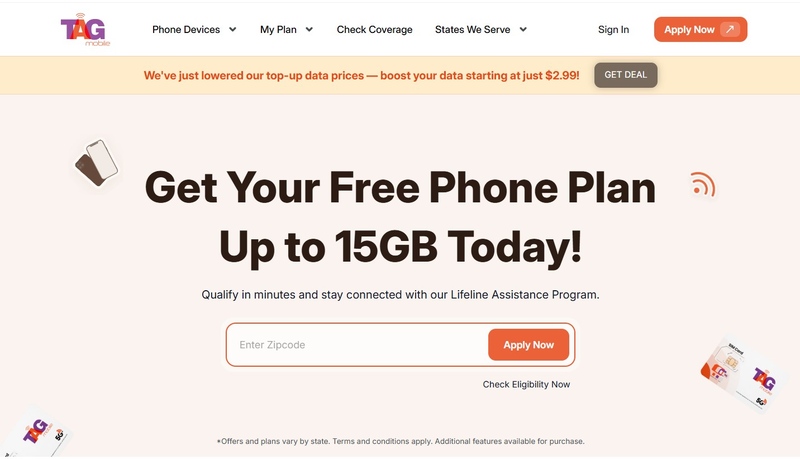
Are you wondering how to get a free phone with Medicaid near me? Many Americans don’t know that Medicaid enrollment automatically qualifies them for the Lifeline Program. Can I get a free phone if I’m on Medicaid? Yes, this program provides free phones and monthly service to eligible participants. In this article, you’ll learn how to verify eligibility, select a trustworthy provider, and apply so you can enjoy your free phone and stay connected without any extra cost.
1. Understanding the Link Between Medicaid and Free Phones
1.1. What Is the Lifeline Program?
The Lifeline Program is a government program that helps low-income households get affordable or free phone and internet services. Many providers offer free or low-cost cell phone plans, and some even provide a free phone for people who qualify.
What government program gives out the best free phones? Lifeline is widely recognized as the leading option for eligible Americans.
1.2. Why Medicaid Qualifies You for Lifeline
If you have Medicaid, you automatically meet the Lifeline Program’s low-income requirements. Being on Medicaid allows you to get free phone and data services through Lifeline without needing to show income documents like pay stubs or tax forms. How to get a free phone with Medi-Cal? Medicaid enrollment in states like California makes you eligible for Lifeline benefits.
2. How to Qualify and Prove Eligibility
2.1. Proving Your Medicaid Enrollment
If you are on Medicaid, you can qualify for a free phone by showing proof of your enrollment. This can be a Medicaid approval letter or a benefits statement with your name on it.
Providers may also ask for an ID, driver’s license, or birth certificate, and proof of your current address. Your eligibility is confirmed through the National Verifier, which is the official system used by Lifeline providers. The providers themselves do not determine eligibility.
2.2. Alternative Qualification: Income‑Based Route or other Programs
If you don’t have Medicaid, you can still qualify for Lifeline in two ways:
You qualify if your household income is 135% of the Federal Poverty Guidelines or lower. You may need to submit proof such as recent pay stubs, a tax return, or benefit statements. Some providers may request up to three months of income documents.
You are also eligible if you participate in programs like:
SNAP (Food Stamps / EBT)
SSI
Federal Public Housing Assistance (Section 8)
Veterans Pension or Survivors Pension
Tribal programs (Tribal TANF, FDPIR, BIA General Assistance)
These programs automatically meet the federal Lifeline requirements, making the application process simple.
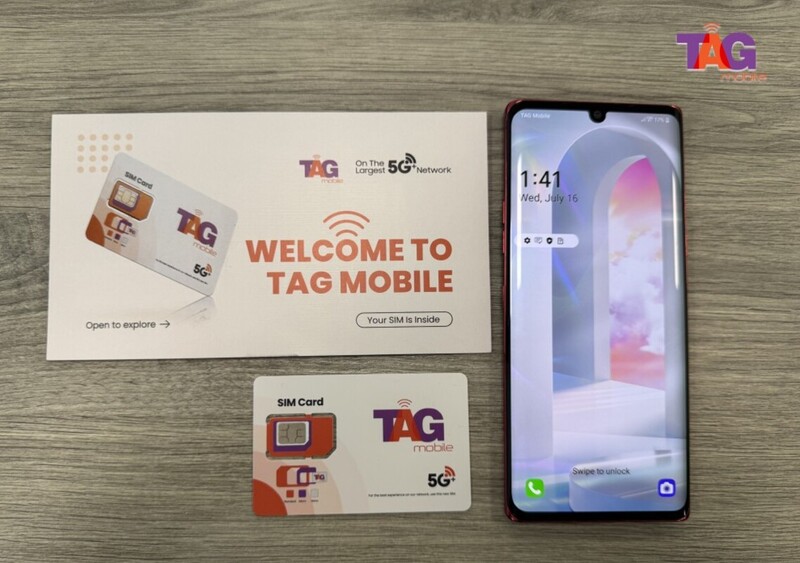
TAG Mobile will ship your free phone within 7-10 business days
Notice: The government does not cover device costs, only basic service through Lifeline. Any free or discounted devices, upgrades, or top-ups are limited-time TAG Mobile offers and may vary by state, eligibility, and availability. Terms and conditions apply.
5. Important Notes and Tips
The important notes and tips when applying for a Medicaid free phone. (Image by Unsplash)
5.1. Beware of Scams
Because many people search for “free phone with Medicaid near me,” some scammers may try to take advantage of applicants. They may go door-to-door, post fake ads, or promise free phones, but ask for money or personal information.
To stay safe, always apply through the official Lifeline website or a trusted provider like TAG Mobile. Remember, applying for Lifeline is completely free. Never pay anyone to help you apply, and always check that the provider clearly shows they are part of the Lifeline Program.
5.2. Maintaining Your Benefit
Once you are enrolled in Lifeline, you must verify your eligibility every year. This makes sure you still meet the program requirements, either through Medicaid, another government program, or your income.
You also need to use your phone at least once every 30 days by calling, texting, or using data. If you do not, your service may be stopped. Staying aware of these rules helps you keep your free phone and service without any problems.
Final Words
Getting a free phone with Medicaid near me is possible through the Lifeline Program, a government benefit that helps low-income Americans stay connected. If you qualify, the application process is simple and can save you money on phone and internet service.
For a trusted and reliable provider, TAG Mobile makes it easy to enroll in the Lifeline Program and get your free phone quickly.
Share
TAG Blog
Stories, guides, and helpful updates for staying connected.