

How To Get A Free Laptop For Homeschooling For Families On A Budget?
Homeschooling offers flexibility and personalized learning, but it also requires reliable technology. Many parents find themselves saying, “I need a free laptop” to support online classes, research, and educational platforms.
If you’re searching for a free laptop for homeschooling, there are programs that may help reduce or eliminate the cost of getting a device. In this guide, we’ll explore available programs, eligibility requirements, alternative devices, and how to apply for assistance if your family is on a tight budget.
1. Overview Of A Free Laptop For Homeschooling Programs
Access to technology is essential for homeschooling families. From virtual classrooms to educational apps and video lessons, a laptop often becomes the central learning tool. While fully free laptops are limited, several government and nonprofit programs offer discounted or device-with-service options.
Before focusing only on income requirements, it’s important to understand that many programs prioritize participation in government assistance programs, which can make qualifying easier than strictly meeting income thresholds.
1.1 Which Program Offers A Discounted Or Free Laptop?
There isn’t a single nationwide program that guarantees a free laptop for homeschooling, but several initiatives may help:
- Lifeline Program (through authorized providers): The Lifeline program is a federal assistance initiative designed to help low-income households stay connected. While it primarily offers discounted phone and internet service, some authorized providers occasionally offer device promotions, which may include laptops, tablets, or smartphones when inventory allows.
- Nonprofit and Community Programs: Local nonprofits, charities, and educational foundations sometimes distribute refurbished laptops to families with school-aged children. Availability depends on location and funding.
- School District Partnerships: Some districts offer device lending programs or discounted laptops for enrolled homeschool students who participate in district-supported programs.
>>> Read more: What Is Lifeline Program? Get Lifeline Free Phone & Internet Today!
1.2 Who Is Eligible To Get A Free Device With Service through Lifeline Providers?
Eligibility for free devices through Lifeline providers typically depends on:
- Participation in government assistance programs such as SNAP, Medicaid, or SSI, or Federal Public Housing Assistance.
- Household income at or below 135% of the Federal Poverty Guidelines.
For many families, qualifying through participation in assistance programs is easier than qualifying based solely on income documentation.
If you have ever thought, “I need a free laptop but don’t know if I qualify,” start by checking whether your household participates in any eligible assistance programs. That may open the door to device support options.
Because laptops are more expensive than phones or tablets, they are usually offered in limited quantities. When available, they are claimed quickly.
2. Devices You Can Get For Homeschooling Besides A Laptop?
If a free laptop for homeschooling is not immediately available, there are alternative devices that can still meet your educational needs.
Many assistance providers offer free or discounted tablets. Tablets can support educational apps, video lessons, online assignments, e-books, and research. While they may not replace a full laptop for advanced tasks, tablets are portable, easy for children to use, and suitable for most homeschooling platforms.
Smartphones may not be ideal for full coursework, but they can access learning portals, join video calls, check assignments, and communicate with teachers. Some Lifeline providers like TAG Mobile offer free smartphones with monthly service, making it easier for families to stay connected.
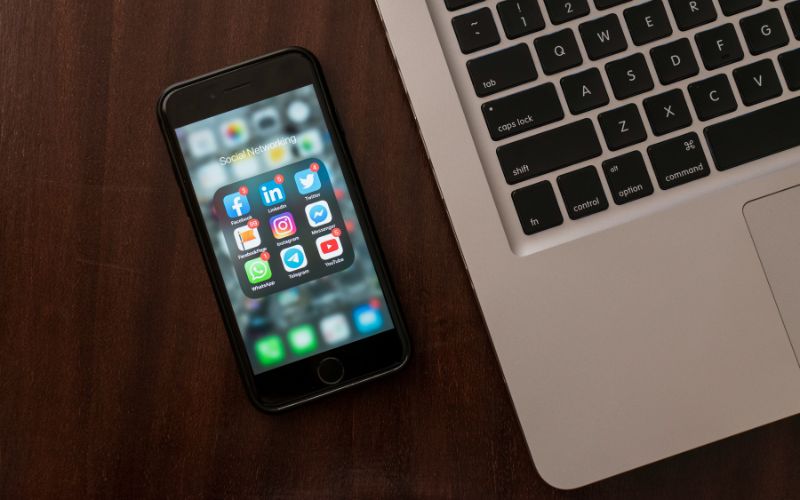
At TAG Mobile, you can select the best Lifeline phones and Lifeline free tablets to replace a free laptop for homeschooling if out of stock. They consist of:
| Models | TAG Mobile price | Retail price |
| Samsung Galaxy Tab A 2020 | From $34.00 | $79.00 |
| Samsung Galaxy A42 5G | From $44.99 | $149.00 |
| Samsung Galaxy A51 | From $34.99 | $130.00 |
| iPhone 11 | From $173.99 | $228.85 |
| FOXXD A67L | Free | $120.00 |
TAG Mobile updates its device inventory regularly, so availability may change. Applying early increases your opportunity of receiving a free phone or free tablet when stock is available.
3. How To Apply For A Mobile Or Tablet
If you are eligible for assistance programs, applying for a device is typically straightforward. Below is a general step-by-step process using an authorized Lifeline provider like TAG Mobile as an example.
Step 1: Check Your Eligibility
Start by confirming that your household qualifies. Eligibility is generally based on:
- Enrollment in assistance programs such as SNAP, Medicaid, SSI, or other qualifying benefits.
- Income at or below established federal guidelines.
You should also gather documents such as official benefit letters before beginning your application.
Step 2: Apply Online With TAG Mobile
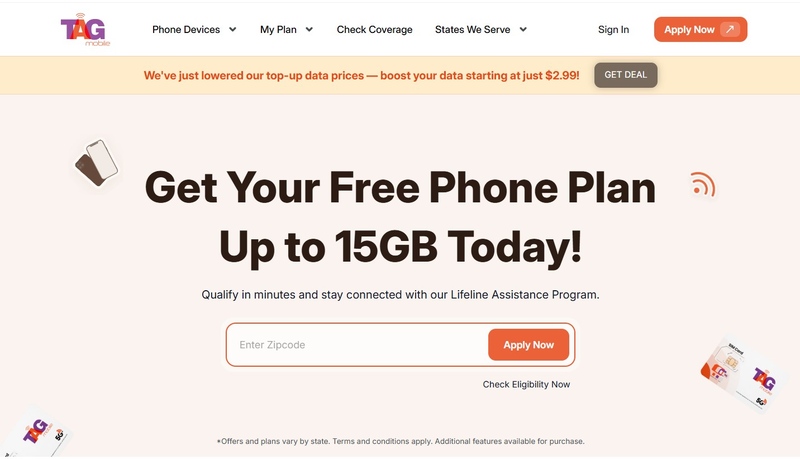
At step 2, you’ll visit the official TAG Mobile website to begin the application process.
- Provide your ZIP code and contact email: Begin by entering your ZIP code and clicking on “Apply Now.” The system will instantly generate a list of service plans and device options available in your location, based on your eligibility.
- Choose a suitable plan: Review the Lifeline plans offered in your area and select the one that best fits your calling, texting, and data usage needs.
- Decide on a device or bring your own: You can either pick from the free or low-cost smartphones currently available, or continue using your existing compatible phone by entering its IMEI number through the Bring Your Own Device (BYOD) option.
Step 3: Enter Personal Information And Upload Documents
Complete the form by providing your legal name, address, and contact details. If the system cannot automatically verify your eligibility, you will be asked to upload supporting documents such as proof of program participation or income verification.
Step 4: Submit Form And Receive Approval
After reviewing your details, submit your application for final processing. Most applicants receive a decision within several business days. Once approved, your selected device will be shipped directly to your home. If devices are available, alternative devices can still provide essential online access for homeschooling.
Final Words
Finding a free laptop for homeschooling can feel challenging, especially when budgets are tight. If you’ve been thinking, “I need a free laptop to support my child’s education,” start by checking eligibility for government-supported programs. Even if a laptop isn’t immediately available, tablets and other devices can still provide access to online lessons, assignments, and educational tools.
Technology should never be a barrier to learning. With the right information and application steps, families on a budget can find practical solutions to support homeschooling success in 2026 and beyond.
Notice: The government does not cover device costs, only basic service through Lifeline. Any free or discounted devices, upgrades, or top-ups are limited-time TAG Mobile offers and may vary by state, eligibility, and availability. Terms and conditions apply.
- Share This:
-

-

-

-

-



About the author
