

Free Government Tablet Program Status (2026 Update): What’s Available Now and How to Apply
Are you searching for ways to stay connected without the burden of high monthly bills? The current free government tablet program status offers a unique opportunity for qualifying low-income individuals to obtain modern technology at little to no cost.
As digital services for school and work expand, having a functional tablet is more important than ever. Learn the latest updates on federal support and find out how TAG Mobile simplifies the application process for you.
1. Is the Government Still Giving Away Free Tablets?
No, the U.S. government does not directly provide free tablets. Instead, eligible Lifeline applicants may access free or discounted tablets through participating providers like TAG Mobile. These tablet offers are provider-specific promotions and are not funded by Lifeline program subsidies.
That said, eligibility still matters. To qualify for these offers, individuals must meet Lifeline eligibility criteria, which are designed to ensure support reaches those who need it most. Generally, eligibility is based on household income or participation in qualifying federal assistance programs.
Qualifying Through Government Assistance Programs
The fastest and most common way to qualify is through participation in existing federal or state assistance programs. If you or someone in your household receives benefits from programs such as SNAP (EBT), Medicaid, Supplemental Security Income (SSI), or Federal Public Housing Assistance, you are likely eligible. These programs already verify financial need, allowing applicants to move through the approval process more quickly.
Qualifying Through Household Income
For individuals not enrolled in assistance programs, income-based eligibility is still available. Generally, your household income must be at or below 135% of the Federal Poverty Guidelines. This option helps working families, seniors, and individuals who may struggle with rising living costs but do not receive direct government benefits.
Both qualification methods fall under the Lifeline Program, a long-standing federal initiative that has supported affordable telecommunications access since 1985. When accessed through an FCC-approved provider like TAG Mobile, the program remains fully legitimate and active in 2026.
Notice: The government does not cover device costs, only basic service through Lifeline. Any free or discounted devices, upgrades, or top-ups are limited-time TAG Mobile offers and may vary by state, eligibility, and availability. Terms and conditions apply.
2. How to Apply for a Free Government Tablet Through TAG Mobile
Enrolling through an FCC-approved Lifeline provider can give eligible applicants access to discounted service and devices like a free or low-cost tablet. TAG Mobile, a participant in the Lifeline Program, stands out for its simple online application process, nationwide coverage, and flexible device options, making it a convenient choice for many users.
Step 1: Confirm Your Eligibility
Before you begin the application, it’s important to review the eligibility requirements discussed in Section 1 to make sure you qualify. Lifeline criteria can vary by state, qualifying assistance programs may differ depending on where you live, and income limits can also change each year.
To avoid delays or confusion, it’s best to confirm the latest requirements with your local Lifeline office or check trusted sources like the Lifeline Program website at lifelinesupport.org for the most accurate and up-to-date information.
Step 2: Prepare Your Supporting Documents
To avoid processing delays, it is important to prepare all required documents in advance. Applicants are typically asked to provide proof of address and proof of eligibility, such as a benefits award letter or income documentation. Clear digital photos or scanned copies are usually sufficient, and uploading accurate information helps speed up approval.
Step 3: Apply Online on TAG Mobile
Once you confirm eligibility, you can apply through a reliable Lifeline provider. A popular choice is TAG Mobile, which offers an easy online process and multiple device options, including free or discounted phones and tablets for qualified users.
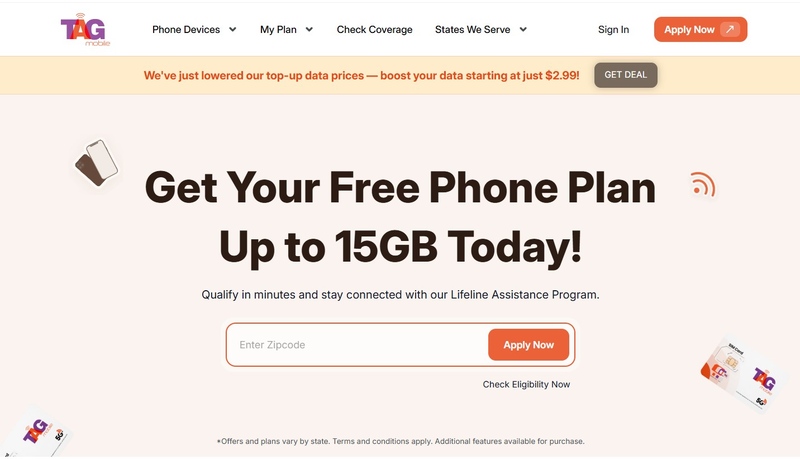
Simply visit the provider’s website, enter your ZIP code and your email to check coverage, choose a plan, and select an available device that fits your needs.
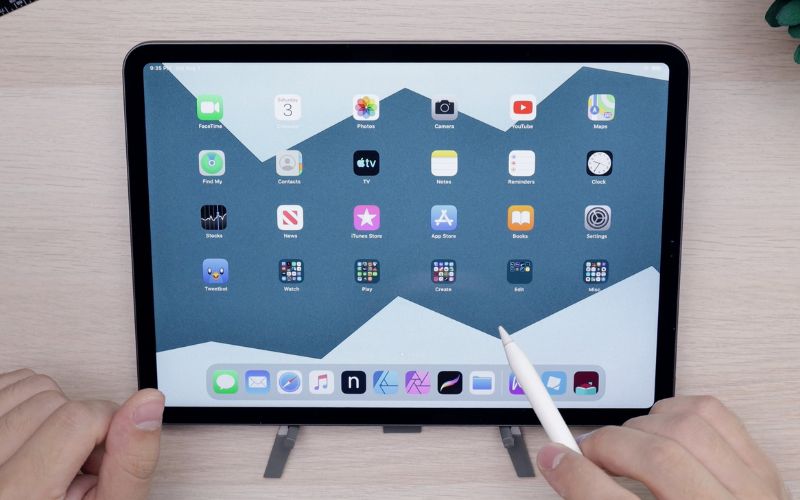
Popular tablet options currently available through TAG Mobile include: Samsung Tab A7 Lite, Galaxy Tab A 2020, and Galaxy Tab A 2018. (Price and availability can vary by location and the provider’s promotion)
These tablets are well-suited for online learning, job searching, video calls, telehealth services, and everyday browsing. Inventory may vary by location, so availability depends on current stock and regional demand.
Step 4: Enter Personal Information and Upload Documents
As part of the application process, you will be required to provide information such as your name, birthdate, address, and the last four digits of your Social Security number.
In most cases, the application system will automatically verify your eligibility. However, if the system is not able to verify your information immediately, you might be asked to provide documentation such as a Medicaid approval letter or income documents.
Step 5: Approval Review and Order Processing
After submission, TAG Mobile and the National Verifier will review the application and verify all information. Once approved, the tablet order moves into processing. Devices are prepared for shipment and sent directly to the applicant’s address, reducing the need for in-person visits or additional paperwork.
3. How to Check Your Free Government Tablet Program Status After Approval
After approval, many applicants want to know exactly where their order stands. TAG Mobile offers a clear and transparent way to track your free government tablet program status from approval to delivery.
Step 1: Visit the TAG Mobile Status Check Page
To begin tracking your tablet, visit the official TAG Mobile website and log in to the application or order status section. This dedicated status page is designed specifically for Lifeline and tablet program applicants, making it easy to locate accurate and up-to-date information.
The status check page provides real-time updates related to your enrollment, device assignment, and shipping progress. It also reduces the need to contact customer support, as most common questions about your tablet order can be answered directly through this online portal.
Step 2: Enter Your Enrollment Details
To access your status securely, you will need to enter the following information:
- The email address used during enrollment
- Your zip code
- The last four digits of your Social Security Number
Step 3: View Approval, Processing, or Shipping Updates
Once logged in, you will be able to view your current application or order status. Most applicants will see one of the following updates:
- Approved: Your eligibility has been confirmed, and your tablet is reserved.
- Processing: Your order is being prepared, packaged, or queued for shipment.
- Shipped: Your tablet has been sent and is on its way to your address.
Shipping updates allow you to anticipate delivery timelines and make arrangements to receive your device. In some cases, tracking information may also be provided once the tablet has been dispatched. This level of transparency helps reduce uncertainty and ensures you remain informed from approval to delivery.
>>> Read more: Best Free Government Phone Florida: Phone and Provider Options
Final Words
The free government tablet program status in 2026 remains active and accessible for those who qualify, even though earlier programs like the ACP have ended. Through the Lifeline Program and trusted providers such as TAG Mobile, low-income individuals and families can still access essential technology at little to no cost.
By understanding how eligibility works, following the correct application steps, and knowing how to track your order, you can take full advantage of the support still available today. TAG Mobile continues to simplify the process, helping Americans stay connected in an increasingly digital world.
- Share This:
-

-

-

-

-



About the author
