

How to Complete Free Tablet Registration Successfully In 2026
Many low-income households are looking for affordable ways to stay connected in today’s digital world. If you’re searching for free tablet registration in 2026, the place to start is Lifeline, a federal assistance program that helps reduce the cost of phone or internet service.
While the government does not give tablets directly, eligible users can apply through Lifeline providers, which may offer discounted or promotional tablets as part of their enrollment offers.
This guide explains how Lifeline works, who qualifies, and how free or low-cost tablets become available through approved providers like TAG Mobile.
1. Can You Really Get a Free Tablet Through Lifeline?
The Lifeline Program is a long-standing federal benefit created to help low-income households afford monthly phone or internet service. Its core purpose is to provide a service discount, not devices.
However, when you apply for Lifeline through FCC-approved providers such as TAG Mobile, those companies may include tablets as part of their own promotional or enrollment offers. These devices are provider perks, not government-issued hardware, and availability depends on location and current promotions.
Many people wonder, how can I get a free Android tablet? The answer is Lifeline-supported providers. While tablets are often deeply discounted rather than completely free, they typically cost far less than retail and come bundled with Lifeline-supported service plans.
2. Who Qualifies for Free Tablet Registration with Lifeline Providers?
Before applying, it’s important to understand that Lifeline eligibility comes first. Once approved, you can then choose a participating provider that may offer tablet deals.
You can qualify for Lifeline in two main ways: through government assistance programs or household income.
2.1. Qualifying Through Government Assistance Programs
Most applicants qualify for free tablet registration because they are already enrolled in a government assistance program. If you or anyone in your household participates in any of the following, you likely qualify for a no-cost tablet:
- Supplemental Nutrition Assistance Program (SNAP/EBT)
- Medicaid
- Supplemental Security Income (SSI)
- Federal Public Housing Assistance (FPHA)
- Veterans Pension and Survivors Benefit
2.2. Qualifying Based on Household Income
Even if you are not enrolled in the programs mentioned above, you may still qualify based on your earnings. To be eligible, your total household income must be at or below 135% of the Federal Poverty Guidelines.
For example, a single-person household in 2026 would qualify with an annual income of approximately $20,331. TAG Mobile makes it simple to submit proof of income, such as tax returns or recent pay stubs, to verify your status.
2.3. One Benefit Per Household Rule
It is important to remember the “One Benefit Per Household” rule mandated by the federal government. This means only one person per residence can receive a Lifeline benefit, whether that is a phone or a tablet. If another member of your home already receives these benefits, your free tablet registration might be denied.
>>> Read More: Free Government Phone Colorado: Compare Providers, Phones & How to Apply
3. Step-by-Step Free Tablet Registration Process
To apply for a low-cost or promotional tablet through Lifeline, you’ll need to enroll with an FCC-approved provider. TAG Mobile is one such Lifeline provider that offers discounted service plans and may include tablet options as part of its enrollment promotions, depending on availability.
Once you choose TAG Mobile as your provider, the application process is completed online and typically takes only a few minutes.
Step 1: Check Eligibility
The first step is to check whether you qualify for the Lifeline program under current eligibility rules. Applicants can qualify through participation in approved assistance programs like SNAP, Medicaid, SSI, or Federal Public Housing Assistance.
Alternatively, you may be eligible based on income if your household earns no more than 135% of the Federal Poverty Guidelines. Completing this step in advance ensures a smoother application experience and helps you move forward with confidence.
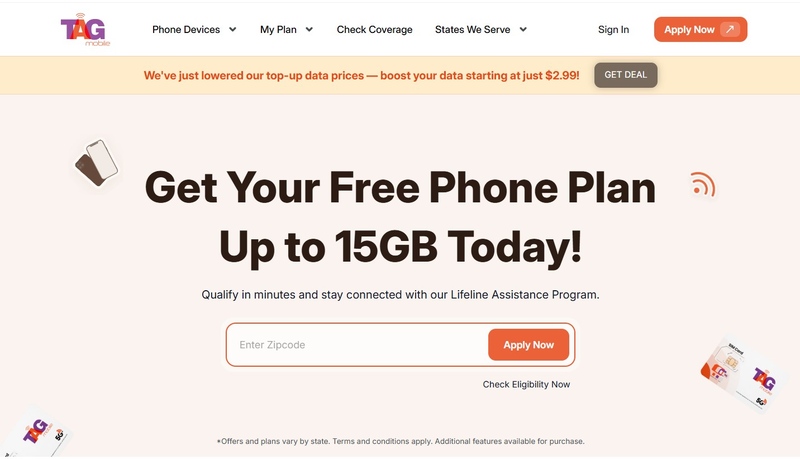
Step 2: Visit TAG Mobile’s Website
Once your eligibility is confirmed, visit the official TAG Mobile website to begin your enrollment. As a trusted Lifeline provider, TAG Mobile helps low-income households navigate the application process without hidden fees or complicated terms.
Step 3: Select Your Plan
After choosing TAG Mobile, you will be prompted to select a Lifeline-supported service plan. These plans are designed to provide essential connectivity, including data access for browsing, education, and communication, helping you stay connected while lowering your monthly phone or internet expenses.
Step 4: Choose Your Device or BYOD Options
Next, you can choose whether to receive a Lifeline-supported device or use your own compatible device through the Bring Your Own Device (BYOD) option. Eligible applicants may receive a free Android tablet, depending on availability and current program offerings.
Step 5: Upload Documents (If Required)
To complete your free tablet registration, you may be required to upload clear and legible copies of the required documents. These may include a valid photo ID and proof of participation in a qualifying government assistance program or income documentation. All documents should display your full name and be dated within the last 12 months.
Step 6: Submit Application & Wait for Approval
Once all information is entered and documents are uploaded, submit your application online. TAG Mobile’s system allows you to track your application status as it moves from “pending” to “approved,” so you know exactly where you stand during the review process.
Step 7: Receive Your Phone
After approval, your Lifeline-supported device will be prepared for shipment. If you selected a tablet or phone, it will be mailed directly to the address provided in your application. Delivery typically takes only a few business days, allowing you to start using your Lifeline benefits quickly.
4. What Happens After Your Application Is Approved.
After completing your free tablet registration, many applicants wonder what comes next. Understanding the post-approval process helps you know when to expect your device, how activation works, and how quickly you can begin using your free tablet benefits.
4.1. Tablet Availability and Shipping
Once approved, TAG Mobile will prepare your device for delivery. The specific models available can vary depending on our current free tablet list, but we always strive to provide reliable Android tablets that meet modern standards for speed and functionality. Your tablet will be shipped directly to the address provided in your application, typically arriving within a few business days.
4.2. SIM Card and Service Activation
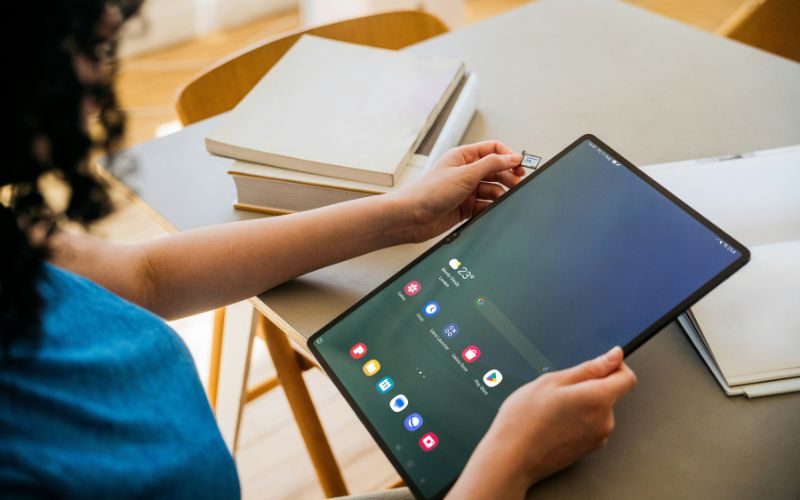
Your tablet will arrive with a SIM card already installed or included in the package. This SIM card connects your tablet to our nationwide high-speed network, providing you with the data you need to browse the web and use apps. Follow the simple activation instructions included in the box to get started. If you encounter any issues during this stage, the TAG Mobile support team is available to guide you through the process.
4.3. Activation Timeline and What to Expect
Most users can have their service fully active within minutes of receiving their device. Once active, you can begin using your monthly data allotment immediately. To keep your service active, the government requires that you use your device at least once every 30 days. Whether you are checking your email, watching an educational video, or searching for how can I get a free Android tablet for a friend, any data usage counts toward this requirement.
Final Words
Completing your free tablet registration is a powerful way to ensure you are never left behind in our increasingly digital world. By understanding “Who is eligible for up free tablet?” benefits and following the steps outlined in this guide, you can secure a modern tool for success at no cost.
Whether you are reviewing a free tablet list to compare available options or asking how can I get a free Android tablet for the first time, TAG Mobile is here to support your journey toward total connectivity.
Notice: The government does not cover device costs, only basic service through Lifeline. Any free or discounted devices, upgrades, or top-ups are limited-time TAG Mobile offers and may vary by state, eligibility, and availability. Terms and conditions apply.
- Share This:
-

-

-

-

-



About the author
