

Free Government Tablet Near Me: How to Find and Apply Locally in 2026
Searching for a free government tablet near me is common among people who need affordable access to the internet and digital services. Through the Lifeline Program, eligible individuals can apply online with approved providers and receive a tablet by mail, making connectivity accessible no matter where you live.
1. Is There Really a Free Government Tablet Near Me?
Yes, there really can be a free government tablet near you if you meet the eligibility requirements of the Lifeline Program, which is a federal assistance program delivered through participating providers that helps eligible households lower phone and internet costs.
Authorized providers like TAG Mobile make devices like tablets accessible nationwide by allowing eligible users to apply online and receive their tablet by mail. This means location is rarely a barrier, as long as you qualify and service coverage is available in your area.
2. Who Qualifies for a Free Government Tablet?
Not everyone automatically qualifies for a free government tablet near me, but eligibility rules under the Lifeline Program are clear and well-defined. In most cases, applicants must meet at least one qualifying factor related to government assistance, household income, and federal household rules.
Eligibility Through Government Assistance Programs
You may qualify if you or someone in your household participates in approved government assistance programs. Common qualifying programs include Medicaid, SNAP (Food Stamps), Supplemental Security Income (SSI), Federal Public Housing Assistance, and certain Tribal assistance programs.
Active enrollment in any of these programs usually confirms eligibility and can speed up the application process with Lifeline providers.
Eligibility Based on Household Income
Applicants can also qualify based on household income if their total income is at or below 135% of the Federal Poverty Guidelines.
To verify income-based eligibility, applicants may provide documents such as recent pay stubs, tax returns, or other official income records during the application review.
One Benefit Per Household Rule
The Lifeline Program follows a strict one benefit per household rule, meaning only one Lifeline-supported device or service is allowed per household, not per individual.
A household is defined as people who live together and share income and expenses. This rule helps ensure the program remains fair and accessible to as many eligible households as possible.
>>> Read More: Qualifications For Free Government Phone – What To Check First
3. How to Apply for a Free Tablet Online (Fastest Way)
If you’re searching for a free government tablet near me, the fastest and most convenient way to apply is online with an authorized Lifeline provider like TAG Mobile. By following the steps below, you can complete your application from home and get your tablet delivered directly to your door.
Step 1: Verify Eligibility
First, confirm that you meet the Lifeline Program’s eligibility requirements. You may qualify based on participation in approved government assistance programs such as SNAP, Medicaid, SSI, or Federal Public Housing Assistance, or by having a household income at or below 135% of the Federal Poverty Guidelines.
Verifying eligibility ahead of time ensures you meet the basic criteria for a free government tablet and helps prevent delays in the application process.
Step 2: Prepare Required Documents
Once you know you’re eligible, gather the documents needed for verification. These documents typically include a government-issued photo ID, proof of participation in qualifying assistance programs, or income documents such as recent pay stubs or tax returns.
Make sure all documents are up to date, clear, and accurate, as this will help streamline your application and avoid potential issues during review.
Step 3: Apply Online With a Lifeline Provider (TAG Mobile)
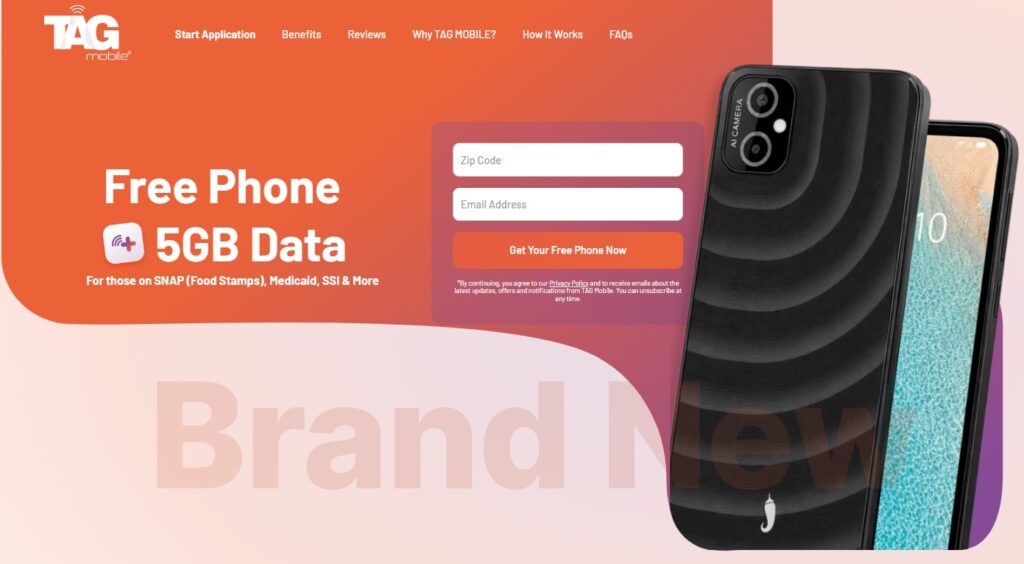
To begin the application process, applicants should visit the official TAG Mobile website and enter their ZIP Code to check service availability. This step is required because Lifeline coverage and offers may vary by state. After entering the ZIP Code, the system will display the plans the applicant qualifies for.
Users should review each plan carefully and select the option that best fits their needs.
The next step involves choosing a device*, which may include a free basic phone, a discounted smartphone or tablet, or the Bring Your Own Device (BYOD) option by verifying a compatible device through its IMEI number.
*Disclaimer: Offers may vary and are subject to future updates.
Once the plan and device are selected, applicants will enter basic information. In some cases, uploading the eligibility documents if required. These typically include a government-issued photo ID and proof of eligibility, such as participation in Medicaid, SNAP, SSI, or proof of income if applying through income-based criteria.
After approval, TAG Mobile ships the free or discounted phone with an activated SIM or eSIM, and delivery usually takes 7-10 business days.
Step 4: Submit for Approval and Tablet Delivery
After submitting all required information and documents, TAG Mobile will review your application to confirm eligibility. Once approved, you’ll receive a confirmation and details about tablet delivery.
Your free or discounted tablet will be shipped to your address, and you’ll receive instructions on how to activate and use it once it arrives, helping you stay connected without monthly bills.
4. What Kind of Free or Low-Cost Tablets Are Available?
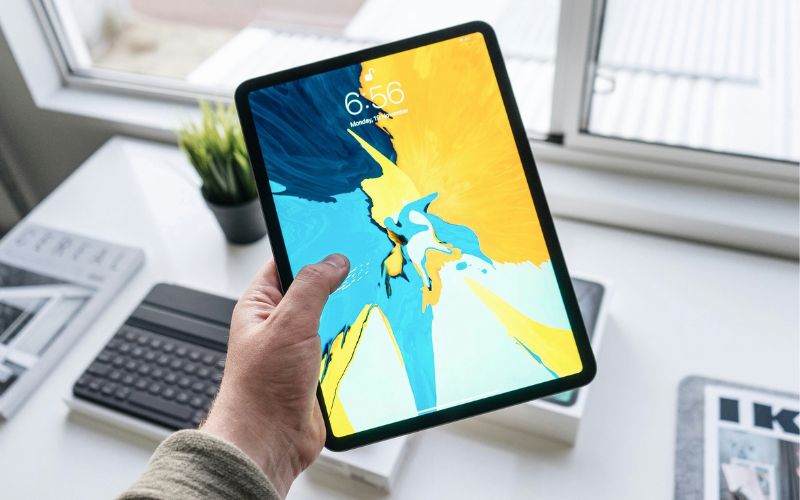
If you’re searching for a free government tablet near me, it helps to understand what types of devices are typically offered through Lifeline providers.
Available tablets may vary by location and stock, but they are selected to support everyday tasks like browsing, learning, and staying connected online.
| Tablet models | TAG Mobile price* | Retail price |
| Tab A7 Lite | From $52.95 | $104.00 |
| Galaxy Tab A 2020 | From $34.00 | $79.00 |
| Galaxy Tab A 2018 | From $30.95 | $74.00 |
*Prices may vary depending on availability, location, and time of application.
5. Final Words
In summary, finding a free government tablet near me is possible for eligible individuals through the Lifeline Program, even without visiting a local store. By applying online with a trusted provider like TAG Mobile, you can check eligibility, complete the process quickly, and receive your tablet by mail, making reliable digital access easier and more affordable than ever.
Notice: The government does not cover device costs, only basic service through Lifeline. Any free or discounted devices, upgrades, or top-ups are limited-time TAG Mobile offers and may vary by state, eligibility, and availability. Terms and conditions apply.
- Share This:
-

-

-

-

-



About the author
