

What Is Private DNS? A Simple Guide to Encrypted DNS
DNS plays an essential role in connecting your device to websites, but regular DNS queries may be visible on the network.
So, what is private DNS? It is a feature that encrypts DNS requests to improve privacy and help prevent unwanted interference. Let’s read more on how it works, its benefits, and when you may want to use it.
1. What Is Private DNS Mode in Simple Terms?
Private DNS mode encrypts the Domain Name System (DNS) queries your device sends when translating website names into IP addresses, helping prevent ISPs or network snoopers from easily viewing those requests.
If you are wondering what is private DNS, it is essentially a DNS setup that uses encrypted protocols rather than relying on standard unprotected DNS traffic. It improves privacy at the DNS level, although other connection data, such as destination IP addresses, may still remain visible.
In simple words, Private DNS works like a privacy layer for website lookups. It protects the first step your device takes when connecting to a website.
2. How Private DNS Works When You Open a Website
Opening a website starts with a DNS lookup that connects a readable domain name to the server address your device needs.
Knowing what is a private DNS makes this process easier to understand because the main difference is how securely that lookup travels across the network.
Step 1: Your Device Needs the Website’s Address
When you enter a domain name into a browser, your device first needs the corresponding IP address before it can reach the website’s server. Since people use readable names rather than numerical addresses, DNS acts as the system that connects the two.
Step 2: It Sends a DNS Query
Your device sends a DNS query asking a resolver to locate the IP address linked to the requested domain. With standard DNS, this request may travel without encryption, which can make the lookup more visible to networks or intermediaries handling the connection.
Step 3: Private DNS Encrypts the Query in Transit
Private DNS protects the lookup by sending it through an encrypted DNS protocol, such as DNS over TLS or DNS over HTTPS. This encryption makes it harder for third parties on the network to read or alter the DNS request while it is being transmitted.
Step 4: The DNS Resolver Finds the Corresponding Address
The DNS resolver receives the encrypted request, determines which IP address matches the domain, and returns the result to your device. If the resolver already has the answer cached, the response can be delivered faster without repeating the entire lookup process.
Step 5: Your Device Can Connect to the Requested Site
Once the correct IP address is returned, your browser can connect to the website’s server and begin loading its content.
Private DNS secures the DNS lookup itself, while protections such as HTTPS handle encryption for the website traffic exchanged afterward.
3. Private DNS vs. Public DNS: What’s the Difference?
Private and public DNS both translate domain names into IP addresses, but they differ significantly in who can access and control the DNS environment.
Private DNS offers greater policy control and customization, while public DNS is designed for broad, convenient internet access.
| Comparison | Public DNS | Private DNS |
| Access | Open to anyone with an internet connection | Restricted to authorized users or devices |
| Management | Operated by an ISP or third-party DNS provider | Controlled by an organization or managed through a private service |
| Security | Provides standard DNS resolution with fewer organization-specific controls | Can support encrypted queries, filtering, blocklists, and custom security policies |
| Customization | Offers limited control over how domains are resolved | Allows custom resolution rules, access policies, and content filtering |
| Privacy | Privacy depends on the provider and DNS protocol being used | Can provide stronger control over how DNS requests are handled and protected |
| Speed | Often benefits from large global infrastructure and fast public resolvers | May perform well for internal or frequently accessed resources, depending on configuration |
| Best Use | General web browsing and users who need simple DNS resolution | Businesses or managed environments that need tighter control, security, and access rules |
The main distinction is control: public DNS focuses on universal accessibility, while private DNS lets an organization decide how domains resolve and which destinations users can access.
4. What Is Private DNS Mode on Android? How to Find It?
Private DNS on Android is a built-in system setting that uses DNS over TLS (DoT) to encrypt DNS queries between your device and the DNS server.
If you are wondering what is private DNS Android, this feature helps prevent ISPs or people monitoring the same network from easily reading or altering your DNS requests, although it does not hide all internet traffic or the websites you visit completely.
- Open Settings: Go to the Settings app on your Android phone or tablet.
- Find the network section: Depending on your device, tap Network & Internet, Connections, or a similarly named menu.
- Locate Private DNS: Look for Private DNS under Advanced, More connection settings, or another network-related submenu.
- Choose a setting: Android usually offers Off, Automatic, and Private DNS provider hostname. Automatic uses supported encrypted DNS when available.
- Enter a provider hostname: To use a specific service, select Private DNS provider hostname, enter the provider’s hostname, and tap Save.
- Use Settings search if needed: Because menu names vary by Android version and manufacturer, searching “Private DNS” from the Settings search bar is often the fastest way to find it.
>>> Read More: What Is a Motherboard in a Computer? Connecting Your Entire Computer
5. Know Your Network, Then Get More From Your Phone
Clear network knowledge can help you manage privacy settings, connectivity, and everyday phone use more effectively.
For eligible households, Lifeline is a government assistance program that helps reduce the cost of phone or internet service through a monthly discount. The program allows qualifying individuals to access more affordable wireless services through participating providers.
TAG Mobile is a trusted service provider that serves customers through prepaid and Lifeline-supported services. Many applicants choose TAG Mobile for its established service, straightforward enrollment process, device options, and continued focus on accessible mobile connectivity.
To qualify for the Lifeline Program, applicants generally need to participate in an eligible government assistance program, such as SNAP or Medicaid, or meet the program’s income requirements. Supporting documents may be required to verify eligibility before enrollment is approved.
Getting started with TAG Mobile is simple when your information and eligibility documents are prepared in advance.
Follow these steps to reduce delays during the application process:
- Check your eligibility: See whether you qualify for Lifeline through household income or participation in an eligible government assistance program.
- Enter your ZIP code: Check the TAG Mobile service, plan, and device offers currently available in your area.
- Complete your information: Provide your legal name, date of birth, residential address, and other details requested in the application.
- Verify your eligibility: Submit proof of program participation, income, identity, or address if additional documentation is required.
- Select a plan and device: Review the available Lifeline service and any free or discounted phone options offered for your location.
- Review and submit: Double-check your information and selections before sending the application for approval.
- Receive your device: Once approved and processed, qualifying phone orders are generally delivered within 7-10 business days, subject to availability and shipping conditions.
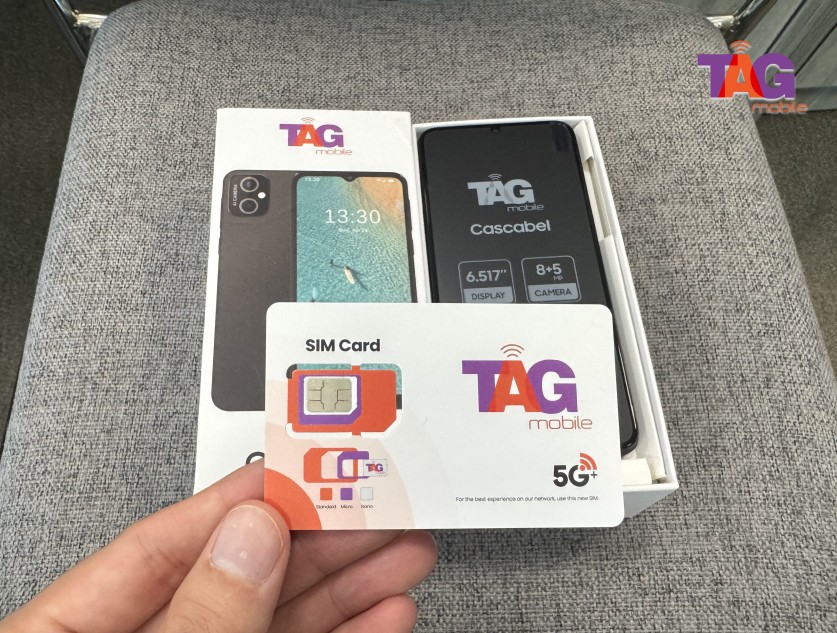
Note: Eligibility varies by state and program. Offers depend on availability and qualifications. TAG Mobile operates under the federal Lifeline Program as an Eligible Telecommunications Carrier (ETC). Service is non-transferable and limited to one service per household.
6. Final Thoughts
Every time you visit a website, your device relies on DNS to find the correct destination online. What is private DNS and why does it matter? It encrypts DNS queries to make them harder for others on the network to view or interfere with. This extra protection can support safer, more private browsing without changing how you normally use the internet.
Find more helpful connectivity guides from TAG Mobile.
- Share This:
-

-

-

-

-


About the author
