

How to Text Without a SIM Card in Seconds (Urgent Help)
Sending messages without a SIM card is not as difficult as most people think. This is especially true today with the availability of internet-based tools. Whether your SIM card is inactive or you have a second phone, there are quick ways to stay connected.
This guide will show you how to text without a SIM card using quick methods. To learn more about how to do this and step-by-step options, check out this guide from TAG Mobile.
1. Can You Text Without a SIM Card?
Yes, you can still send and receive messages without a SIM card as long as your device is connected to the internet. Modern smartphones, tablets, and even laptops support messaging through apps, email services, and online platforms that don’t rely on a cellular network.
This means Wi-Fi or mobile data is all you need to stay in touch. While you won’t be able to use traditional SMS without a SIM, there are several reliable alternatives that offer similar or even better functionality.
2. How to Text Without a SIM Card: 4 Main Ways
Even without a SIM card, staying connected is simple when you know the right tools to use. Below are four practical methods that explain how to text without a SIM card effectively, whether you’re using a smartphone, tablet, or another connected device.
Use Messaging Apps Over Wi-Fi
One of the easiest and most popular ways to send messages without a SIM card is by using internet-based messaging apps. Applications like WhatsApp, Facebook Messenger, and Telegram allow users to send texts, photos, videos, and even make calls using Wi-Fi. After setting up an account, you can communicate with anyone who uses the same app, regardless of your SIM status.
These apps are especially useful because they offer real-time messaging, group chats, and multimedia sharing. As long as your device stays connected to the internet, you can enjoy a seamless texting experience without relying on traditional cellular services.
Use Email-to-Text Services
Another effective method is using email-to-text services, which allow you to send messages from an email account directly to a phone number. Many mobile carriers provide special email gateways that convert emails into SMS messages for the recipient.
For example, you simply enter the recipient’s phone number followed by the carrier’s domain and send your message as an email. While this method may not support advanced features like images or read receipts, it works well for simple text communication.
It’s a practical option when messaging apps are not available, and it demonstrates another useful way to understand how to text without a SIM card in situations where only email access is possible.
Use Social Media Messaging Platforms
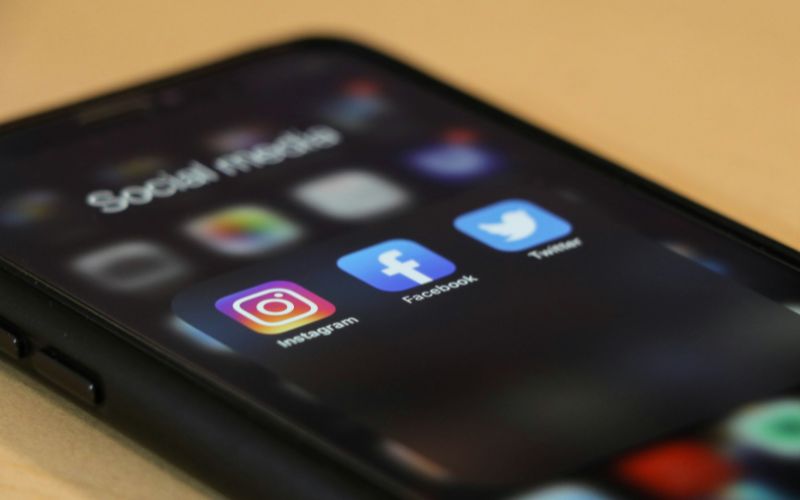
Social media platforms also provide built-in messaging features that function independently of a SIM card. Services like Instagram, Facebook, and Snapchat allow users to send direct messages instantly using an internet connection. These platforms are widely used, making it easy to stay connected with friends, family, or colleagues.
In addition to text messages, users can share images, voice notes, and videos, creating a more interactive communication experience. This option is particularly convenient for those who already use social media regularly and want a quick way to message others without needing a phone number.
Use Tablets or Secondary Devices
You don’t need a traditional smartphone to send messages without a SIM card. Tablets, iPads, and secondary devices can also be used effectively when connected to Wi-Fi. Many messaging apps and platforms are fully supported on these devices, allowing you to send and receive messages just like on a phone.
This is especially useful for users who have an extra device at home or prefer a larger screen for communication. By installing the right apps and logging into your accounts, you can turn almost any internet-enabled device into a messaging tool.
If you later need full mobile connectivity, Lifeline providers like TAG Mobile offer affordable plans, free devices, and SIM or eSIM options to help you stay connected beyond Wi-Fi.

3. Limitations of Texting Without a SIM Card
While there are many convenient ways to stay connected, texting without a SIM card still comes with certain trade-offs. Understanding these limitations will help you choose the most suitable method and avoid unexpected issues.
Requires Internet Access
The biggest limitation is that all alternative messaging methods depend entirely on an internet connection. Whether you are using apps, social platforms, or email services, Wi-Fi or mobile data is required at all times.
Without internet access, you won’t be able to send or receive messages at all. This is important to consider when traveling or staying in areas with weak connectivity. When learning how to text without a SIM card, it becomes clear that a stable internet connection is the foundation of every available method.
Cannot Send Traditional SMS
Without a SIM card, your device cannot connect to a cellular network, which means traditional SMS messaging is not available. You won’t be able to send texts directly to standard phone numbers unless you use workarounds like email-to-text services.
This can be inconvenient when contacting people who do not use messaging apps or online platforms. As a result, your communication options may feel limited compared to regular phone services, especially in situations that require direct carrier-based texting.
Limited Access to Verification Codes
Many online services require phone number verification through SMS codes for security purposes. Without a SIM card, receiving these codes can be difficult or even impossible. While some apps offer alternative verification methods like email, not all platforms support them.
This can restrict your ability to create new accounts or log into existing ones. Understanding this drawback is essential when exploring how to text without a SIM card, especially if you rely on secure access to apps, banking, or other important services.
Looking for a More Reliable Option?
If these limitations feel restrictive, it may be worth exploring affordable alternatives. Providers like TAG Mobile offer Lifeline-supported plans that can include a free SIM card or eSIM, along with monthly talk, text, and data. In some cases, you may also qualify for a discounted or free device.
Checking your eligibility only takes a few minutes! It could give you a more stable and flexible way to stay connected.
>>> Also read: Free SIM Cards with Free Data: Get One With Free Phone Plan
4. FAQs About Texting Without a SIM Card
Many users have questions about how messaging works when a SIM card is not available. Below are some common concerns, along with clear answers to help you better understand your options.
Can you receive SMS without a SIM card?
No, you cannot receive traditional SMS messages without an active SIM card because SMS relies on a cellular network. However, you can still receive messages through apps or platforms that use the internet instead. These alternatives work well as long as you have a stable Wi-Fi or data connection.
Do you need Wi-Fi to text without a SIM?
Yes, an internet connection, such as Wi-Fi or mobile data, is required to send messages without a SIM card. Messaging apps, social platforms, and email services all depend on internet access to function. Without it, your device cannot send or receive any messages.
Can I text internationally without a SIM card?
Yes, you can send messages internationally using internet-based apps and platforms. Services like messaging apps or social media allow you to connect with people worldwide without extra fees. This makes it a convenient option for staying in touch across different countries without needing a SIM card.
Final Words
Staying connected without a SIM card is no longer a challenge thanks to today’s internet-based tools and flexible devices. From messaging apps to email and social platforms, there are multiple ways to keep in touch anytime, anywhere. Understanding how to text without a SIM card helps you stay prepared, even when your primary service is unavailable.
For a more reliable and long-term solution, you can also explore affordable plans and support from TAG Mobile. Get started today and enjoy seamless communication without limits.
Notice: The government does not cover device costs, only basic service through Lifeline. Any free or discounted devices, upgrades, or top-ups are limited-time TAG Mobile offers and may vary by state, eligibility, and availability. Terms and conditions apply.
- Share This:
-

-

-

-

-



About the author
