

Solving SIM Not Provisioned Errors: A 2026 Expert Guide
Seeing a SIM not provisioned message can be frustrating, especially when your phone suddenly loses access to calls, texts, or mobile data. This error usually means the SIM card has not been fully activated or properly registered with your carrier’s network. It often appears when inserting a new SIM, transferring a number, or when a plan has not been activated correctly.
In most cases, the issue can be resolved with simple steps like activation or contacting your provider. To better understand the causes and solutions, you can refer to the guide from TAG Mobile for more detailed instructions.
1. What Does “SIM Not Provisioned” Mean?
The message “SIM not provisioned” appears when your SIM card has not been activated or properly registered with your mobile carrier’s network. This means your phone cannot connect to cellular services such as calls, texts, or mobile data.
In many cases, users also wonder what does SIM not provisioned for voice mean, which specifically refers to the SIM not being enabled for voice services, even if other features may still work. This issue commonly occurs with new SIM cards, incomplete activation, or during number transfers between carriers.
2. Common Reasons for the “SIM Not Provisioned” Error
The “SIM not provisioned” message can appear for several reasons, most of which are related to activation or network registration issues. Understanding these causes can help you quickly identify the problem and apply the right solution.
New SIM Card Not Activated
One of the most common causes is a newly inserted SIM card that has not yet been activated by the carrier. When you receive a new SIM, it usually requires manual or automatic activation before it can connect to the network. Until this step is completed, the phone cannot recognize the SIM as active, leading to the SIM not provisioned error.
Carrier Account Not Fully Set Up
In some cases, your mobile account may not be fully configured on the carrier’s system. This can happen if the required information is missing, verification is incomplete, or the plan has not been properly assigned. Without a fully set-up account, the carrier cannot link your SIM card to active service.
SIM Card Not Registered With the Network
A SIM card must be registered with the carrier’s network to function correctly. If the registration process fails or is delayed, the network will not recognize the SIM. This can occur during number transfers, service activation delays, or when switching carriers.
Network or Carrier Configuration Issues
Sometimes, the issue may come from network settings or temporary carrier-side problems.
Incorrect configurations, outdated carrier settings, or system maintenance can prevent the SIM from being provisioned properly. In these situations, the issue is often resolved by updating settings, restarting the device, or waiting for the carrier to complete backend updates.
>>> Read More: Free SIM Unlock Guide 2026: Best Ways to Unlock Your Phone
3. How to Fix the “SIM Not Provisioned” Error

Fixing this issue is usually straightforward once you identify the cause. By following a few practical steps, you can restore your connection and get your phone working normally again.
Step 1: Restart Your Phone
Start by restarting your device, as this can refresh system processes and reconnect your phone to the network. A reboot helps clear temporary glitches that may prevent the SIM from being recognized. In many cases, a simple restart is enough to resolve minor activation delays.
Step 2: Check SIM Card Placement
Next, make sure the SIM card is inserted correctly in the tray. Power off the phone, remove the SIM, and check for dust, damage, or misalignment before placing it back securely. Improper placement can prevent the device from reading the SIM, which may trigger a SIM not provisioned message.
Step 3: Confirm SIM Activation With Your Carrier
You should verify that the SIM card has been fully activated by your carrier. This is especially important if you recently received a new SIM or switched plans. Activation can often be completed online, through a carrier app, or by contacting support.
Step 4: Update Carrier Settings
Updating your carrier settings ensures your phone has the latest configuration to connect to the network. On most devices, these updates are installed automatically, but you can also check manually in settings. Keeping your device updated helps avoid compatibility and provisioning issues.
Step 5: Contact Customer Support
If the problem continues, reaching out to your carrier’s customer support is the best option. Support agents can check your account status, confirm activation, and resolve any backend issues. In some cases, they may need to re-provision your SIM or provide a replacement if the current one is faulty.
4. When SIM Provisioning Problems Point to a New Activation Opportunity
Many people encounter the “SIM not provisioned” message when activating a new phone or switching mobile providers. In some cases, the issue may indicate that your SIM has not been fully activated or that your current plan is not properly set up, which means you may need a new activation or even a different service plan.
If you’re looking for a smoother setup experience, Lifeline providers like TAG Mobile offer reliable solutions designed for eligible users.
Through Lifeline-supported services, you may qualify for a free smartphone along with an activated SIM card or eSIM, making it easier to get connected without delays. TAG Mobile’s plans also come with a range of useful features, including:
- Unlimited talk and unlimited text for everyday communication
- Monthly data allowance to support browsing, apps, and online activities
- Free International Calling to over 200 countries and territories
- Roaming available in 70 countries (additional charges may apply)
- Free SIM kit or eSIM activation with no upfront cost
- Free Wi-Fi Calling for better indoor connectivity
- Essential features like Caller ID, Call Waiting, 3-Way Calling, and Voicemail
- Free calls to 911 and 411 directory assistance
- Nationwide coverage for reliable service across the U.S.
- Responsive customer support to assist with activation and troubleshooting
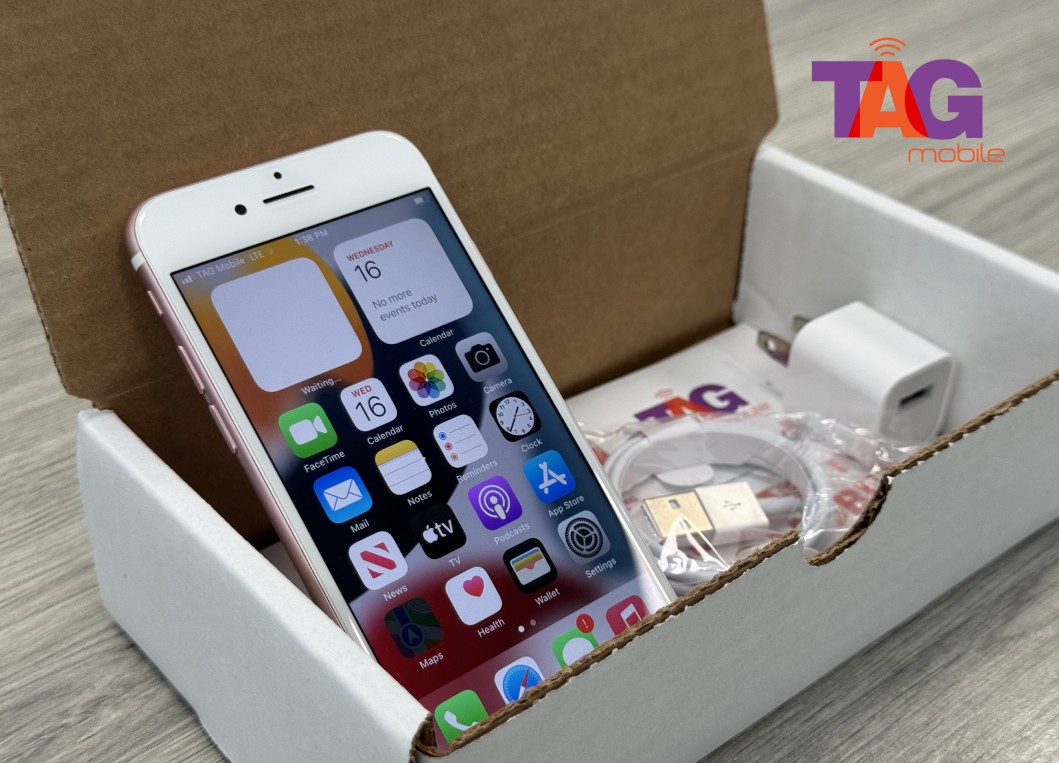
Read more: How to Get a Free SIM Card With Free Service Today
5. Final Words
Dealing with the SIM not provisioned error may be inconvenient at times, but it is a temporary problem that can be easily fixed with the right steps. Being knowledgeable about the SIM not provisioned error is important in avoiding any inconvenience and ensuring that mobile connectivity is at its best. TAG Mobile is one company that offers easy activation, reliable plans, and support in using both SIM cards and eSIM. Visit TAG Mobile and get connected today.
Notice: The government does not cover device costs, only basic service through Lifeline. Any free or discounted devices, upgrades, or top-ups are limited-time TAG Mobile offers and may vary by state, eligibility, and availability. Terms and conditions apply.
- Share This:
-

-

-

-

-



About the author
