

Does My Phone Have an eSIM? Easy Check in 10 Seconds
Many smartphone users today are unsure whether their device supports digital SIM technology. If you’re wondering, does my phone have an eSIM? The answer usually depends on the specific device and whether it is compatible with the carrier’s network. Checking these details can help prevent activation issues and ensure your device is ready for modern mobile service.
For a clearer explanation of compatibility and setup, review the detailed guide from TAG Mobile below to learn how to confirm eSIM support and activate service on your device.
1. What is an eSIM? (Simple Overview)
Before getting the answer for does my phone have an eSIM?, let’s look at the eSIM definition first.
An eSIM, which stands for embedded SIM, refers to the digital form of the physical SIM card that is incorporated into the hardware of the smartphone or the connected device. As opposed to the traditional method of inserting the physical SIM into the phone, the eSIM allows users to download the digital profile of the service provider into the phone. Upon activation, the eSIM functions in the same way as the physical SIM, enabling the phone to connect to the network for communication.
As the eSIM is incorporated into the hardware of the phone, users can install multiple profiles into their phones without the need for a physical SIM. This enables users to have the advantage of changing their service providers, having multiple phone numbers, or using the service while abroad.
2. Does My Phone Have an eSIM? How to Check
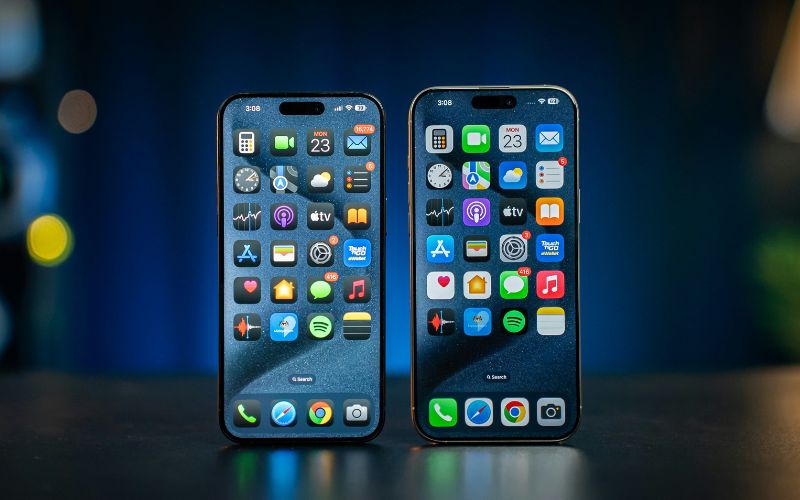
Many modern smartphones include built-in eSIM support, but the feature may not always be obvious at first glance. If you are asking how do I know if I have an eSIM, the easiest way is to check your device settings, where supported phones usually display an option to add or manage a digital SIM.
On iPhone
If your iPhone supports eSIM, Apple includes a clear option inside the cellular settings menu. The user can follow these steps to confirm that “does my phone have an eSIM” is available:
- Open Settings: Start by unlocking the iPhone and opening the Settings app from the home screen. This menu contains all system controls, including options for managing mobile networks and SIM configurations.
- Tap Cellular: Inside the Settings menu, the user should select Cellular (sometimes labeled Mobile Data depending on the region). This section displays the active cellular plan and other available network settings.
- Look for “Add eSIM” or “Add Cellular Plan”: Scroll through the Cellular menu and check for an option labeled Add eSIM or Add Cellular Plan. If this option appears, it means the iPhone includes eSIM capability and can activate a digital SIM profile from a compatible carrier.
On Android
Android phones may display eSIM support in slightly different locations depending on the manufacturer, but the feature is usually listed in the network settings.
- Go to Settings: First, the user should open the Settings app on the Android device. This is where the phone’s connectivity and SIM management options are located.
- Tap Network & Internet: Next, navigate to Network & Internet (or Connections on some Samsung devices). This section controls mobile networks, Wi-Fi, and SIM card settings.
- Look for SIM Manager or “Add eSIM”: Within the network settings, check for options such as SIM Manager, Add eSIM, or Download a SIM. If the device shows one of these options, it indicates that the phone supports eSIM and can activate a digital SIM profile through a compatible carrier.
3. Some Popular Phones That Support eSIM
Without the need to worry about does my phone have an eSIM, today, many modern smartphones are available with embedded eSIM technology, enabling consumers to activate their services electronically and bypass the need for a traditional SIM card. For eligible consumers in the US, programs such as the Lifeline Assistance Program may be available to make such devices and services more affordable with providers such as TAG Mobile.
The Lifeline program is a government-assisted program aimed at providing assistance to low-income families to remain connected with essential services.
Eligibility for the program is available for those families with incomes at or below 135% of the Federal Poverty guidelines or those who participate in programs such as Medicaid, SNAP (Food Stamps), Supplemental Security Income (SSI), and Federal Public Housing Assistance.
Consumers who qualify for the program and apply with a provider such as TAG Mobile will be eligible for wireless services, including free monthly talk, text, and data services, as well as the option of using a traditional SIM or an eSIM-enabled device.
Example eSIM-Compatible Phones Available Through TAG Mobile
Depending on availability, some phones offered through TAG Mobile that support eSIM or modern network connectivity may include:
| Phone models | TAG Mobile price* | Retail price |
| FOXXD A67L | FREE | $120.00 |
| iPhone XR | From $101.40 | $158.00 |
| iPhone 7 Plus | From $49.99 | $120.00 |
| Galaxy A14 5G | From $69.99 | $100.00 |
| FOXXD A67U | From $14.99 | $120.00 |
| iPhone 8 | From $54.99 | $230.99 |
| Galaxy A42 5G | From $44.99 | $149.00 |
| Galaxy S10e | From $19.99 | $224.99 |
| iPhone 7 | From $44.99 | $99.99 |
| iPhone 11 | From $173.99 | $228.85 |
| Galaxy S21 5G | From $129.99 | $359.99 |
| iPhone 11 Pro Max | From $239.99 | $304.75 |
*Prices may vary depending on availability, location, and time of application.
Quick Steps to Apply
Applying for Lifeline service with TAG Mobile is usually a simple process and can often be completed online in just a few steps:
- Check Eligibility Online: Visit the TAG Mobile Lifeline page and enter your ZIP code to see if service is available in your area. The website will also help confirm whether you may qualify based on income or participation in government assistance programs.
- Complete the Application Form: Fill out the online application with basic information such as your name, address, and contact details. This step helps verify your identity and determine eligibility under the Lifeline program guidelines.
- Submit Proof of Eligibility: Applicants may need to upload supporting documents, such as a benefits approval letter, program enrollment confirmation, or proof of income. These documents are used to verify that you meet Lifeline qualification requirements.
- Choose Your Device or Bring Your Own Phone: After approval, you can select an available device or choose to use your own compatible smartphone. Many supported phones allow activation through either a physical SIM card or an eSIM.
- Receive and Activate Your Service: Once your application is approved, TAG Mobile will guide you through activating your service. On compatible phones, this may include scanning an eSIM QR code or activating the device so you can begin using talk, text, and mobile data.
These phones support digital SIM activation and can make it easier to set up service without inserting a physical SIM card. To see the latest device availability and plan details, you can review the current phone options directly on the TAG Mobile website.
>>> Read More: TAG Mobile Free Phone: Tips To Get A Device At No Cost
4. FAQs About eSIM Compatibility
Besides the concern does my phone have an eSIM, many users still have questions about which phones support eSIM and what conditions are required for activation. Understanding a few key technical details can help prevent confusion when setting up a digital SIM on your device.
Do all iPhones have eSIM?
No, not all iPhones support eSIM technology. Apple first introduced eSIM capability with the iPhone XS, XS Max, and iPhone XR in 2018, and most newer models continue to support it. Older devices, such as the iPhone X, iPhone 8, and earlier models, only work with a physical nano-SIM card.
Does unlocked mean eSIM compatible?
No, an unlocked phone does not automatically guarantee eSIM support. An unlocked device simply means it can connect to multiple carriers instead of being restricted to one network. eSIM compatibility depends on the phone’s hardware and whether the manufacturer included the embedded SIM chip.
Can a software update add eSIM?
In most cases, a software update cannot add eSIM functionality to a phone that does not already support it. eSIM requires specific hardware built into the device’s motherboard, which cannot be added through software alone. Updates may improve eSIM features or carrier support, but they cannot create eSIM capability if the hardware is missing.
5. Final Words
If you’re still asking, does my phone have an eSIM? Taking a few minutes to check your device settings and compatibility details can save you time during activation. eSIM support depends on the specific phone model, hardware configuration, and carrier network requirements. Confirming these factors in advance helps ensure a smoother setup and prevents unexpected service issues.
As more smartphones move toward digital SIM technology, understanding your device’s capabilities becomes increasingly important. If you want clearer guidance on compatibility, activation steps, and supported devices, you can explore the resources and service options available at TAG Mobile to get connected with confidence.
Notice: The government does not cover device costs, only basic service through Lifeline. Any free or discounted devices, upgrades, or top-ups are limited-time TAG Mobile offers and may vary by state, eligibility, and availability. Terms and conditions apply.
- Share This:
-

-

-

-

-



About the author
