

Best Free eSIM Service for iPhone: Where to Find Them?
If you’re exploring options for free esim service for iPhone, it’s important to understand how eligibility and activation typically work. In many cases, qualified individuals can receive monthly talk, text, and data benefits at no cost through federally supported programs.
Approval is usually based on household income limits or participation in specific government assistance programs. Device compatibility and carrier support also play a role in successful eSIM activation. Because requirements and verification steps may vary, reviewing detailed guidance can help you avoid delays. For a complete explanation of eligibility criteria and setup instructions, refer to the full article from TAG Mobile below to learn more.
1. Is There Free eSIM Service for iPhone?
Yes, free eSIM service for iPhone may be available through federally supported programs such as Lifeline.
Eligible individuals who meet income requirements or participate in approved government assistance programs can receive monthly talk, text, and data benefits at no cost. As long as the iPhone model supports eSIM and the provider offers digital activation, the service can be set up without a physical SIM card.
>>> Read More: Does iPhone 12 Have eSIM? The Truth About Dual SIM Power
2. Who May Qualify for Low-Cost or Free eSIM Service?
Affordable wireless connectivity is available to individuals who meet certain federal eligibility requirements. If you are looking for a free esim service for iPhone, qualification is generally based on income level or verified participation in approved government assistance programs.
Income-Based Eligibility
Applicants may qualify if their total household income is at or below 135% of the Federal Poverty Guidelines. Income limits vary depending on the number of people living in the household, so larger families may have a higher qualifying threshold.
To complete the application, individuals are typically required to submit supporting documents such as recent pay stubs, a federal tax return, Social Security benefit statements, or other official income records.
Once verified, eligible applicants may receive discounted or fully covered monthly wireless service, depending on the program guidelines.
Participation in Government Programs
Eligibility may also be established through participation in specific public assistance programs.
Common qualifying programs include SNAP (Supplemental Nutrition Assistance Program), Medicaid, Supplemental Security Income (SSI), Federal Public Housing Assistance, Veterans Pension, and Survivors’ Benefits.
Applicants must provide valid documentation, such as a benefits approval letter or enrollment confirmation, to verify active participation. Program-based qualification often simplifies the approval process because it confirms that income requirements have already been assessed by a government agency.
3. How to Activate Free eSIM Service on iPhone
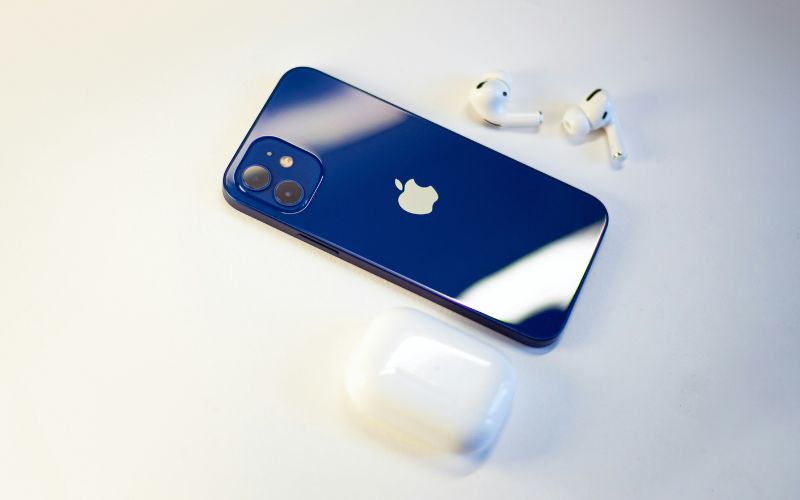
Activating a free eSIM service for iPhone requires both eligibility approval and a compatible device. Once your qualification is verified, the digital setup process is typically straightforward and can be completed directly from your iPhone.
Confirm eSIM Compatibility Check
Before applying, you should confirm that your iPhone supports eSIM technology. Models starting from iPhone XS, XR, and newer generally include built-in eSIM capability, but carrier compatibility must also be verified. Checking your device settings or using a provider’s compatibility tool helps ensure activation will proceed smoothly.
Apply with the Participating Provider
Next, submit an application through a participating wireless provider that offers Lifeline or similar assistance benefits. During this step, you will provide documentation to verify income eligibility or participation in approved government programs. Accurate information helps prevent delays in the review process.
Receive Approval
After submitting your application, the provider will review your documents and confirm eligibility. Once approved, your account will be created and prepared for activation. Some providers may send confirmation emails or account details with next-step instructions.
Scan the QR Code or Activate Digitally
When your service is ready, the provider will issue a QR code or provide digital activation instructions. On your iPhone, go to Settings → Cellular → Add eSIM, then scan the QR code or follow the on-screen prompts to download the plan. The phone will securely install the digital SIM profile.
Confirm Connection
After installation completes, your iPhone should display signal bars and the carrier name. Test calls, text messages, and mobile data to confirm everything is working properly. Once connected, your free eSIM service is fully active and ready for everyday use.
4. Need Both an iPhone-Compatible eSIM Plan and a Device?
If you’re looking for both a compatible iPhone and an eSIM-ready plan, it’s important to choose a provider that supports digital activation from the start. Instead of purchasing a device separately and then figuring out network setup later, you may be able to bundle both service and hardware through a qualifying program.
Through the federal Lifeline Program, eligible individuals can receive discounted or even free monthly wireless service. Some providers offer free phone service eSIM options, allowing approved customers to access talk, text, and data without paying standard monthly rates. Eligibility is generally based on household income limits or participation in approved government assistance programs.
TAG Mobile participates in the Lifeline Program and supports eSIM activation for compatible devices. According to the eSIM information page, customers using supported smartphones can activate service digitally, and in many cases, devices provided through TAG may arrive with eSIM already set up. This makes it easier to get connected without complicated installation steps.
5. Final Words
Accessing a free eSIM service for iPhone can make staying connected more affordable and convenient for eligible individuals. With the right documentation and a compatible device, activation is often quick and fully digital. Understanding the qualification steps ahead of time can help you avoid delays and complete the setup smoothly. As eSIM technology becomes more common, managing your mobile service is easier than ever. If you’d like to explore eligibility requirements, compatible iPhone options, and simple activation support, visit TAG Mobile to get started with confidence.
Don’t miss your daily dose of tech news!
Notice: The government does not cover device costs, only basic service through Lifeline. Any free or discounted devices, upgrades, or top-ups are limited-time TAG Mobile offers and may vary by state, eligibility, and availability. Terms and conditions apply.
- Share This:
-

-

-

-

-



About the author
