

Does iPhone 15 Have SIM Card? Simplifying Your Digital Life
If you are wondering, does iPhone 15 have sim card support? The answer depends on where you buy it. In the United States, this model is eSIM-only, meaning there is no physical SIM tray. Activation is completed digitally through your carrier. For a more detailed explanation and setup guidance, you can refer to the full article from TAG Mobile below to learn more.
1. Does iPhone 15 Have SIM Card?
For customers in the United States, the iPhone 15 is eSIM-only and does not include a physical SIM card tray. If you are wondering where is the SIM card on iPhone 15 or How to take SIM card out of iPhone 15, the answer is that US models do not have one, as activation is completed digitally through eSIM instead of inserting a nano-SIM.
Before purchasing, make sure your carrier supports eSIM activation.
You can also explore different iPhone options at TAG Mobile to compare models and find the right plan for your needs.
>>> Read More:
2. Why Did Apple Remove the SIM Card Slot in the U.S.?
Apple removed the physical SIM card slot from U.S. iPhone models starting with the iPhone 14 to move fully toward eSIM technology. This decision allows Apple to streamline the device’s internal design while encouraging digital activation through carriers instead of relying on removable SIM cards.
By eliminating the SIM tray, Apple improves security because thieves can no longer simply remove a physical SIM card to prevent tracking. The change also enhances water and dust resistance by reducing external openings in the device.
Additionally, removing the SIM slot frees up internal space that can be used for components such as larger batteries or improved hardware. Through eSIM-only adoption, Apple also enables faster carrier switching and digital plan activation without needing to visit a store or handle a physical card.
3. Detailed Guide to Activate eSIM on iPhone 15
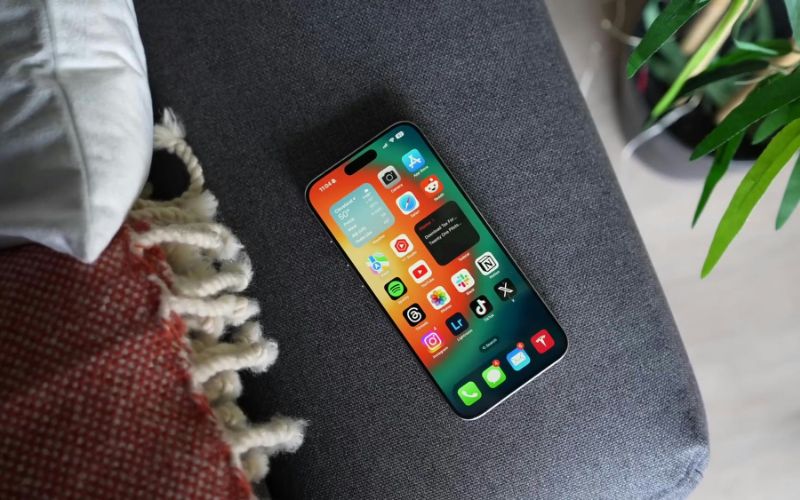
Activating an eSIM on your iPhone 15 allows you to connect to your carrier without a physical SIM card. Follow the steps below to set up your digital line quickly and securely.
Step 1: Connect to Wi-Fi
Before you begin, make sure your iPhone 15 is connected to a reliable Wi-Fi network. Activation often requires an internet connection to download your carrier’s eSIM profile. If the Wi-Fi signal is weak, the setup process may fail or lag, so it’s best to use a stable connection.
Step 2: Open Settings and Navigate to Cellular
On your iPhone, open the Settings app and tap Cellular (or Mobile Data, depending on your region). Here, you’ll manage your mobile plans and add a new eSIM profile.
Step 3: Tap “Add eSIM”
In the Cellular menu, select Add eSIM to start the activation process. Your iPhone will ask you to scan a QR code provided by your carrier or enter activation details manually.
Step 4: Scan the QR Code or Enter Activation Details
Use your iPhone 15’s camera to scan the QR code given by your carrier. If your carrier didn’t provide a QR code, you can enter the activation information manually as instructed. This tells your device how to download the proper eSIM profile.
Step 5: Download the eSIM Profile
After scanning the code or entering the details, your iPhone will download the carrier’s eSIM profile. Wait for the download to complete. This may take a few moments, depending on your network speed.
Step 6: Restart and Test Your Connection
Once the profile is downloaded, restart your iPhone 15 if prompted. After rebooting, check your signal strength and try making a test call or using mobile data to confirm that your eSIM is activated and functioning properly.
4. Get a Free iPhone with free eSIM? Here’s How You Qualify
Getting a free iPhone with eSIM support may be possible through certain government-supported programs and participating wireless providers. Qualification is typically based on financial need and follows clear federal eligibility guidelines.
If you are also wondering, does iPhone 15 have SIM card support? Keep in mind that US models are eSIM-only, which aligns with many modern activation programs.
Based on Household Income
You may qualify if your total household income is at or below 135% of the Federal Poverty Guidelines. Income limits vary depending on the number of people living in your household, so larger families may have higher qualifying thresholds.
To apply under income-based criteria, you will need to provide documentation such as recent pay stubs, a federal tax return, or official income statements. These documents help verify that your household meets the required income standards. Meeting the income threshold is one of the most common pathways to receiving a free device with eligible service.
Based on Government Assistance Programs
You may also qualify if you participate in approved public assistance programs.
Common qualifying programs include SNAP (Supplemental Nutrition Assistance Program), Medicaid, Supplemental Security Income (SSI), Federal Public Housing Assistance (FPHA), and Veterans Pension or Survivors Benefits.
Participation in these programs typically confirms that your household already meets income requirements.
During the application process, you must provide official documentation such as a benefits approval letter or enrollment confirmation. Program-based eligibility often simplifies verification and can speed up the approval process.
>>> Read More: How To Get A Free iPhone 15 At TAG Mobile with the Best Deals
5. FAQs About iPhone 15 SIM and eSIM
Many users have questions about how SIM and eSIM work on the iPhone 15, especially in the United States, where models are eSIM-only. Below are clear answers to help you understand dual number usage and carrier flexibility.
Can I use two numbers at once?
Yes, you can use two numbers at the same time on the iPhone 15 through Dual eSIM support. The device allows you to store multiple eSIM profiles and actively use two lines simultaneously. This setup is useful if you want to separate personal and work numbers on one phone.
Can I switch carriers easily with eSIM?
Yes, switching carriers with eSIM is generally simple and convenient. You can remove the existing eSIM plan and activate a new one digitally without needing a physical SIM card. However, you should always confirm that your device is unlocked and that the new carrier supports eSIM activation.
6. Final Words
If you are still asking, does iPhone 15 have SIM card support? It is important to remember that US models are designed for eSIM activation only. This modern approach offers convenience, flexibility, and a fully digital setup process. Before purchasing, always confirm carrier compatibility to avoid activation issues. To make the right choice and explore available models, you can visit TAG Mobile for more guidance and iPhone options tailored to your needs.
Notice: The government does not cover device costs, only basic service through Lifeline. Any free or discounted devices, upgrades, or top-ups are limited-time TAG Mobile offers and may vary by state, eligibility, and availability. Terms and conditions apply.
- Share This:
-

-

-

-

-



About the author
