

How to Find IMEI on Android in 3 Simple Ways (Quick Guide)
Your Android phone’s IMEI number is something that’s much more important than what the average Android user might think. It’s something that helps activate your mobile service, switch between different service providers, check the compatibility of your network, and even get your device barred in the event that it gets lost or stolen.
If you’re unsure of how to find IMEI on Android, there are a number of ways to do so. For further information and a detailed guide on the topic, feel free to check the detailed guide and helpful article from TAG Mobile.
1. What Is IMEI and Why You Might Need It
An IMEI (International Mobile Equipment Identity) or MEID is a unique identifier for mobile phones or other electronic devices with mobile capabilities.
Unlike the serial number used by the manufacturer for tracking the product during the manufacturing process, the IMEI number functions at the network level for the identification of your device anywhere in the world. This number helps the network identify your phone and also prevents fraud or theft.
Here are some common situations when it is important to check your IMEI:
- Activate a new phone plan: Your carrier needs to register your phone by using your IMEI to connect it to their network when you activate a new phone plan.
- Change carrier or transfer service: Your IMEI is needed to ensure that your phone is unlocked and can work on another carrier.
- Bring Your Own Device (BYOD): You often need to find out the IMEI of your phone when you wish to use it together with a new SIM card.
- Report lost or stolen phone: Your carrier may be able to prevent any further use of your phone by blocking its IMEI in case it is lost or stolen.
- Verify the device’s authenticity: This helps ensure that the phone is not a counterfeit or blacklisted device.
- Check the status of the warranty or repair: Customer support may ask for the IMEI number to access your device details quickly.
- Troubleshoot technical problems: Customer support can help you with technical issues by identifying your exact model and network compatibility.
2. Method 1 – Find IMEI via Phone Dialer
One of the fastest ways to check your device information is directly through the dial pad. If you’re looking for how to find IMEI on Android, this quick code method lets you see your IMEI instantly without opening settings or installing any apps.
Step 1: Open the Phone app
You can do this by simply tapping the icon of the Phone app on your home screen or app drawer. This is the same app you normally use to make a phone call.
Step 2: Dial *#06#
You can dial *#06# just like any other number. You don’t need to click the call button; the process of how to find IMEI on Android will automatically begin.
Step 3: View your IMEI on the screen
A pop-up will immediately appear on your screen displaying your IMEI number and other details like the Serial Number (S/N). The format may slightly differ depending on your Android version, but your IMEI will be prominently displayed.
3. Method 2 – Check in Settings Menu
If you do not want to go through the dial codes method, you can also check your IMEI number through your phone’s system settings (such as Samsung phones).
This method is simple and also allows you to access other information about your phone, such as your model number and serial number.
Step 1: Open Settings and tap “About phone”
First off, you need to open your phone’s settings application. After this, you will need to scroll down and select About phone from the settings menu. This section contains key information about your phone’s status.
Step 2: View your device information
In this section, you will be able to see key information about your phone, such as your phone number, your IMEI number, your model number, and your serial number.
Step 3: Check “Status” on older devices if needed
In older versions of the Android operating system, you may not be able to find your phone’s IMEI number in the About phone section. Therefore, you will need to select Status from your phone’s settings menu to access your phone’s status information.
4. Method 3 – On the Physical Device
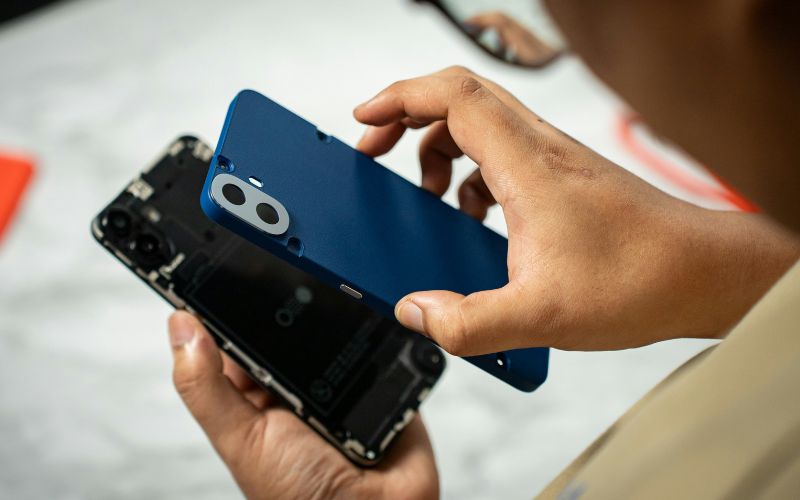
If you can’t access your screen or your phone won’t power on, you can still check the IMEI directly on the device itself. This hardware method is especially useful when troubleshooting or learning how to find IMEI on Android without using menus or dial codes.
For sealed phones (non-removable cover or battery)
For phones whose back cover is fixed or whose battery is sealed inside the phone, you do not have to remove anything to locate this information. You simply turn the phone over and check the back cover for the information that phone manufacturers normally print on it.
For phones with a removable cover or battery
For how to find IMEI on Android devices of older models whose back cover is removable, you can locate this information inside the phone. First, you switch off the phone. Then, you remove the back cover and the battery from the phone. Inside the phone, on a sticker, you will find the Model Number, Serial Number, and IMEI numbers clearly printed for easy reference.
5. If Your Phone Is Old or Broken – Consider a Reliable Replacement
Not everyone is aware of where to locate their IMEI, especially if they are using older phones or devices that do not turn on as well as they should. This is because some phones or devices have cracked screens, dead batteries, or are running older software, and accessing certain information or doing certain things can be quite frustrating.
If you feel that upgrading your phone will be too costly, you should know that there are options for you. For instance, you can get a discounted or free phone service through the Lifeline Program, and you can also get a free phone from providers such as TAG Mobile, along with your monthly plan for talking, texting, and data usage.
Getting a new phone can be very helpful to you since you will be able to communicate better and access various features and information when you need them most.
>>> Read More: Does Anyone Offer Free Phones Anymore? Here’s the Truth in 2026

6. FAQs on How to Find IMEI on Android
It is easy to how to find IMEI number on Android, and most individuals have questions about what it is and how it works. Below are answers to the most frequently asked questions about IMEI, and they will give you better insight into how it helps you manage and protect your devices.
Is IMEI the same as the serial number?
The IMEI is not the same as the serial number. The IMEI is used for the identification of your mobile phones on mobile networks, whereas the serial number is used for tracking and repair of devices. Although they are unique for every device, they have different uses and perform distinct roles.
Can I track my phone using IMEI?
It is not possible to track your phone using IMEI. Nevertheless, it is possible to block your stolen devices using IMEI, and they will not be able to access network services. To track your devices, it is better and easier to use apps like ‘Find My Device’ on your phones.
7. Final Words
Knowing how to find IMEI on Android can save you time whenever you activate service, switch carriers, or troubleshoot your device. This small figure has a large impact in keeping your phone secure and connected, especially in the event that it gets lost or requires assistance. Having access to your IMEI number helps to simplify the process. If your current phone is old or not functioning well, consider changing to a reliable phone. With our affordable rates and free smartphones, we at TAG Mobile are here to ensure that you are connected every day.
Notice: The government does not cover device costs, only basic service through Lifeline. Any free or discounted devices, upgrades, or top-ups are limited-time TAG Mobile offers and may vary by state, eligibility, and availability. Terms and conditions apply.
- Share This:
-

-

-

-

-



About the author
