

Free Government Phone or Tablet? Here’s What You Can Actually Get in 2026
A free government phone or tablet is available to eligible individuals through providers of the federally supported Lifeline Program, helping low-income households stay connected without monthly bills.
These devices provide access to calling, texting, and internet services that support everyday needs like work, healthcare, education, and emergency communication.
1. What Are the Free Government Phones and Tablets?
The “free phone or tablet government” is offered through authorized carriers of the federally supported Lifeline Program, which was created to ensure that eligible low-income individuals and households have access to essential communication services.
The program provides a monthly subsidy that approved providers use to deliver free or low-cost devices and wireless service, helping people stay connected to work, healthcare, education, and emergency resources.
These phones and tablets are not distributed directly by the government but through authorized Lifeline providers such as TAG Mobile.
TAG Mobile partners with the Lifeline Program to offer qualifying users free smartphones or tablets along with reliable monthly service, no long-term contracts, and no hidden fees, making everyday connectivity more accessible and affordable.
2. Government Providers That Offer Free Phones or Tablets
When it comes to government providers offering free phones or tablets, TAG Mobile stands out as a trusted Lifeline partner. TAG Mobile provides eligible users with free smartphones or tablets along with reliable monthly service, helping ensure access to essential communication without added costs.
Through TAG Mobile, qualified applicants can receive a device paired with nationwide coverage, essential calling and texting features, and a simple application process. With no long-term contracts or hidden fees, TAG Mobile focuses on making free government phones and tablets easy to access for those who need them most.
3. Who Qualifies for a Free Government Phone or Tablet?

Not everyone qualifies automatically for a free government phone or tablet, but eligibility is clearly defined under the Lifeline Program. In general, applicants must meet either program-based eligibility or income-based eligibility to receive Lifeline benefits.
Eligibility Through Government Assistance Programs
You may qualify if you or someone in your household participates in an approved government assistance program. Common qualifying programs include Medicaid, SNAP (Food Stamps), Supplemental Security Income (SSI), Federal Public Housing Assistance, and certain Tribal assistance programs.
Enrollment in any of these programs typically confirms Lifeline eligibility, making the application process faster and more straightforward when applying through TAG Mobile.
Eligibility Based on Household Income
Applicants can also qualify based on household income if their total income is at or below 135% of the Federal Poverty Guidelines. This option is designed for low-income households that may not receive government assistance but still need affordable communication services.
To verify eligibility, applicants must submit valid income documentation such as recent pay stubs, tax returns, or other official records during the application process.
4. How to Apply for a Free Government Phone or Tablet Online
Applying for a free government phone or tablet online is a straightforward process when you work with an authorized Lifeline provider like TAG Mobile. Following each step carefully helps ensure faster approval and avoids common application issues.
Step 1: Verify Eligibility and Coverage Online
The first step is confirming that you meet Lifeline eligibility requirements. You can qualify either through participation in approved government assistance programs or by having a household income at or below 135% of the Federal Poverty Guidelines.
During this stage, it’s also important to check service availability in your area so you can actually opt for your phone or tablet.
Step 2: Prepare Required Documents
Before starting the application, you should take time to gather all required documentation. This typically includes proof of income or program participation, a valid government-issued photo ID, and proof of address. Ensuring that documents are clear, current, and match the information on your application helps avoid processing delays or requests for resubmission.
Step 3: Apply Online and Choose Your Device
Once ready, you’ll visit the provider’s website to complete the online application form by entering your ZIP code.
If device options are available, select the phone or tablet that best fits your needs.
Then, you’ll fill in personal details and upload your documents. Reviewing all information carefully before submission helps prevent errors that could slow down approval.
So this step can answer your question:” What are the free government phones?”.
Here, you can choose phones or tablets from Lifeline providers like TAG Mobile.
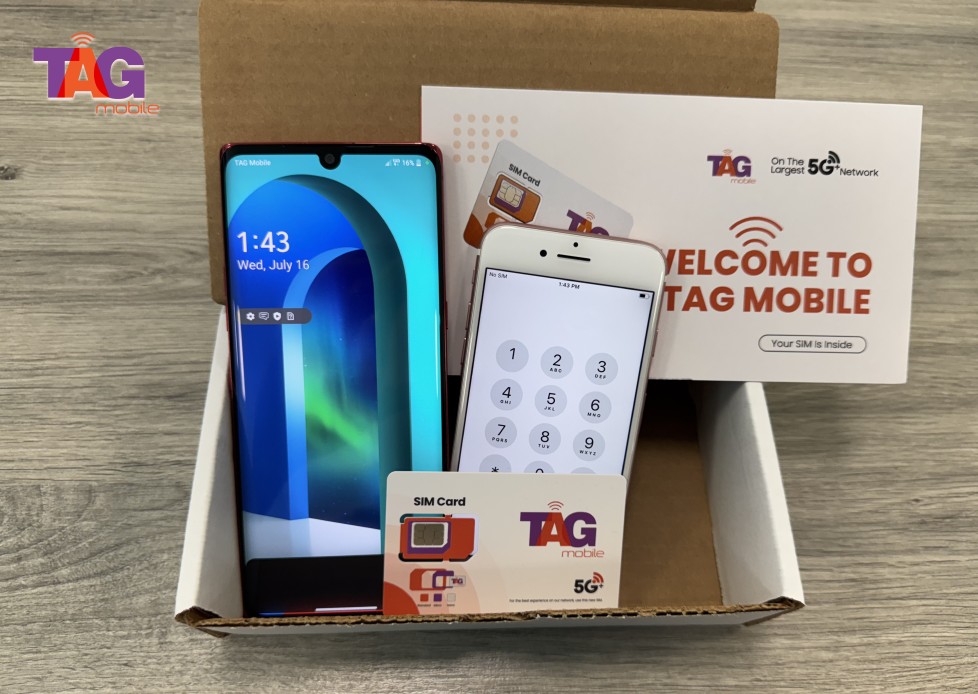
Step 4: Submit for Approval and Receive Your Device
After you submit your application, the submitted application will be reviewed for eligibility. If approved, you will receive a free government cell phone or tablet sent directly to your mailing address and included with detailed instructions on how to activate it.
Once the phone or tablet is activated, you can begin using it and the associated monthly service for daily communication immediately.
>>> Read More: How To Claim A Lifeline Free Phone Easily? Step-By-Step Guide
5. Final Words
In conclusion, a free government phone or tablet can make a real difference by keeping eligible individuals connected to essential services, work opportunities, and loved ones.
Through the Lifeline Program, trusted providers like TAG Mobile make it easy to apply, qualify, and receive reliable devices and service, helping you stay connected without added financial stress.
Notice: The government does not cover device costs, only basic service through Lifeline. Any free or discounted devices, upgrades, or top-ups are limited-time TAG Mobile offers and may vary by state, eligibility, and availability. Terms and conditions apply.
- Share This:
-

-

-

-

-



About the author
