

Free SIM Card With Free Service Government iPhone: How It Really Works
A free sim card with free service government iPhone allows eligible users to stay connected without monthly bills by using their own iPhone through the Lifeline Program. Instead of receiving a new device, qualified individuals can activate free talk, text, and data on a compatible iPhone with an approved provider.
This article will explain all things related to free SIM cards, what is it, and how to get a free SIM card with free service?
1. What Is a Free Government SIM Card With Free Service?
A free government SIM card with free service can be obtained through providers of the federally funded Lifeline Program, which helps eligible low-income individuals get free monthly phone service without bills, contracts, or hidden fees.
Instead of just receiving a device, Lifeline carrier provides a SIM card or digital eSIM that connects your phone to the network with free talk, text, and data once you qualify.
The key difference between a free SIM with service and a free phone is what’s included. A free SIM card (or eSIM) gives you service only, meaning you can use your own compatible phone on the provider’s network with free monthly calling, texting, and data benefits.
A free government phone includes both the device and service in one package. With providers like TAG Mobile, you can get either a free SIM card to use with your existing phone or, if eligible, a free smartphone with the service included, giving you flexibility depending on your needs.
>>> Read More: How to Get and Activate Your TAG Mobile SIM Card or eSIM
2. Can You Use a Free Government SIM Card on an iPhone?
Yes, you can use a free SIM card with free service government iPhone, provided the device supports the network used by the carrier of the SIM card.
There are carriers such as TAG Mobile offering Lifeline SIMs or eSIMs for free use in a variety of iPhone models, so that the user can enjoy free voice, text, and data without having to receive a free iPhone in the mail before getting the service started.
Make sure the iPhone is unlocked before applying for the service. You also gain more information about how to apply to the iPhone at TAG Mobile here.
3. How to Apply for a Free SIM Card with Free Service Government iPhone (Online)
How can I get a free iPhone without paying? It’s here! The process to get a free SIM card with free service government iPhone involves following simple online procedures when you select a Lifeline service provider like TAG Mobile.
This way, you do not have to change your iPhone when you gain free monthly services.
Step 1: Verify Eligibility
To begin with, users first need to verify their eligibility for the Lifeline Program to receive the government-issued iPhone with a free SIM card and monthly service.
To be qualified under the Lifeline program, individuals must either have a total household income equal to or lower than 135% of the Federal Poverty Guidelines, or they must be a participant in one of the following approved assistance programs:
- Medicaid
- Supplemental Nutrition Assistance Program (SNAP)
- Supplemental Security Income (SSI)
- or Federal Public Housing Assistance.
Please carefully read your current assistance benefits, or if applicable, accurately tally your total household income before applying. By verifying your eligibility first, you will prevent rejection of your application and achieve a smoother process of getting approved.
Step 2: Prepare Required Documents
Once you have confirmed that you are eligible to apply, the next step is to obtain the necessary documentation to submit with your application.
The documentation generally includes a valid photo ID issued by a government entity, proof of participation in an approved program or recent evidence of income such as pay stubs or tax returns, and any additional documentation your application requires (e.g., proof of address).
It is important to ensure that your documentation is accurate and current with your personal information when submitting your application. Proper documentation will allow you to activate your free SIM card with free service for your government-issued iPhone without any delays.
Step 3: Apply Online With a Lifeline Provider (TAG Mobile)
The subsequent step is to complete your online application by visiting the TAG Mobile Website and entering your ZIP code.
You will input your details, indicate the method of qualification, and select the SIM or eSIM option that is compatible with your iPhone.
There are two options for you:
- Bring Your Own Device (active eSIM and SIM Card with your own phone)
- A free smartphone plan with new, free eSIM and SIM Card services
While going through this process, it may be necessary for you to input a ZIP code in order to check if there is coverage in your area and ensure support for the iPhone on the network.
You should carefully review all information entered before submitting your free SIM card with free service government iPhone application so that the information contained therein is true and accurate.
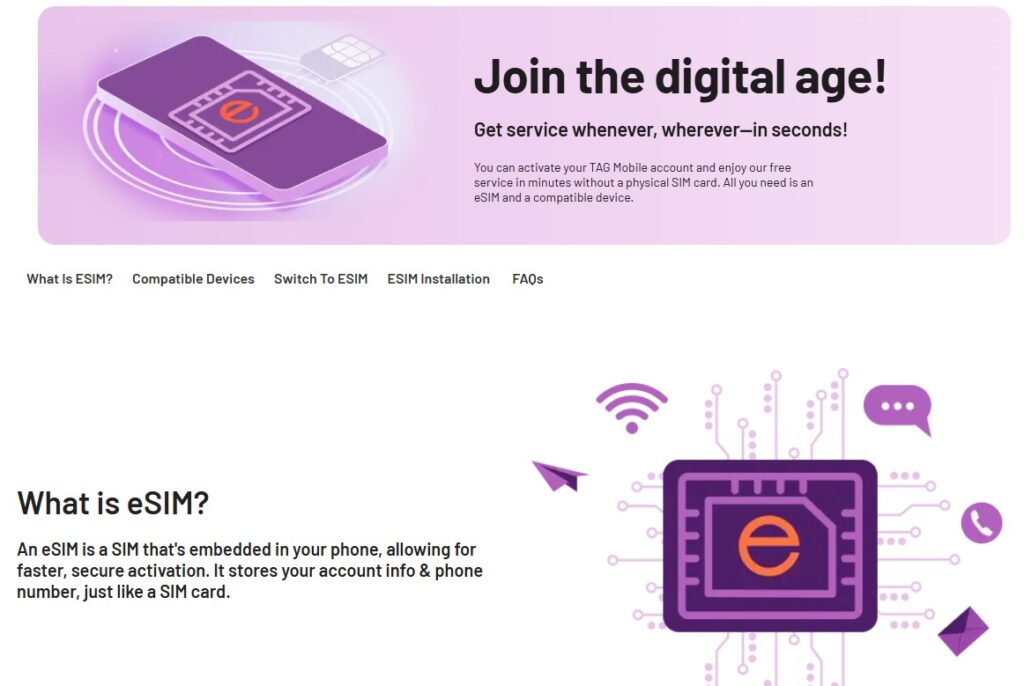
Step 4: Submit for Approval and Activate Service
TAG Mobile will check your information once you submit your application. If you’re approved for TAG Mobile Service, you can expect to receive instructions either through regular mail delivery or an email instructing you on how to set up your eSIM card and activate your phone.
If you wonder about what is free government eSIM service for iPhone? You can read some information about this digital SIM.
You will follow the provided instructions to activate your service and begin using free monthly talk, text, and data. After activation, your free SIM card with free service government iPhone will be ready to support everyday communication needs without monthly bills.
4. Final Words
In conclusion, a free sim card with free service government iPhone is a practical option for eligible individuals who want to stay connected using their own device without monthly costs.
Through the Lifeline Program, trusted providers like TAG Mobile make it easy to apply online, activate service, and enjoy reliable talk, text, and data on your iPhone with no contracts or hidden fees.
Notice: The government does not cover device costs, only basic service through Lifeline. Any free or discounted devices, upgrades, or top-ups are limited-time TAG Mobile offers and may vary by state, eligibility, and availability. Terms and conditions apply.
- Share This:
-

-

-

-

-



About the author
