

Free Government Phone Service With eSIM: 2026 Guide
Mobile connectivity is a basic necessity for every person in the modern world. Many individuals now look for a free government phone service with eSIM to maintain a reliable connection without a monthly bill. This guide explains how you can qualify for these benefits and activate your service instantly.
1. What Is Free Phone Service?
What is free phone service? Federal programs provide monthly cellular benefits to eligible low-income households across the country. These services include talk, text, and data at no cost to ensure that everyone stays connected to essential resources.
Defining the Lifeline and Federal Support
The Lifeline program is a federal initiative that helps make communication services more affordable for low-income consumers. It was established decades ago and continues to evolve to meet the digital needs of the current year.
According to the Federal Communications Commission, this program ensures that participants have access to jobs, healthcare, and emergency services. Qualification usually depends on your income level or your participation in other assistance programs like SNAP or Medicaid.
>>> Read more: Free Cell Phone for SNAP Recipients: How to Qualify and Apply
Key Benefits: Data, Text, and Voice
Users who qualify for this program receive a robust package of mobile features every month. Most plans include a specific amount of high-speed data and unlimited text messages so you can stay in touch with your community. These benefits are essential for students who need internet access for homework and for adults who search for employment.
You can read more about how these mobile benefits improve daily life on the official blog. The service is reliable and functions just like a standard paid cellular plan.
Why Choose eSIM Over Physical SIM?
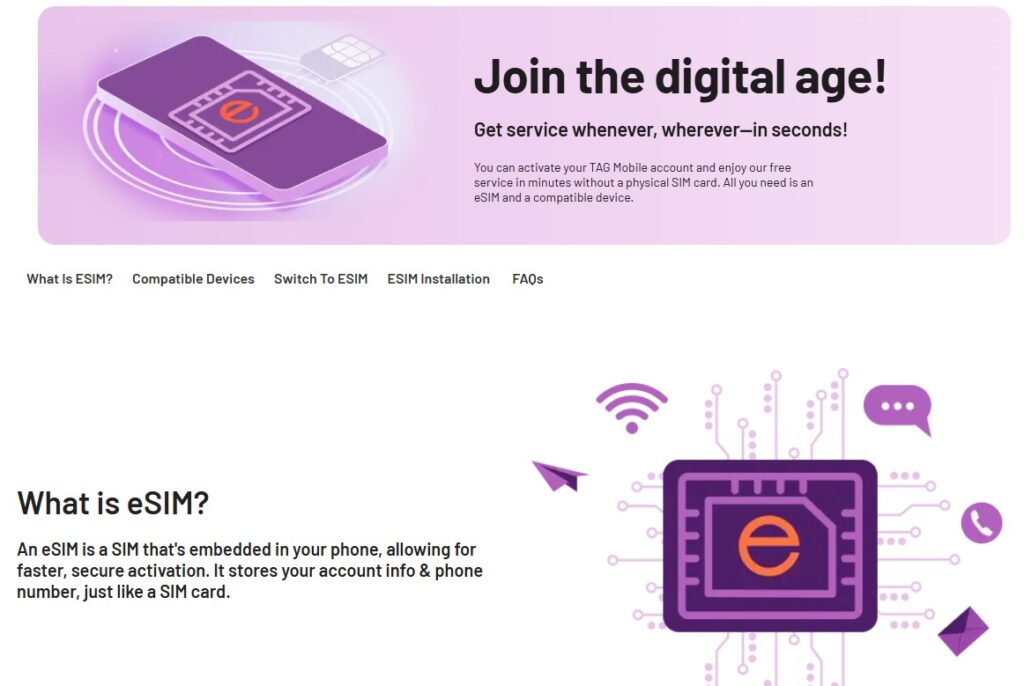
An eSIM is a digital version of the traditional plastic SIM card that lives inside your smartphone. This technology is popular because it allows for instant activation without the need to wait for a package in the mail.
Industry reports from GSMA show that digital SIM adoption is growing rapidly because it is more secure and convenient. You can switch between different service providers or use two phone numbers on one device effortlessly. If you want to understand the technical differences between SIM types, there are many resources available to help you choose.
2. The Top Provider of Free Government Phone Service With eSIM
Several companies offer federal assistance, but only a few support the latest digital activation technology. It is important to choose a provider that offers both a strong network and modern features.
TAG Mobile is a leading provider in this space because it focuses on user convenience and modern technology. They offer a free government phone service with eSIM, which is perfect for people who own newer smartphones.
Another feature that makes TAG Mobile’s eSIM services an excellent choice is they supports dual SIM flexibility. This means you can keep your personal number active while you use your free line for work or emergencies on the same handset.
Using a digital SIM is efficient, and it eliminates the waste of plastic cards. You can learn more about the advantages of dual SIM phones to see how this setup benefits your lifestyle.
3. How To Activate Free Government Phone Service With eSIM?
The activation process for a digital SIM is faster than the traditional method. You only need a compatible device and a few minutes to complete the setup.
Step 1: Check Device Compatibility (Unlocked Phones)
Your smartphone must be unlocked, and it must support eSIM technology to use this service. Most flagship devices from the last several years include this feature as a standard option. You should verify that your phone is not restricted to a specific carrier before you start your application.
Many manufacturers provide a comprehensive list of compatible devices so you can check your model easily. If your phone is compatible, the transition to a digital plan is very smooth.
Step 2: Apply & Select “eSIM” During Application Process
You must fill out an application and provide proof of eligibility to start your service. During enrollment, the system will ask if you want a physical card or a digital version.
Choose the eSIM option to receive your activation details via email almost immediately after approval. This choice is better for the environment, and it saves you time because there is no shipping involved. The application is straightforward and requires only basic information about your household.
Step 3: Contact Free Government Phone Customer Service
If you encounter a problem during the setup, you should reach out to the support team for help.
- Initial Setup: Ensure your device is connected to a stable WiFi network before you begin.
- Scanning the Code: Open your camera and scan the QR code that TAG Mobile sent to your email.
- Manual Entry: You can enter the SM-DP+ address manually if the QR code fails to scan.
- Data Issues: Check your APN settings to ensure your data works correctly on the new network.
- Primary Line: Set the new eSIM as your primary line or secondary line based on your preference.
Customer service agents are available to ensure that your connection is active and stable. They can walk you through the settings on your specific iPhone or Android device.
4. Final Words
A free government phone service with eSIM is the most efficient way to stay connected in 2026. This technology offers incredible flexibility and ensures that you never miss an important call or message. TAG Mobile provides a simple path to access these benefits with high-quality service and modern digital features.
You can start the process today and enjoy the peace of mind that comes with a reliable phone line. Make sure to check your eligibility soon so you can take advantage of these essential communication tools.
Notice: The government does not cover device costs, only basic service through Lifeline. Any free or discounted devices, upgrades, or top-ups are limited-time TAG Mobile offers and may vary by state, eligibility, and availability. Terms and conditions apply.
- Share This:
-

-

-

-

-



About the author
