

Does iPhone SE 3rd Gen Have eSIM? Apple Fans Should Know
If you’re wondering does iPhone SE 3rd gen have eSIM, the short answer is yes. Apple equipped the iPhone SE (3rd generation) with eSIM support alongside a traditional nano-SIM slot, allowing users to activate a cellular plan digitally without inserting a physical card. This makes it easier to switch carriers, manage multiple lines, or activate service quickly.
To better understand how eSIM works on this device and how to get started, review the guide from TAG Mobile below for more details.
1. Quick Answer: Does iPhone SE (3rd Gen) Have eSIM?
Yes, the iPhone SE (3rd Gen), released in 2022, does support eSIM technology in the United States.
If you’re asking does iPhone SE 3rd gen have eSIM, the answer is yes, this model allows Dual SIM functionality, meaning you can use one physical nano-SIM and one eSIM, or in some cases two eSIM profiles. This makes it fully compatible with modern digital carrier activation.
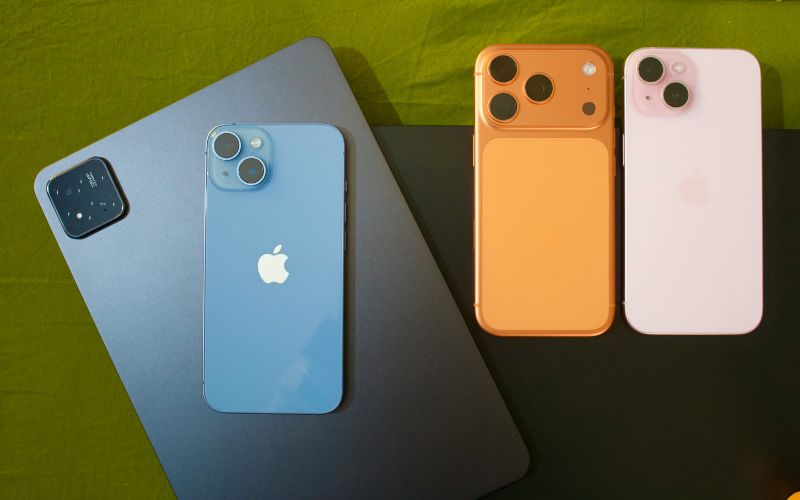
2. How to Activate eSIM on iPhone SE (3rd Gen)
Before activating a digital SIM, users should make sure their device is compatible and connected to a stable internet network. Many people still ask does iPhone SE 3rd gen have eSIM, and the good news is that this model fully supports eSIM activation, allowing users to set up a cellular plan digitally without inserting a physical SIM card.
Connect to Wi-Fi
First, to know does iPhone SE 3rd gen have eSIM is that you have to make sure your iPhone is connected to a stable Wi-Fi network. eSIM activation requires an internet connection because your carrier needs to download the digital SIM profile directly to the device.
A strong Wi-Fi connection helps prevent interruptions during the setup process and ensures the activation request can be completed smoothly.
Go to Settings → Cellular
Next, you open the Settings app on your iPhone and tap Cellular (or Mobile Data in some regions). This section manages all cellular plans installed on the phone.
Because many users wonder does iPhone SE 3rd gen have eSIM, it’s helpful to know that Apple designed this model to support both a physical SIM and an eSIM, enabling Dual SIM functionality.
Tap “Add eSIM”
Inside the Cellular settings menu, tap Add eSIM or Add Cellular Plan. This option tells the device that you want to install a new digital SIM profile. Your iPhone will then prepare to receive activation information from your carrier.
Scan the QR Code or Activate Through the Carrier App
Your carrier may provide a QR code that contains the eSIM activation details. Use your iPhone camera to scan the code when prompted. In some cases, you can also activate the plan directly through the carrier’s mobile app, which automatically installs the eSIM profile without scanning a code.
Confirm Activation
Finally, follow the on-screen prompts to confirm the installation and activate the plan. Once the setup finishes, your iPhone will connect to the carrier network and display signal bars at the top of the screen. After activation, you can start making calls, sending texts, and using mobile data just like with a traditional SIM card.
>>> Read More: Free iPhone SE: An Easy Way To Get One WITHOUT Breaking The Bank!
3. How to Get an iPhone SE 3 with a Free eSIM?
Many people who are interested in affordable smartphones also want to know how they can obtain one through licensed providers of the assistance programs. If you qualify for Lifeline, you may be eligible to apply for a smartphone, such as an iPhone, through the providers of the program. Below, we have outlined the general process for applying to the program.
Step 1: Check Your Lifeline Eligibility
Before applying with any provider, you should first confirm that you qualify for the Lifeline program.
Eligibility is typically based on household income or participation in government programs such as Medicaid, SNAP (Food Stamps), Supplemental Security Income (SSI), and Federal Public Housing Assistance. Preparing documents in advance, such as proof of income, program participation, or identification, can make the application process faster and smoother later.
Step 2: Apply Online With a Trusted Lifeline Provider
After confirming eligibility, you can apply through a participating Lifeline provider. One example is TAG Mobile, which offers free or discounted devices and plans for qualifying customers.
The application usually starts by visiting the provider’s website, entering your ZIP code to check service availability, and selecting an eligible plan.
At this stage, you may also see available devices and choose a free smartphone option if you qualify. At times, the iPhone SE 3 might be unavailable due to stock limit.
You can always browse other phone options including models from Apple, Samsung, and more.
Step 3: Enter Basic Information and Upload Documents if Required
Next, the application will ask for basic personal information such as your full name, date of birth, address, and the last four digits of your Social Security number or another identity verification method. Many applications can automatically verify eligibility through government databases.
However, if the system cannot confirm eligibility automatically, you may be asked to upload proof of participation in a qualifying program or documents verifying household income.
Step 4: Complete the Application and Wait for Delivery
After filling in all required fields, review your information carefully and submit the application for approval. Once the provider confirms eligibility, the device will be shipped directly to your address.
Delivery times vary depending on the carrier, but for example, customers applying through TAG Mobile typically receive their phone within about 7-14 business days, and activation instructions are usually included in the package to help you get connected quickly.
4. Other iPhone Options That Support eSIM
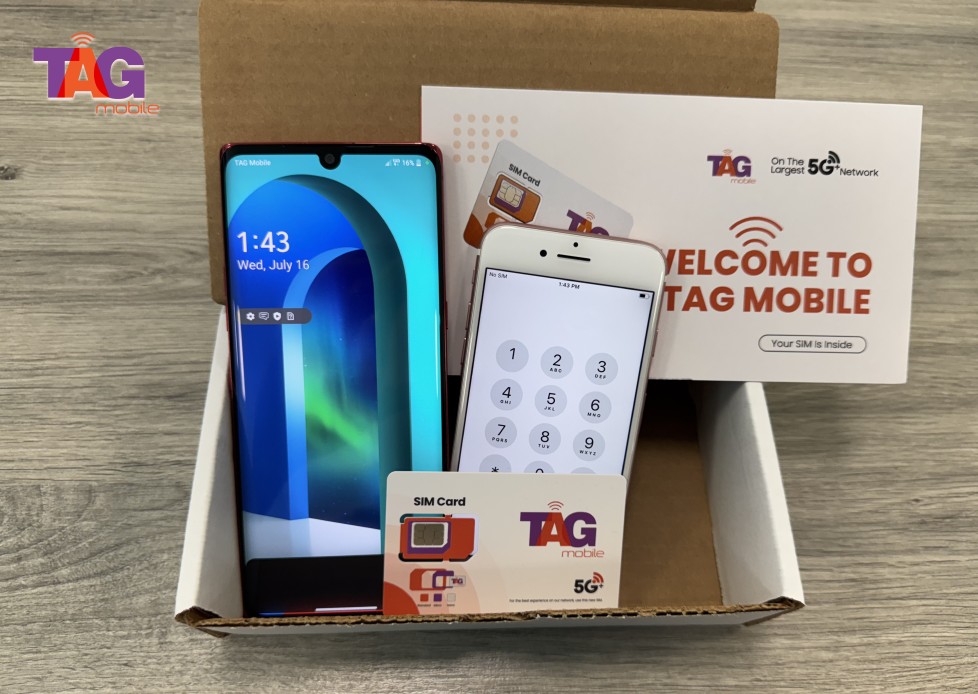
If you prefer an iPhone with eSIM support or keep wondering does iPhone SE 3rd gen have eSIM , there are several models available through the TAG Mobile device lineup. Depending on availability and your ZIP code, you may be able to choose from free or discounted iPhones that support digital SIM activation and modern network features.
Some commonly available iPhone options include models such as:
| Phone models | TAG Mobile price* | Retail price |
| iPhone XR | From $101.40 | $158.00 |
| iPhone 11 | From $173.99 | $228.85 |
| iPhone 11 Pro Max | From $239.99 | $304.75 |
*Prices may vary depending on availability, location, and time of application.
5. FAQs About iPhone SE and eSIM
Besides the concern about does iPhone SE 3rd gen have eSIM, many users considering this device often have a few practical questions about its connectivity features and network capabilities. The answers below clarify how the iPhone SE (3rd Gen) handles SIM functionality, storage of eSIM profiles, and modern network support.
Can the iPhone SE 2022 use dual SIM?
Yes, the iPhone SE (3rd Gen) supports Dual SIM functionality. Users can run one physical nano-SIM and one active eSIM at the same time, allowing two phone numbers on a single device. This setup is useful for separating personal and work lines or managing different carrier plans.
How many eSIM profiles can the iPhone SE store?
The iPhone SE (3rd Gen) can store 8 or even more eSIM profiles on the device. However, only one eSIM profile can be active at a time alongside a physical nano-SIM. Users can switch between stored eSIM profiles in the settings when needed without inserting a new card.
Does iPhone SE 3rd gen support 5G?
Yes, the iPhone SE (3rd Gen) supports 5G connectivity. Apple included the A15 Bionic chip and a 5G modem, allowing the device to access faster mobile data speeds where 5G networks are available. Actual performance depends on your carrier coverage and the specific 5G bands supported in your area.
6. Final Words
The iPhone SE (3rd generation) remains a strong option for users who want a compact device with modern connectivity features. If you’ve been asking, does iPhone SE 3rd gen have eSIM? The answer is yes, and that capability makes activation faster and more flexible without relying on a physical SIM card.
As more networks move toward digital SIM technology, having an eSIM-ready phone can simplify how you stay connected. If you want to explore compatible devices, affordable plans, and eSIM activation options, visit TAG Mobile to find solutions designed to keep you connected with ease.
Notice: The government does not cover device costs, only basic service through Lifeline. Any free or discounted devices, upgrades, or top-ups are limited-time TAG Mobile offers and may vary by state, eligibility, and availability. Terms and conditions apply.
- Share This:
-

-

-

-

-



About the author
